September 28, 2026 / Web Design
L shaped gaming desk: how to choose the right corner setup
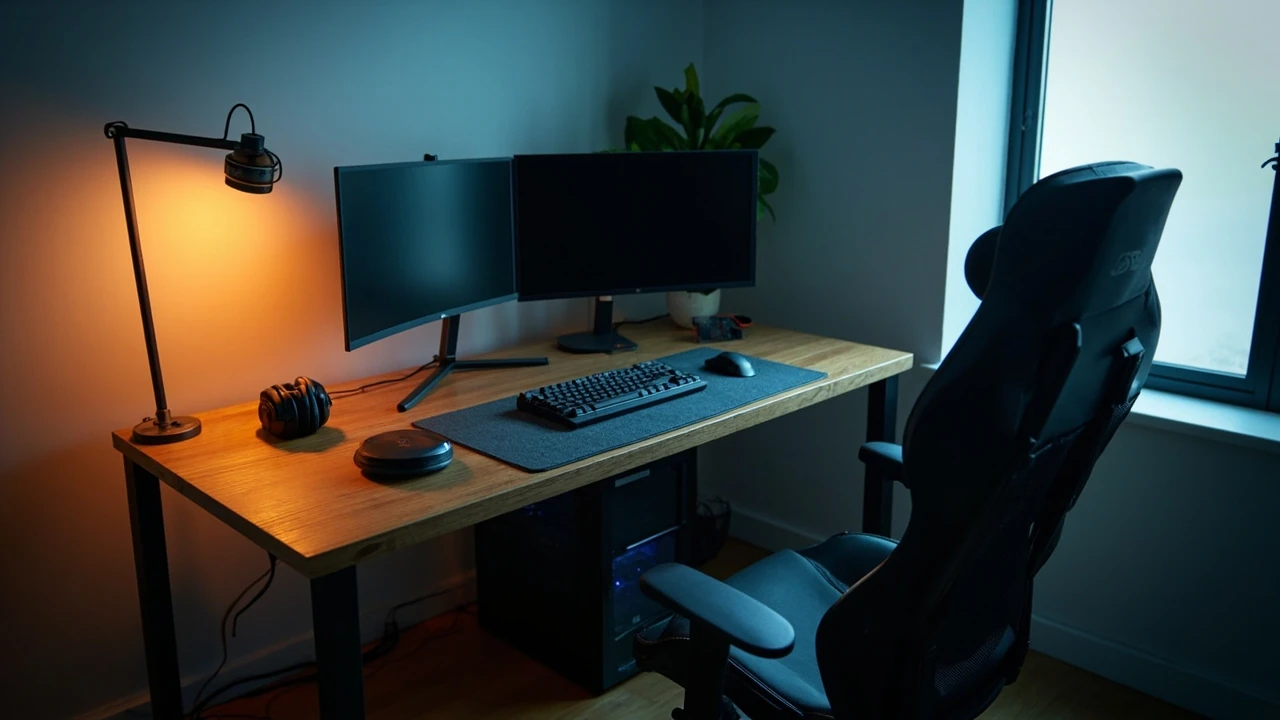
L shaped gaming desk: how to choose the right corner setup
A corner room, a pair of monitors, and a controller that keeps sliding off the edge of a narrow table: this is where most people start when they begin searching for an l shaped gaming desk. The shape promises more surface area than a standard rectangle, but the practical question is whether that extra depth actually fits the way you sit, the way your cables run, and the way your monitors need to be positioned. A poor corner fit can leave you with a desk that looks dramatic in photos and feels awkward every evening you use it.
This guide treats the l shaped gaming desk as a workspace design problem rather than a furniture trend. It walks through the dimensions that actually matter, the differences between corner and wraparound layouts, the ergonomic decisions that follow from your monitor count, and the build quality signals that separate a stable workstation from a wobbly frame. The goal is a setup that holds up to long sessions, keeps cable clutter out of sight, and leaves room for the hardware you already own or plan to buy.
Why the corner shape changes the decision
A standard rectangular desk asks one question: how wide is the room? An l shaped gaming desk adds a second question: what happens at the corner? That intersection is where most buying mistakes happen, because it is where reach, legroom, and monitor distance all meet at once. If the corner sits too far back, the inner edge of the desk becomes a dead zone. If the corner juts forward, your knees hit it whenever you lean in.
The corner also changes how you think about symmetry. Most gaming battlestations are photographed from the front, so they look balanced. In real use, you almost never sit centered on the long edge of an l shaped gaming desk. You sit in the corner angle, with one panel to your left and one to your right, and the screen layout that makes sense in that position is not the same as the one in the product photo.
Before looking at materials or RGB lighting, the first filter is whether a corner layout actually fits the room and the user. Everything else is secondary.
Decide the corner orientation before measuring the room
Two corner orientations are common, and they produce very different setups.
- Left return, right primary surface: the longer panel runs along the wall with the monitor, and a shorter panel returns to the left. This works when your tower, speakers, or secondary workstation lives on the left and the main screen faces the longer wall.
- Right return, left primary surface: the mirror of the above. Pick this if your dominant hand uses the mouse on a long open surface and your secondary gear, such as a streaming deck or audio interface, sits to your right.
- Symmetrical wraparound: both sides extend roughly the same length. This is the classic battlestation look and works when the corner faces into the room rather than into a wall.
Sketch the room before measuring desks. The corner orientation is decided by where the door, window, radiator, and power outlets are, not by which photo looked best online.
The dimensions that actually matter
Spec sheets list width, depth, and height, but they rarely explain how those numbers feel in use. A practical l shaped gaming desk selection starts with five measurements.
Primary surface depth
Depth is the distance from the user to the back edge of the panel that holds the monitor. A depth under 24 inches (about 60 cm) leaves very little room for a monitor arm clamp, a soundbar, and a backdrop. A depth of 28 to 32 inches gives breathing room for a triple-monitor curve or a large ultrawide screen without pushing the displays so far back that you lean forward to read text.
Return panel length
The return is the secondary panel that extends to the side. For a single-monitor setup, a 40 to 48 inch return gives you a place for the tower, a printer, or a streaming console. For a multi-monitor or dual-PC setup, a return of 55 inches or more starts to make sense. Anything shorter tends to disappear under clutter.
Corner clearance
The internal corner is often curved on higher-end l shaped gaming desk models, and that curve is not decorative. A 90 degree internal corner forces your chair to sit farther back to clear your knees, which in turn pushes your monitors out of ergonomic reach. A radius of 4 to 8 inches lets you pull the chair closer and keeps the inner edge useful.
Under-desk clearance
Legroom and storage both depend on the clearance under the frame. A height of 28 to 30 inches from floor to underside suits most adults. If you use a tall gaming chair or a stool, measure first. Crossbars at the wrong height will bruise your shins within a week.
Load capacity per panel
Load ratings on l shaped gaming desk listings are often given for the whole desk, not per panel. A return that holds a heavy PC tower, two speakers, and a stack of books can sag over time if the rating is shared with the primary surface. Look for explicit per-panel limits or a center support leg on the return.
Corner, wraparound, or two desks pushed together
It is tempting to save money by placing two rectangular desks at a right angle, and many gamers do. The trade-offs are worth listing side by side.
| Feature | Single l shaped gaming desk | Two rectangular desks at 90 degrees |
|---|---|---|
| Corner stability | One welded or bolted frame, no wobble at the join | Wobble is common where the two desks meet, especially under typing force |
| Height match | Both panels share the same surface height by design | Leg levelers rarely match exactly, surfaces sit at slightly different heights |
| Cable management | Built-in trays and channels usually run along the inner corner | Cables dangle in the gap between desks, collect dust, and snag chair wheels |
| Movement | One piece, hard to move without disassembly | Each desk can be moved or replaced separately, easier for renters |
| Cost | Higher entry price, but better long-term fit | Lower entry price, often the result of using leftover furniture |
| Future expansion | Limited; you usually add accessories, not new panels | Easy; a third small desk or shelf can extend the layout |
If the room is rented, the layout is still being figured out, or the budget is tight, two desks can be a reasonable test. If the l shaped gaming desk is meant to be the workstation for the next several years, a single integrated frame is the more durable answer.
Ergonomics at a corner workstation
Standard ergonomic advice assumes you sit square to a single screen. An l shaped gaming desk breaks that assumption, because you can place monitors on either panel, and the angle of your torso changes depending on which screen you are using. A few principles help keep the setup healthy.
- Primary monitor at arm’s length. Sit in the corner and measure from your eye to the center of the main screen. The distance should be roughly 24 to 30 inches for a 27 inch monitor, and a little farther for a 32 inch or ultrawide display.
- Top of screen at or just below eye level. A monitor arm makes this much easier on an l shaped gaming desk, because the inner corner often blocks the use of a tall stand.
- Elbows at about 90 degrees. The keyboard and mouse should sit on the panel closest to your body, not on the return that forces a sideways reach.
- Wrists neutral. If the return panel is slightly higher or lower than the primary surface, typing posture suffers. A shared surface height is one of the quiet advantages of a single-frame l shaped gaming desk.
- Feet flat, knees clear of the corner. This is the part most guides skip. Test it before buying by sitting in the corner with a chair and pretending the inner edge of the desk is 2 to 3 inches in front of your knees.
Monitor placement on an l shaped gaming desk
The corner geometry creates three common monitor layouts. Each has a different feel, and the choice depends on the games you play and whether you stream or work on the same machine.
| Layout | Best for | Trade-off to plan for |
|---|---|---|
| Single monitor centered on the primary surface | Single-player games, focused work, ultrawide screens | Return panel can feel underused unless it holds a tower and a lamp |
| Two monitors side by side on the primary surface | Sim racing, flight sims, strategy games, chat on one screen | Requires at least 48 inches of primary surface width to keep the inner monitor from crowding the corner |
| Primary monitor on the primary surface, secondary monitor on the return | Streaming, Discord on the side, reference material during play | Secondary screen sits at a different angle; neck turns more, so height and distance matter |
A practical rule: if you plan to use a 32 inch or 34 inch ultrawide as the main screen, do not put a second monitor on the same panel. The ultrawide already fills the primary surface, and adding a side display pushes you off-center. The return panel is a better home for chat, audio tools, or a small reference screen.
Materials and build quality
Materials on an l shaped gaming desk are not just an aesthetic choice. They change how the desk feels under your forearms, how it handles a spilled drink, and how it ages after two years of headset slams and controller drops.
- MDF with laminate: the most common surface. Smooth, easy to clean, available in many finishes, but vulnerable to chipping at the edges and to swelling if water sits on the surface.
- Solid wood or veneered wood: warmer feel, ages well, and tolerates small impacts better than laminate. Heavier, and the price reflects that.
- Carbon fiber or textured laminate: marketed for gaming, usually a printed surface over MDF. The texture helps with mouse glide but adds little to durability.
- Steel frames with separate tops: common in higher-end l shaped gaming desk models. The frame carries the load, the top is replaceable if it ever wears out.
- Glass tops: striking, but heavy, fingerprint-prone, and risky if a heavy speaker is dropped on an edge.
Frame material matters as much as the top. A powder-coated steel frame is heavier and more stable than a chrome-plated thin steel frame. Aluminum frames are light and stiff but cost more and rarely appear on budget l shaped gaming desk models.
Cable management on a corner desk
Corner layouts have more cable length and more corners to hide cables around. A few small choices keep the setup clean without spending a weekend on it.
- Run the power strip and surge protector along the back of the return panel, not the primary surface. The return is usually against a wall and out of sight.
- Use the inner corner as a vertical cable channel. Most l shaped gaming desk models have a grommet or a removable cover in that exact spot for this reason.
- Group cables by destination: monitor, PC, audio, peripherals. Velcro straps at 12 to 18 inch intervals keep bundles tidy without pinching thinner cables.
- Leave a service loop behind the PC so you can pull the tower out for cleaning without unplugging the desk.
- Keep a small mesh bag under the desk for the spare cables, USB hubs, and adapters that would otherwise pile up on the return surface.
Storage, lighting, and accessories that earn their space
An l shaped gaming desk is large enough to host real storage, not just a monitor and a mouse. The return panel is the natural home for items that do not need to be at hand during play.
- Headphone stand: keep it on the return near the edge, where you can grab the cans without looking.
- Small drawer unit or rolling pedestal: fits under the return, holds controllers, charging cables, and small tools.
- Bias light or monitor light bar: a strip behind the main monitor reduces eye strain. Avoid RGB strips aimed at the wall if the room is small, the reflections get tiring.
- Cable tray under the primary surface: holds the power strip and the wall-wart bricks that would otherwise hang in the legroom.
- Shelf or hutch on the return: useful for collectibles, but check that it does not block the window or the room’s main light source.
Two or three accessories, placed deliberately, are usually enough. The mistake is to treat the return as a shelf for anything that does not fit elsewhere, which fills the surface and makes the desk feel smaller than it is.
Common mistakes when buying an l shaped gaming desk
These are the issues that show up in returns, repair requests, and photos of regret.
- Buying by total width only. A 60 inch l shaped gaming desk sounds generous, but if the return is only 18 inches deep, it cannot hold a tower and a monitor at the same time.
- Ignoring the inner corner radius. Sharp corners force the chair back and break the ergonomic triangle between the user, the keyboard, and the screen.
- Underestimating assembly time. Some l shaped gaming desk models ship in two boxes, weigh 80 to 120 pounds, and take 60 to 90 minutes for two people to assemble. Plan the time, not just the cost.
- Skipping floor protection. Hard plastic feet on a heavy desk will dent soft flooring. Felt pads or a chair mat under the gaming chair are cheap insurance.
- Choosing RGB lighting over frame strength. LED strips do not stiffen a desk. A wobbly frame with lights is still a wobbly frame.
How to test an l shaped gaming desk before committing
Because an l shaped gaming desk is large and hard to return, a short dry run in the room saves a lot of trouble.
- Mark the floor with painter’s tape in the exact footprint of the desk, including the return.
- Place a chair in the corner of the taped outline and sit for at least ten minutes, mimicking a typical play session.
- Simulate the monitor position with a cardboard box of similar size and check reach, glare, and viewing angle.
- Place a small weight on the return panel to test for sag if the floor is not perfectly level.
- Walk the room and open the door, the closet, and any drawers near the desk to confirm clearance.
If anything feels off in this five-step test, the desk in question is the wrong size, even if the specifications look correct on paper.
Matching the desk to the type of gamer
Different play styles stress the desk in different ways. A short comparison helps set priorities.
| User type | Primary need from the desk | Features worth paying for |
|---|---|---|
| Single-screen PC gamer | Stable primary surface, room for tower on the return | Solid steel frame, integrated cable tray, modest surface depth |
| Sim racer or flight simmer | Wide primary surface for a wheel or yoke, often a small secondary screen for telemetry | Wheel clamp compatibility, deep primary surface, reinforced return |
| Console and PC hybrid | Space for a console, a controller, and a headset within arm’s reach | Return panel long enough for both tower and console, easy cable access |
| Streamer or content creator | Room for a second monitor for chat, a microphone arm, and a lighting setup | Strong return for audio interface, cable channels, height adjustment for camera |
| Student who also games | Workspace for a laptop and books plus a gaming corner | Symmetrical wraparound, durable top, simple cable management |
This table is not a buying recommendation. It is a way to translate a play style into a list of features that the l shaped gaming desk must actually support.
Maintenance that extends the life of the desk
Most l shaped gaming desk owners replace the desk long before the desk has actually worn out. A small habit keeps the surface and frame in good shape for a long time.
- Wipe the surface weekly with a slightly damp microfiber cloth. Avoid household sprays that can dull laminate finishes.
- Check the leg levelers every few months, especially in rooms with seasonal humidity changes, because an unlevel desk is the first step toward a wobbling frame.
- Tighten the visible bolts once or twice a year. Vibration from typing and from speakers can loosen them slowly.
- Rotate the mousepad so wear spreads across the surface rather than concentrating in one spot.
- Keep drinks on a coaster or a small tray. A spill into the inner corner is harder to clean than one in the center of the desk.
Frequently asked questions
What size l shaped gaming desk fits in a small room?
For a room under 10 by 10 feet, a primary surface of about 55 by 29 inches and a return of about 41 by 21 inches is usually the practical upper limit. Measure the corner footprint with painter’s tape before ordering, and leave at least 30 inches of clearance in front of the chair so you can roll back without hitting a wall or a shelf.
Is an l shaped gaming desk better than a straight desk for two monitors?
It depends on the monitor sizes and the room. Two 24 or 27 inch monitors fit comfortably on a long straight desk of 60 inches or more. An l shaped gaming desk becomes useful when you want one monitor on the primary surface and a second monitor, a console, or a streaming PC on the return, instead of cramming everything onto one long front edge.
How much weight can an l shaped gaming desk hold?
Most consumer l shaped gaming desk models are rated for 100 to 300 pounds total, with the return usually supporting less than the primary surface. If you plan to place a heavy tower, two large monitors, and speakers on the desk, look for a per-panel load rating rather than a single number, and consider a center support leg on the return.
Do I need a special chair for a corner desk?
You do not need a special chair, but the chair should have a five-point base, adjustable height, and a tilt mechanism. A chair that is too tall will push your knees into the inner corner, and a chair that is too low will force you to hunch toward the primary surface. Sit in the corner before buying the chair if you can.
Can I put a corner desk against a wall with a window?
Yes, but think about glare and airflow. Direct sun on the primary monitor can wash out the screen, and a radiator under the return can warp a wood surface over time. A curtain, a blind, or a careful choice of which corner of the room to use usually solves both problems.
What is the best height for an l shaped gaming desk?
For most adults, a surface height of 28 to 30 inches from the floor works well. The exact height depends on your chair and your elbow position when you type. Sit with your feet flat, elbows at about 90 degrees, and measure from the floor to the underside of your forearm. That measurement is a good starting point for the desk height.
How do I hide cables on a corner desk?
Use a cable tray under the primary surface, run the main bundles along the back of the return, and pull everything through a grommet in the inner corner. Group cables by destination, label both ends, and leave a service loop behind the PC so you can pull the tower out for cleaning.
Is an l shaped gaming desk worth it for a single monitor?
It can be, if the return panel solves a real problem, such as a place for the tower, a printer, or a second workstation. If the only screen is a single 24 inch monitor, a smaller straight desk often does the same job at a lower cost. The corner shape earns its price when both panels are used every day.
How long does assembly usually take?
For a mid-range l shaped gaming desk, two adults usually need 60 to 90 minutes, including unboxing and clearing the packaging. Budget more time if the model has a power grommet, a monitor arm, or a built-in LED strip that has to be wired in.
Can I use an l shaped gaming desk in a rented space without damaging the floor?
Yes. Felt pads under the desk legs and a chair mat under the gaming chair protect most floor types. If the lease is strict, choose a model that can be disassembled and moved without leaving marks, and keep the original packaging until the move-out inspection.
Bringing it together
An l shaped gaming desk is a workstation first and a style statement second. The right choice starts with the corner orientation, the depth of the primary surface, and the length of the return, not with the color of the trim or the pattern of the LED strip. Once the geometry fits the room and the chair, the rest of the decisions fall into place: monitor placement, cable routing, accessories, and the small maintenance habits that keep the desk stable for years.
If you treat the search as a design problem rather than a product comparison, the l shaped gaming desk you end up with will hold two monitors, a tower, and a stack of controllers without crowding the room, and it will still feel comfortable an hour into a long session. That is the only benchmark that matters when the packaging is gone and the chair is finally in the corner.