October 13, 2026 / Web Development
Apex gaming PC: what the term means and how to plan one
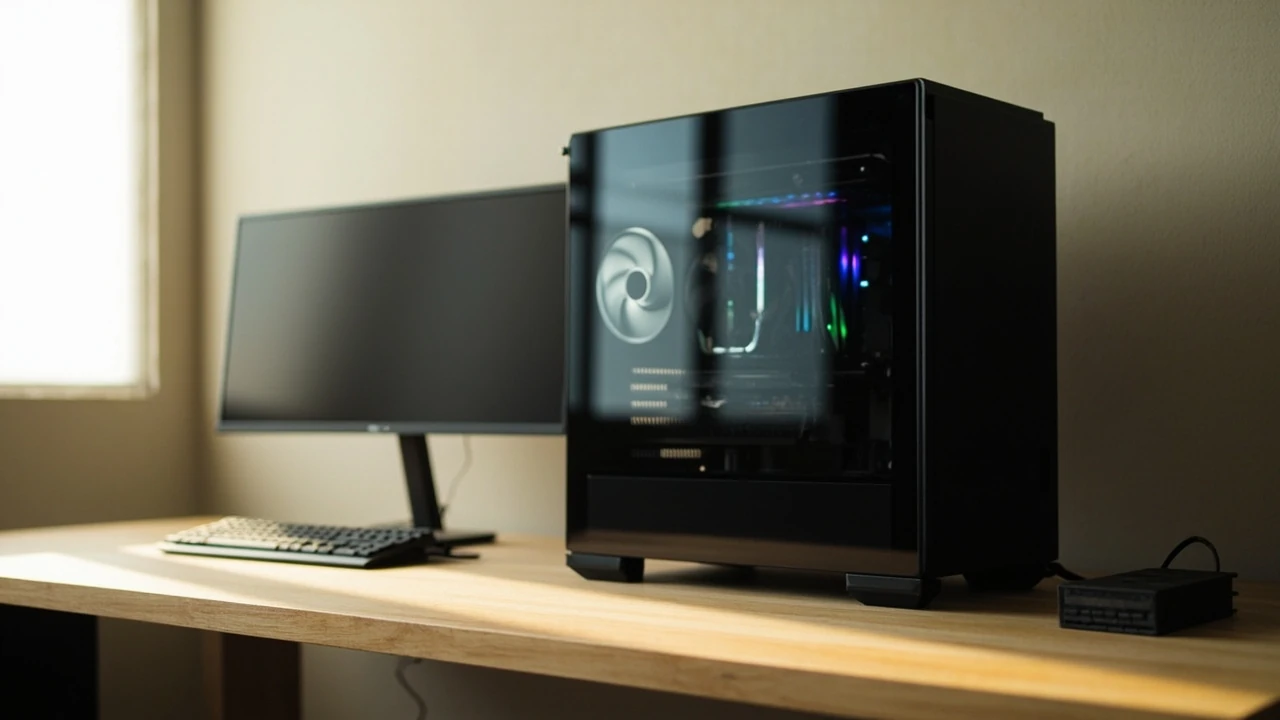
A desktop computer is usually called an apex gaming PC when it is built around the fastest currently available consumer parts and tuned for sustained high frame rates, not just for a flashy spec sheet. The phrase describes a target rather than a single product, because the parts that define the top of the consumer stack shift every year. Understanding what makes a build qualify as an apex machine helps readers decide whether they actually need that level of hardware, or whether a slightly more modest configuration would deliver the same experience in their favorite games.
What an apex gaming PC actually means
The term apex gaming PC is shorthand for a desktop that is configured at or near the top of current consumer hardware. In practice that means a recent flagship CPU from the two main x86 families, a top-tier graphics card with enough VRAM for high-resolution textures, fast DDR5 memory, NVMe storage, and a power supply that can deliver stable current to all of it. It also implies careful thermal design, because the parts that define the apex tier run hot under load.
Because hardware generations move quickly, the specific model numbers that count as apex tier change every twelve to eighteen months. The concept, however, stays consistent: a system with no meaningful bottleneck for the games the owner plays at the resolution and refresh rate they care about.
Defining features shared by every apex tier build
- A current-generation flagship or near-flagship CPU with enough cores to feed the GPU and to handle background tasks.
- A top-tier GPU with sufficient VRAM for the target resolution, including headroom for future titles.
- DDR5 memory at a speed and capacity that the platform’s memory controller can actually use.
- NVMe PCIe storage for the boot drive, sized for the operating system and current library.
- A power supply rated for sustained loads above the system’s measured peak draw.
- Case airflow and cooling sized so the CPU and GPU can run boost clocks without throttling.
Who actually needs an apex gaming PC
Not every gamer benefits equally from apex tier hardware. The right read on the audience helps avoid overspending on parts that will never be the bottleneck.
Competitive players on high refresh rate monitors
Players who run 240 Hz or 360 Hz displays in fast-paced shooters see the biggest payoff from an apex gaming PC. At that refresh rate, every additional frame per second improves the gap between input and visible motion. The workload is CPU-bound at lower settings and frame rates, and GPU-bound once the detail level rises, so a balanced flagship CPU and GPU matter more than a single expensive part.
Creators and streamers who also game
Anyone who records, streams, or edits video on the same machine benefits from the extra cores and memory bandwidth that the apex tier offers. A modern top-end CPU can encode a stream in software while the GPU focuses on the game. The same system then handles 4K timelines in editing software without becoming the bottleneck.
High-resolution and high-setting single player gamers
Players who prefer 4K or ultrawide resolutions with ray tracing in story-driven games see a clear step up from an apex GPU compared with a mid-range card. Texture quality, shadow detail, and frame pacing all improve with the larger VRAM pool that defines the top tier.
Readers who probably do not need apex tier
Players who mainly enjoy indie titles, esports games at 1080p, or older single player libraries can hit a smooth experience on much less expensive hardware. The same applies to anyone whose display is a standard 60 Hz monitor, because the human eye cannot see frames the monitor cannot display.
The core parts of an apex gaming PC build
Each part of an apex build plays a specific role, and a careful balance between them matters more than pushing any single component to the most expensive option.
CPU and platform choice
The CPU keeps the frame pipeline fed and handles physics, AI, and streaming. At the apex tier, both AMD and Intel offer recent flagships with high single-core speed and enough cores for modern games. Motherboard choice should match the CPU’s memory topology, since fast DDR5 only helps when the platform can run it at the rated speed.
GPU and VRAM
The graphics card carries most of the visual workload. Apex tier cards ship with the largest VRAM pools available on consumer boards, which matters at 4K and in heavily modded titles. Buyers should look at the resolution they actually play at, not just the headline model name, because the difference between a flagship and a near-flagship is often smaller than the difference between a high-end card and the tier below.
Memory
Modern platforms use DDR5, and the sweet spot for an apex gaming PC sits in the range that current memory controllers can run without aggressive tuning. Capacity matters as much as speed, because modern games and background services will fill whatever is available. Leaving the operating system with too little headroom forces the page file to the slower SSD and shows up as stutter in long sessions.
Storage
An NVMe boot drive keeps load times short and gives the operating system room to breathe. A second NVMe or SATA SSD for the game library keeps large installs from competing with the boot partition. For apex tier builds, a single high-capacity NVMe is often cleaner than a stack of smaller drives, because heat and cable management stay simpler.
Power supply
The power supply is the part most readers under-size. Apex tier GPUs can pull significant transient spikes, so a unit rated for sustained loads above the system’s measured peak is safer than a unit that only meets the headline wattage on paper. A higher efficiency rating means less waste heat and lower fan noise, which matters in a build that will run for hours at a time.
Cooling and case airflow
Top-tier parts throttle quickly when they run hot. A tower cooler or a 360 mm AIO for the CPU and a case with mesh front panels keeps the apex tier running at boost clocks for the length of a gaming session. Readers who prefer quiet operation should prioritize larger, slower-spinning fans over smaller, faster ones, because the larger fans move the same air at lower noise levels.
| Component | Apex tier role | What to look for |
|---|---|---|
| CPU | Keeps the frame pipeline full and handles background tasks | Recent flagship, enough cores for game plus streaming |
| GPU | Renders the game at the target resolution and frame rate | Top-tier card with the largest available VRAM pool |
| Memory | Holds game data and background services | DDR5 at the speed the platform can use, with capacity to spare |
| Storage | Short load times and room for the game library | NVMe boot drive, secondary SSD for games |
| Power supply | Stable, clean current under load | Rated above measured peak draw, high efficiency |
| Cooling | Keeps boost clocks active during long sessions | Mesh case, large fans, capable CPU cooler |
Prebuilt versus custom build at the apex tier
Once the target moves into apex territory, the prebuilt versus custom build question becomes a real trade-off rather than a default recommendation.
Where prebuilts make sense
Prebuilts from major system integrators offer warranty coverage on the whole machine, validated thermal testing, and the convenience of a single support contact. For readers who do not enjoy the assembly process, or who want a finance option through the same vendor, a prebuilt apex gaming PC removes the manual build step and the risk of a shipping part being incompatible.
Where custom builds make sense
Custom builds let the buyer choose each part deliberately, which matters at the apex tier because the bottleneck is usually one component, not the system as a whole. They also make future upgrades easier, because the owner knows exactly which case, motherboard, and power supply they are working with. The trade-off is the time spent on assembly and the loss of the single-vendor warranty.
| Factor | Prebuilt apex gaming PC | Custom apex gaming PC |
|---|---|---|
| Warranty | Whole system under one vendor | Per-part warranties from each maker |
| Part selection | Fixed configurations and a few options | Free choice of every component |
| Assembly effort | None, ships ready to use | Several hours of careful work |
| Upgrade path | Depends on the chassis and PSU chosen | Owner knows the exact base parts |
| Initial cost | Often slightly higher for the same parts | Usually lower once the OS license is set aside |
Planning the build around the games you play
One of the most useful steps before buying parts is to list the games that matter, the resolution the monitor supports, and the refresh rate the player wants to hit. That short list turns the question from “what is the best GPU” into a much smaller decision.
Sample resolutions and refresh targets
- 1080p at 240 Hz or higher for competitive esports: a strong CPU and a high-tier but not necessarily flagship GPU are usually enough.
- 1440p at 144 Hz or higher for a mix of competitive and single player: a balanced apex tier CPU and GPU pair delivers headroom.
- 4K at 60 Hz or higher with ray tracing: a true apex tier GPU is the deciding part, and the CPU matters less once the GPU is the limit.
- Ultrawide 3440 by 1440 at high refresh: similar to 1440p, but the wider screen adds about a third more pixels and shifts the load toward the GPU.
Workload-based part weighting
Once the resolution and refresh target are set, weighting the parts becomes a simple calculation. Competitive players weight the CPU more heavily because frame time consistency matters as much as the average frame rate. Story-driven single player players weight the GPU more heavily because they want detail and ray tracing rather than the highest possible frame rate. Creators weight both, plus memory capacity, because the editing workload benefits from extra headroom.
Common mistakes when planning an apex gaming PC
Buyers who focus only on one part often end up with a build that does not deliver the experience they expected. A short list of recurring mistakes helps readers avoid the same traps.
- Pairing a flagship GPU with a CPU that cannot keep it fed, which shows up as a lower average frame rate than the GPU alone would deliver.
- Under-sizing the power supply to save a small amount of money, which can cause shutdowns under transient load and shorten the life of the components.
- Choosing a small case with poor airflow, which turns the apex tier hardware into a thermal throttle the moment the game loads.
- Buying the most expensive memory kit on the market, even when the chosen platform cannot run it at the rated speed without manual tuning.
- Skipping the operating system license, then adding a recovery partition later, which is more expensive than buying the license once.
- Forgetting the monitor, speakers, and peripherals, which can cost as much as the parts inside the case and decide whether the system actually feels like an apex build.
How to keep an apex gaming PC healthy over time
Apex tier hardware runs near its limits by design, which means a small amount of routine care keeps it performing the way it did on day one.
Dust and airflow
Dust on the case filters and the cooler fins restricts airflow and raises temperatures. A quick vacuum of the front filters every few months and a deeper clean once a year keeps the fans from ramping to their full speed during long sessions. Cable management inside the case also matters, because tangled cables block the path between the front intake fans and the components that need cool air.
Driver and firmware updates
GPU drivers ship regular performance updates for new games, and motherboard firmware updates improve memory compatibility and sometimes CPU behavior. A simple rule of keeping the GPU driver current and reading the firmware notes before updating the motherboard is enough to capture the gains without unnecessary risk.
Storage hygiene
An SSD that is more than ninety percent full loses performance, because the controller needs free blocks to spread writes efficiently. Keeping a small reserve of free space on the boot drive avoids the slowdowns that show up as long load times in the second year of ownership.
Display and peripheral choices that match the hardware
The fastest parts in the case cannot show their work on a display that cannot keep up. A balanced apex gaming PC needs a monitor that supports the resolution and refresh rate the build is sized for, with the right cable to carry the signal.
Monitor resolution and refresh rate
Competitive players benefit from a 1080p or 1440p panel at 240 Hz or higher. Single player players benefit more from a 4K panel at 120 Hz or higher, especially if it supports HDR. Ultrawide panels add horizontal space that flight sims, racing games, and productivity software use well, but the wider screen asks more of the GPU for the same vertical resolution.
Cables, audio, and input devices
A high refresh monitor connected with an older cable caps the refresh rate at the cable’s bandwidth. Audio matters as much for immersion as frame rate, because a noisy or tinny headset makes long sessions tiring. Mechanical keyboards and a precise mouse are personal choices, but the polling rate and sensor quality of the mouse become noticeable on a high refresh display.
Frequently asked questions
What is the difference between an apex gaming PC and a high-end one?
The difference is mostly a matter of degree. A high-end gaming PC uses current top parts but may compromise on one or two components to fit a budget. An apex gaming PC is configured so that no part is a clear bottleneck for the games the owner plays, and the thermal design is sized for sustained boost clocks rather than short benchmarks.
How much should an apex gaming PC cost to build?
Costs move with hardware generations and the games the buyer targets, so a fixed number goes stale quickly. The useful framing is to set a budget, then choose the parts that close the gap to the target frame rate first, and only step up to the next tier of part when the measured improvement is meaningful for the games that matter.
Do I need a 4K monitor for an apex gaming PC?
Not necessarily. A 4K monitor makes the most of an apex GPU in story-driven games with ray tracing, but a 1440p or 1080p monitor at a high refresh rate suits competitive games better. The monitor and the GPU should be chosen together, so the build can actually deliver the experience the screen was bought to show.
Is liquid cooling required for an apex build?
Liquid cooling is helpful for the top CPU models, which run hot under sustained load, but a large tower air cooler can cool most apex tier CPUs at acceptable noise levels. The case airflow matters more than the choice between air and liquid, because both approaches depend on moving heat out of the chassis efficiently.
How long does an apex gaming PC stay at the top of the stack?
Most apex tier CPUs and GPUs hold up well for three to four years of new releases, and stay perfectly playable for several years beyond that at lower settings or resolutions. The parts that age the fastest are GPUs, because new graphics features tend to demand more VRAM and more raw throughput with each generation.
Can a prebuilt apex gaming PC be upgraded later?
Most prebuilts use standard parts and can be upgraded, though some use proprietary power supplies or small cases that limit future options. Before buying, it is worth checking the case size, the power supply wattage and connector layout, and the number of storage bays, because those determine how far the system can grow.
What is the single part that matters most in an apex gaming PC?
The graphics card is usually the deciding part, because it carries the visual workload and sets the cost ceiling of the build. The CPU comes a close second in competitive and streaming workloads, where frame consistency depends on the processor keeping the pipeline fed.
How do I know whether my current PC is already at the apex tier?
The simplest check is to run a few demanding games at the resolution and settings the player cares about, and to monitor frame times rather than just the average frame rate. A build that holds a steady frame time with no long spikes, and that matches the refresh rate of the display, is delivering an apex experience even if the model numbers are a generation old.
Does an apex gaming PC use a lot of power?
Apex tier parts draw more power than mid-range parts, especially the GPU under gaming load. A typical apex build sits in a power range that needs a quality high-wattage power supply, and the running cost depends on local electricity prices and how many hours per day the system is in use. Choosing parts with strong performance per watt helps control the bill over the life of the build.
Is it worth waiting for the next generation before building?
Waiting is a reasonable move when a launch is weeks away and the new parts address a known weakness in the current generation. It is less useful to wait indefinitely, because there is always another launch on the horizon, and the existing parts will already deliver the experience the buyer planned for.
Useful next steps
Before spending on parts, write down the three games that matter most, the resolution and refresh rate the display supports, and a realistic budget. That short list will point to a specific balance of CPU, GPU, and memory, and will keep the build focused on the experience the reader actually wants. For a broader look at how to plan a site or product that actually performs the way it claims to, the website strategy guide covers the same kind of decision-making from a different angle. A practical look at the visual side of a system, from case lighting to brand identity, sits in the visual identity overview.