August 19, 2026 / Web Development
Skytech Gaming PC: what the lineup actually delivers for buyers
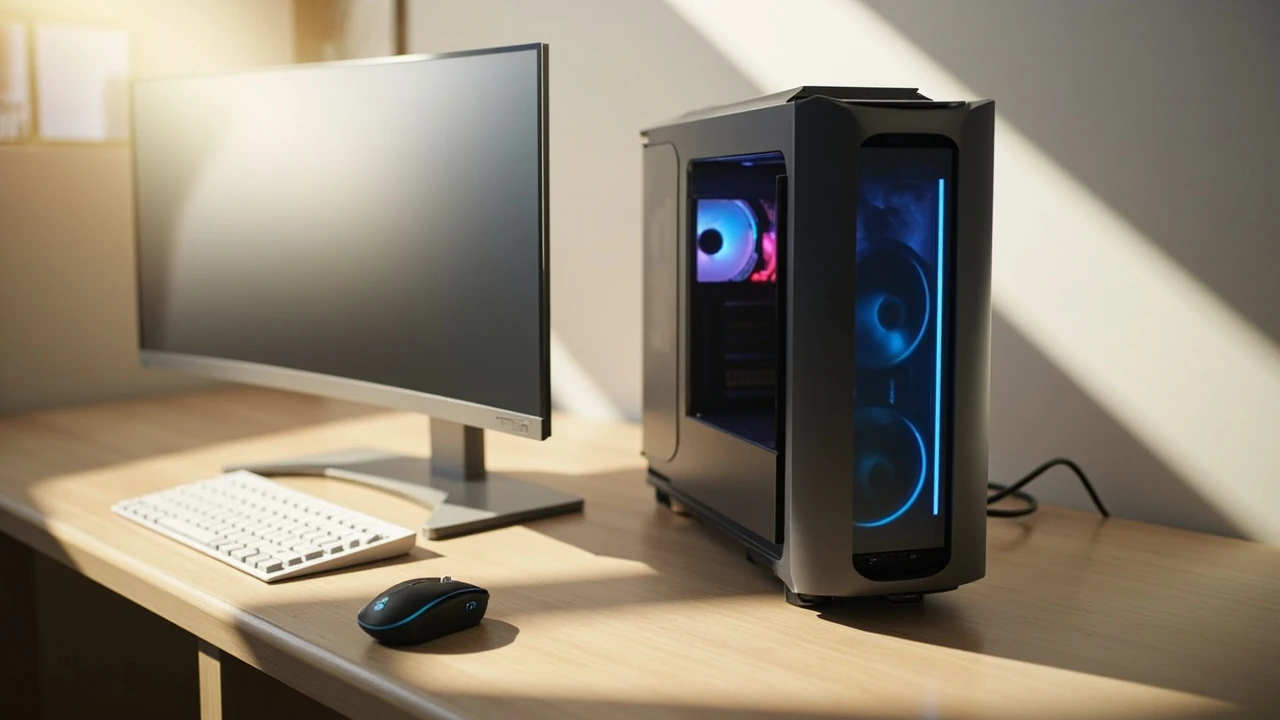
Skytech gaming PC: what the prebuilt line actually offers
A buyer comparing prebuilt gaming desktops often meets the name Skytech before any other, because the company has spent years pushing fixed-configuration towers through major marketplaces at price points that look aggressive next to custom builds. A Skytech gaming PC is a Windows desktop assembled in the United States from mainstream parts, shipped as a complete system with a warranty, and targeted at players who would rather click “buy” than pick a motherboard and a power supply. The appeal is convenience, but convenience only matters if the configuration underneath is balanced, the components are current enough to be useful, and the build quality holds up once the box arrives.
This guide walks through what a Skytech gaming PC actually contains, how the company structures its lineup, what each tier tends to deliver in real play, and what a careful buyer should verify before paying. It also covers the failure modes that show up most often in prebuilt gaming desktops, so the decision to buy one is made with eyes open rather than on a screenshot of a frame rate. The focus stays on practical evaluation rather than hype, because a gaming PC is a hardware purchase, and hardware rewards skepticism.
Who Skytech is and where the company fits in the prebuilt market
Skytech is a US-based system integrator that specializes in gaming desktops. The company does not manufacture graphics cards, CPUs, or power supplies; instead, it sources components from the same vendors that every builder uses and assembles them into finished towers that ship in retail packaging. This is the same model used by other well-known prebuilt brands, and it means the inside of a Skytech gaming PC looks familiar to anyone who has opened a custom build.
What separates Skytech from boutique builders is volume and channel. Most Skytech gaming PC listings live on large online marketplaces, especially Amazon, where the company has built a presence with thousands of reviews. The advantage of that channel is reach; the disadvantage is that support is often handled by a mix of the marketplace, the component manufacturer, and Skytech’s own small service team. A buyer who values a single throat to choke will want to understand that structure before ordering.
Skytech’s catalog is wide but shallow. Rather than offering deep configurators with dozens of case and storage options, the company tends to publish a set list of fixed configurations at fixed prices. Each configuration is a snapshot: a given GPU, a given CPU, a given amount of RAM, a given SSD, and a given case. When a new generation of graphics cards launches, Skytech typically refreshes the matching SKUs, but it rarely offers the same model in five storage variants the way a boutique builder might.
How a Skytech gaming PC is normally configured
Although configurations change as new components arrive, most Skytech gaming PC listings follow a familiar template. Understanding that template makes it much easier to compare two SKUs against each other and against a custom build.
- Processor: Usually a current AMD Ryzen 5 or Ryzen 7, or an Intel Core i5 or i7, depending on the price tier. Entry models often use a six-core Ryzen 5 5600X-class part, while higher tiers step up to Ryzen 7 5800X3D, Ryzen 7 7700X, or Core i7-13700K-class silicon.
- Graphics card: The component Skytech markets hardest. Listings are typically organized around a single GPU, with names like “RTX 4060,” “RTX 4070,” “RX 7700 XT,” or “RTX 4070 Ti.” Higher-end SKUs use RTX 4080 or RTX 4090 cards when stock allows.
- Memory: Almost always 16 GB of DDR4 or DDR5 in dual channel, with 32 GB offered on the upper tiers. The exact speed and timings vary; some listings specify 3200 MHz CL16, others 6000 MHz CL30, and the slower kits hold back modern CPUs in CPU-bound games.
- Storage: A 500 GB to 2 TB NVMe SSD is standard. Higher configurations sometimes pair the boot drive with a secondary hard drive for game libraries, though that is becoming less common as SSD prices fall.
- Case and cooling: Mid-tower cases with tempered glass side panels, several RGB fans, and either an air tower or a 240 mm AIO liquid cooler on the CPU. Case airflow and noise vary widely because Skytech rotates case models.
- Power supply: Typically a 550 W to 850 W 80 Plus Bronze or Gold unit from a recognizable brand. The exact model is rarely called out by name in the listing, which is one of the more important things a buyer should verify.
- Operating system: Windows 11 Home, preinstalled and activated.
The list above is a pattern, not a promise. Skytech revises its configurations as supply changes, and the same listing title can quietly shift components over a product’s life on a marketplace. Always read the spec sheet on the product page itself before buying.
What the entry, mid, and high tiers actually deliver
Skytech organizes its catalog into roughly three performance bands, and the differences between them are felt in real games rather than only on paper. The table below shows how the typical tiers map to common use cases. Exact part numbers shift each year, so use this as a pattern check rather than a fixed menu.
| Tier | Typical GPU | Typical CPU | RAM | Realistic 1080p target | Realistic 1440p target |
|---|---|---|---|---|---|
| Entry | RTX 3050 / RX 6500 XT / RTX 4060 | Ryzen 5 5600 or Intel i5-12400F class | 16 GB DDR4 | High settings, 60+ fps in most esports and AAA titles | Medium to high settings, 45 to 60 fps in demanding games |
| Mid | RTX 4060 Ti / RTX 4070 / RX 7700 XT | Ryzen 5 7600 or Intel i5-13400F class | 16 GB DDR5 | Max settings, well over 100 fps in competitive titles | High settings, 60+ fps in most modern AAA games |
| High | RTX 4070 Ti / RTX 4080 | Ryzen 7 7700X / 7800X3D or Intel i7-13700K class | 32 GB DDR5 | Max settings, 144+ fps in most games | Max or near-max settings, 100+ fps in most games |
| Enthusiast | RTX 4090 (when available) | Ryzen 7 9800X3D or i9-14900K class | 32 to 64 GB DDR5 | Max settings with high refresh ceilings | Max settings, 144+ fps in demanding titles |
The fps numbers in the table are useful as a planning baseline, not as guarantees. Real frame rates depend on the specific game, the driver version, the CPU’s boost behavior, and the case airflow. A Skytech gaming PC at the mid tier is a strong 1080p machine today and a competent 1440p machine; an entry-tier build is honest 1080p hardware for players who care more about the games than the resolution.
What a Skytech gaming PC does well
For a specific kind of buyer, a Skytech gaming PC is a very good fit. The strengths are real and worth naming clearly.
- Time saved. The biggest argument for a prebuilt is that the buyer never has to install a CPU cooler, route cables, flash a BIOS, or hunt down a working Windows key. For someone who has never built a PC, that time savings easily justifies the price premium over a DIY build with the same parts.
- Single purchase, single shipment. One box arrives with the tower, the power cable, and sometimes a basic keyboard and mouse. There is no part compatibility risk, no waiting for a GPU to come back in stock, and no risk of ordering memory that does not match the motherboard.
- Warranty and support. Skytech offers a limited warranty on its builds, typically one year on labor and parts, with longer coverage on individual components governed by the original manufacturer. For a buyer who would rather troubleshoot through a support ticket than open a case, that matters.
- Stable configurations. Because the same SKU ships in volume, review coverage and community knowledge accumulate around it. Before buying, a careful buyer can read dozens of real-world reports about that exact configuration.
- Out-of-the-box Windows. Windows 11 Home comes installed, activated, and updated to a working state, with the correct chipset and GPU drivers usually preloaded. First boot lands the user on a desktop, not on a missing-driver screen.
What a Skytech gaming PC tends to get wrong
Convenience has a price, and the price is usually paid in one of four areas. A careful buyer reads each listing with these failure modes in mind.
- Bottlenecked or mismatched components. To hit a target price, Skytech sometimes pairs a strong GPU with a low-tier CPU, or a fast CPU with a slow SSD and a single stick of RAM. The first case wastes GPU potential; the second case leaves the system feeling sluggish outside of games. Always check that the CPU, RAM configuration, and storage tier match the GPU’s class.
- Generic power supplies. Prebuilts are notorious for using the cheapest PSU that meets the wattage rating. The brand and model are rarely named in the listing. A weak PSU can shorten component life, run hot, and fail loudly under load.
- Limited airflow and noise. Many prebuilt cases rely on a few thin RGB fans and a closed front panel, which restricts airflow. Thermals stay acceptable, but the fans often ramp loudly under gaming load. A buyer who is noise-sensitive should expect to repaste the CPU cooler or replace the case fans eventually.
- Locked or lightly bloatware-loaded Windows installs. Prebuilts frequently ship with trial antivirus software, vendor utilities, and promotional shortcuts. A clean reinstall of Windows is often a worthwhile afternoon.
How Skytech compares to building it yourself
For a buyer who is comfortable with a screwdriver and an hour of patience, building a PC from parts is almost always cheaper for the same performance. The question is how much cheaper, and whether the time and risk are worth the savings. The comparison below uses representative prices; current market prices change often, so use the structure rather than the exact numbers.
| Aspect | Skytech gaming PC | DIY build with same GPU tier |
|---|---|---|
| Cost for a given GPU tier | Typically 10 to 20 percent higher than parts alone | Lower parts cost; no assembly fee |
| Time to first boot | Unbox and plug in | One to three hours including OS install and updates |
| Warranty experience | One vendor, one RMA process, often slow | Multiple vendors, each handling its own part |
| Compatible with standard parts; case and PSU may limit options | Full control over every choice from day one | |
| Risk of a dead component on arrival | Low, but you debug with Skytech, not the part maker | Low, but you debug with each manufacturer separately |
| Skill required | None to start; basic skills help for upgrades | Basic assembly, BIOS setup, and driver installation |
For a buyer who is not interested in building, a Skytech gaming PC is a sensible shortcut. For a buyer who would enjoy building, the savings are real and the educational value is permanent.
How to read a Skytech listing before you click buy
The single most useful skill when buying a Skytech gaming PC is reading the spec sheet with the same suspicion a custom builder brings to a parts list. A small checklist turns a confusing product page into a clear go or no-go decision.
- Confirm the exact CPU and GPU model numbers. Listings sometimes use family names that hide a generation behind. “Ryzen 7” without a number, or “GeForce RTX 4060-class” wording, is a red flag.
- Check RAM capacity and stick count. 16 GB is the minimum today, and it should be two sticks for dual channel, not one. A single 16 GB stick costs Skytech less and halves memory bandwidth in CPU-bound games.
- Check storage size and type. A 256 GB SSD is no longer acceptable for a gaming machine in 2026. Look for at least 1 TB NVMe, with a clear statement of the read and write speeds.
- Look for the power supply brand and rating. If the listing hides the PSU, ask. A 650 W 80 Plus Gold unit from a known brand is a different product from a 650 W unit with no name on the spec sheet.
- Confirm the case airflow and cooler type. A tempered glass side panel is cosmetic; the front intake and exhaust layout is functional. Air coolers and AIO liquid coolers both work; the specific model matters less than whether the case has enough intake.
- Read recent reviews for the same SKU. Older reviews often describe a configuration that no longer ships. Filter by the last sixty to ninety days and look for repeated complaints about the same component.
- Check the return window and warranty terms. Marketplace return policies vary. Know how many days you have to test the system, and who pays return shipping if the unit is defective.
What to test in the first week of ownership
A new prebuilt deserves a short, deliberate burn-in rather than a full weekend of gaming. The goal is to surface any dead-on-arrival parts, weak cooling, or misconfigured memory before the return window closes.
- Run a CPU stress test and a GPU stress test separately for at least thirty minutes each. Tools like Cinebench for the CPU and a built-in benchmark or FurMark for the GPU will reveal thermal throttling, unstable power delivery, or driver issues quickly. Watch the temperatures; anything sustained over 90 °C on the CPU or 85 °C on the GPU is a sign that the cooler or case airflow needs work.
- Run a memory test. MemTest86 from a USB stick is the standard. One full pass catches the most common RAM seating issues that show up in prebuilts.
- Check the storage with a health tool. CrystalDiskInfo reads the SMART data of the SSD and confirms the drive is new, not a pulled unit, and that the firmware is current.
- Install one demanding game and play for a few hours. A real game is a better integration test than any synthetic benchmark. Watch for driver crashes, frame pacing problems, and odd audio glitches.
- Confirm Windows activation, then clean up the bloatware. A fresh Windows installation is often the single biggest quality-of-life upgrade available to a prebuilt buyer.
Upgrades a Skytech gaming PC usually supports
Most Skytech gaming PC builds use standard ATX or micro-ATX motherboards with standard mounting points, which means the same upgrade path any custom build enjoys. The realistic upgrade list, in the order most buyers should consider it, looks like this:
- Add a second SSD or replace the boot drive. The easiest upgrade. A second NVMe slot is often free, and a 2 TB Gen4 NVMe drive is inexpensive.
- Add more RAM or replace slow RAM with faster sticks. A Ryzen 7 or Core i7 system benefits noticeably from a 32 GB DDR5-6000 kit. Make sure the new kit matches the motherboard’s QVL when possible.
- Replace the case fans. A set of quiet high-static-pressure fans, such as 140 mm Noctua equivalents, will drop noise by a noticeable margin and improve thermals.
- Upgrade the GPU. As long as the power supply can handle the new card and the case has enough clearance, GPU swaps are the most performance-per-dollar upgrade available.
- Replace the power supply if it is an unknown brand. This is the only upgrade that matters more for reliability than for performance. A known 80 Plus Gold unit from a reputable brand is a worthwhile investment.
Where a Skytech gaming PC fits in a buyer’s plan
Skytech is not the right answer for every buyer, and pretending otherwise would be a disservice. The prebuilt line makes most sense for a few specific kinds of buyers, and less sense for others.
- A great fit: A first-time PC buyer, a parent buying a gaming system for a teen, a buyer who needs a system this week rather than next month, a buyer who values a single warranty over five separate warranties, or a buyer who simply does not enjoy the assembly process.
- A mediocre fit: A buyer who already has a parts list in mind, because a custom build will deliver more performance for the same money. A buyer with strong noise or thermals preferences, because the case and cooler choices are made for them.
- A poor fit: A buyer who wants a specific case, a custom loop, a particular motherboard, or unusual storage configurations. Skytech’s fixed SKUs do not serve these requests, and the company does not offer a deep configurator on most listings.
Common myths about prebuilt gaming PCs
Several claims about prebuilts show up again and again in forums and video comments, and most of them are not as clear-cut as they sound.
- “Prebuilts always use cheap parts.” They use cheaper parts than a careful custom build at the same price, but the parts are usually real, warrantied, and functional. The actual issue is rarely the brand of the parts; it is whether the parts are balanced.
- “You cannot upgrade a prebuilt.” Most prebuilts use standard components and standard mounting, so the same upgrades that work on a custom build work on them. The exceptions are proprietary cases, proprietary power supplies, and proprietary motherboards, and these are less common in 2026 than they were a decade ago.
- “Prebuilts are noisy.” Many are, but that is a case and fan choice, not a definition. Replacing the fans or moving the case off the desk drops noise dramatically.
- “Prebuilts thermal-throttle out of the box.” Some do, especially ones with cheap air coolers and limited intake. The fix is usually a repaste or a case fan swap, both of which take an hour and no specialized tools.
Practical questions to answer before checking out
A short list of buyer questions turns a single product page into a confident decision. Answering these out loud, or in writing, usually surfaces the right configuration without needing to read another review.
- What is the primary resolution and refresh rate of the monitor this PC will drive?
- Which three games does the buyer actually play, and what frame rate is acceptable in each?
- Is dual-channel RAM present, and is the speed a good match for the CPU?
- Is the storage large enough for those three games plus the operating system plus a safety margin?
- What is the power supply brand, and is the wattage enough for the GPU with a reasonable headroom?
- How long is the warranty, and what does it cover?
- What is the return window through the marketplace, and who pays return shipping if the system is defective?
Frequently asked questions
Is a Skytech gaming PC good for first-time buyers?
For a buyer who has never assembled a PC and would rather not learn by doing on a system they paid full price for, a Skytech gaming PC is a reasonable choice. The systems ship fully assembled, the operating system is installed, and the warranty covers the build as a single unit. The trade-off is that the configuration is fixed, so a careful buyer should still verify that the GPU, CPU, RAM, storage, and power supply match their actual needs rather than trusting the listing headline.
How long does a Skytech gaming PC typically last?
With reasonable care, the useful life of a Skytech gaming PC is usually four to six years for the core system, with GPU upgrades extending that life further. The first components to feel slow are usually the storage drive, which fills up as game installs grow, and the GPU, which falls behind the demands of new releases. The CPU, motherboard, RAM, and power supply tend to last longer than the GPU generation that ships with the system.
Can the RAM be upgraded later?
Yes. Most Skytech gaming PC builds use standard DIMM slots, and a 16 GB kit can be replaced with a 32 GB kit of the same standard. The only real check is the memory standard: DDR4 and DDR5 are not interchangeable, and a build that ships with DDR4 will not accept DDR5. Once the correct standard is identified, the upgrade is a simple swap with no tools beyond a Phillips screwdriver.
Does a Skytech gaming PC come with a copy of Windows?
Yes. Windows 11 Home comes preinstalled and activated on every current Skytech gaming PC. A digital license is bound to the motherboard, so a clean reinstall of Windows on the same hardware will reactivate automatically as long as the install matches the edition that shipped with the system.
Is the power supply in a Skytech gaming PC replaceable?
Yes. The power supply in a Skytech gaming PC is a standard ATX unit, which means it can be replaced with any other ATX power supply of the same or higher wattage. This is one of the most worthwhile upgrades on a prebuilt, because the bundled unit is often the weakest link in the build. A known-brand 80 Plus Gold unit is a sensible replacement for buyers who keep a system for more than a couple of years.
What kind of warranty does Skytech offer?
Skytech typically provides a limited warranty that covers parts and labor for a defined period, often one year from the date of purchase. Individual components such as the CPU, GPU, and storage are also covered by the original manufacturer’s own warranty, which can extend beyond Skytech’s term. The exact terms vary by channel and by listing, so the product page or the order confirmation is the right place to confirm the coverage before relying on it.
How does a Skytech gaming PC handle modern AAA games at 1440p?
A mid-tier Skytech gaming PC with a current RTX 4070 or RX 7700 XT handles most modern AAA games at 1440p with high settings and frame rates above sixty. A high-tier build with an RTX 4080 pushes the same games to near-max settings with frame rates above one hundred. The cases where 1440p becomes difficult are the few extremely demanding titles that combine heavy ray tracing with dense open worlds; in those cases, dropping one setting preset or using DLSS or FSR brings the frame rate back into a comfortable range.
Should a buyer replace the case fans on a new Skytech gaming PC?
Replacing the case fans is not necessary on day one, but it is one of the highest-value upgrades a buyer can make after the first month. Quieter fans with better static pressure drop noise by several decibels under gaming load and often improve CPU and GPU temperatures by two to four degrees. The swap is a small project that requires only a Phillips screwdriver and about thirty minutes.
Is a Skytech gaming PC a good choice for content creation?
For light content creation such as 1080p video editing, photo editing, and streaming, a mid-tier or higher Skytech gaming PC is a capable workstation. For heavier workloads such as 4K video editing, long-form renders, or large machine-learning training jobs, the components that matter most are the GPU VRAM, the CPU core count, and the system RAM, and a custom build is usually a better fit. A buyer whose primary workload is content creation should read the listing with an eye on the GPU’s VRAM and the CPU’s core count rather than the gaming headline.
Where should a Skytech gaming PC buyer go for support if something goes wrong?
The first stop is the marketplace’s order page, which usually has a clear path to contact the seller for any prebuilt-specific issue. For component-specific problems, the manufacturer of the affected part is the right contact once the issue is diagnosed. Skytech also runs a direct support channel, and for problems that affect the assembly as a whole rather than a single component, that channel is the better place to start.
Final practical takeaway
A Skytech gaming PC is a competent, mainstream prebuilt that delivers exactly what its spec sheet describes, as long as the spec sheet is read carefully and the limitations of the configuration are accepted. For a buyer who values a single shipping box, a single warranty, and a working Windows install over a deeply personalized parts list, Skytech is a sensible choice. For a buyer who already knows which GPU they want and which case they prefer, a custom build will deliver more performance for the same money. Either way, the best purchase is the one made after a real check of the CPU, the dual-channel memory, the storage size, the power supply brand, and the case airflow, because those four decisions are what separate a Skytech gaming PC that will still feel fast in three years from one that needs help in six months.
For broader context on how a desktop brand identity, performance narrative, and component choices fit together, the article on visual identity and brand systems is a useful companion read. To think about how a Skytech gaming PC purchase fits into a wider setup plan, the website strategy piece on planning for performance covers the same kind of structured decision-making from a different angle.