September 27, 2026 / Studio Practice
Projectile motion: the physics behind curved paths in design and code
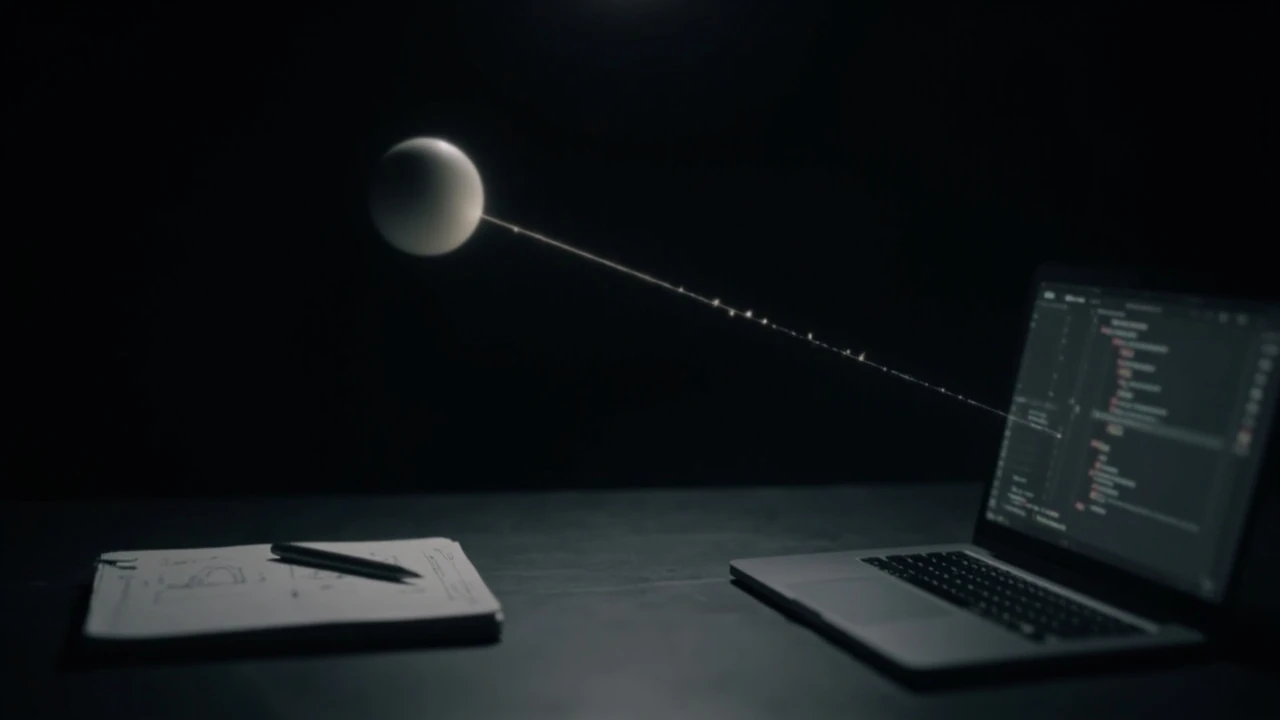
Projectile motion
A ball launched from a tabletop, a stream of water arcing from a fountain, a notification badge flying from a menu icon, a particle effect bursting from a button — all of these follow the same underlying rules. Projectile motion is the branch of mechanics that describes how an object moves through space when the only significant force acting on it after launch is gravity. The path is a predictable curve, and once you understand the shape of that curve, you can read it in physics problems, sports analytics, game engines, and even the easing curves that designers reach for when a UI element needs to feel physical.
This article is a working explainer for designers, developers, and curious readers who want a usable mental model of projectile motion. It covers the core equations, the assumptions that make them work, the situations where those assumptions break, and the practical ways projectile motion shows up in animation, data visualization, and interactive design. You will not find a generic recap at the end. You will find a checklist you can apply to your own work.
What projectile motion actually describes
Projectile motion is the two-dimensional motion of an object that is launched and then left to move under the influence of gravity alone. In the classical treatment, air resistance, wind, the Coriolis effect, and the curvature of the Earth are treated as negligible. With those simplifications, the motion splits cleanly into two independent components:
- Horizontal motion: constant velocity, because no horizontal force acts on the object.
- Vertical motion: constant acceleration downward, because gravity pulls the object toward the ground at a steady rate.
The independence of these two components is the key idea. The horizontal component does not know the object is falling, and the vertical component does not know the object is moving sideways. The two components combine into a curve whose mathematical name is a parabola, which is why textbook problems often call it parabolic motion. The same independence lets you compute horizontal distance, peak height, and time of flight from a small set of inputs without solving a differential equation.
Outside the idealized classroom case, the same structure still applies, but the clean parabola gets distorted. A baseball hit on a windy day, a golf ball that backspins, a skydiver who has not yet reached terminal velocity — each of these adds forces that bend the path away from a perfect parabola. Designers who animate on the web rarely simulate drag explicitly, but understanding why a parabola is the default curve is what lets you decide when a different curve, such as a Bézier ease with a strong vertical overshoot, communicates better.
The two reference frames you keep seeing
Projectile motion is usually presented in one of two ways, and choosing between them is the first real decision you make when solving a problem or animating a result.
| Frame | Assumption | Trajectory shape | Typical use |
|---|---|---|---|
| Ideal, flat ground, no drag | Launch and land at the same height, gravity is the only force, air is vacuum | Symmetric parabola | Textbook problems, first-pass UI motion, game prototypes |
| Uneven heights with no drag | Launch and land at different heights, gravity is the only force, air is vacuum | Asymmetric parabola, still parabolic | Sports analytics, ballistics estimation, fountain design, particle layers on scroll |
For most interactive work, the first frame is enough. Once a launch and a landing share a y-coordinate, the math collapses to a small set of friendly formulas. When the launch and landing heights differ, you solve a quadratic for time of flight rather than relying on symmetry, but the trajectory is still a parabola. Real projectiles with drag fall into a third, harder case that uses numerical integration; you do not need it for a hover animation, but you do need it for an accurate simulation of a thrown javelin.
The minimum math you actually need
You can read the rest of this article without doing any algebra, but if you want to generate projectile motion in code, these are the equations that matter.
| Quantity | Symbol | Equation | Notes |
|---|---|---|---|
| Horizontal position | x(t) | x = v₀ · cos(θ) · t | Linear in time because horizontal velocity is constant. |
| Vertical position | y(t) | y = v₀ · sin(θ) · t − ½ · g · t² | Quadratic in time because gravity constantly decelerates the rise and accelerates the fall. |
| Time of flight (level ground) | T | T = 2 · v₀ · sin(θ) / g | Symmetric about the peak when launch and landing heights match. |
| Maximum height | H | H = (v₀ · sin(θ))² / (2 · g) | Reached at the midpoint of the flight. |
| Range (level ground) | R | R = v₀² · sin(2θ) / g | Maximized at θ = 45° when level ground and no drag apply. |
Here, v₀ is the initial speed, θ is the launch angle measured from the horizontal, and g is the acceleration due to gravity near Earth’s surface, usually taken as 9.81 m/s². The range equation hides a useful fact: because sin(2θ) reaches its maximum at 90°, the maximum range on level ground comes from a 45° launch angle. That is the cleanest piece of physics intuition a designer can carry into motion work, because it explains why easing curves for a thrown object tend to feel right when the rise and fall mirror each other.
The shape of a projectile path, step by step
If you have never watched the numbers behind a parabola, the formulas above can feel abstract. A short walk through one example makes the structure obvious.
- Choose an initial speed. Use 20 m/s, which is roughly the speed of a well-thrown tennis ball serve.
- Choose a launch angle. Use 30°, well short of the 45° maximum, so the path rises and falls more than it travels.
- Decompose the velocity. Horizontal component: 20 · cos(30°) ≈ 17.32 m/s. Vertical component: 20 · sin(30°) = 10 m/s.
- Find the time of flight. With g = 9.81 m/s², T ≈ 2 · 10 / 9.81 ≈ 2.04 s.
- Find the maximum height. H ≈ 10² / (2 · 9.81) ≈ 5.10 m.
- Find the range. R ≈ 20² · sin(60°) / 9.81 ≈ 35.3 m.
What you can take away from the numbers is not the specific values, but the relationships. Halve the launch angle and the range shrinks. Halve the initial speed and the range drops to a quarter, because speed is squared in the range equation. Double the gravity and the range, the height, and the time of flight all halve. Each of these relationships is the kind of thing a motion designer encodes as a feel: heavier gravity in an animation produces quicker, tighter arcs; lighter gravity produces lazier, longer arcs.
Why the parabola is the same on a screen
The same equations describe a sphere bouncing across a tile floor in a 2D game and a notification that flies from a corner of a screen toward the center. The screen version usually uses a different value for g, expressed in pixels per second squared rather than meters per second squared, and the launch angle is set by the difference between the start and end positions rather than a physical toss.
If you are writing a small particle system, the simplest version of a projectile trajectory in code looks like this in pseudocode: Readers who want more background can use the motion overview as a reference while reviewing this point.
- Pick a start point (x0, y0) and an end point (x1, y1).
- Pick a peak height h above the higher of the two endpoints.
- Find the horizontal duration T from how long the motion should take.
- Compute horizontal velocity vx = (x1 − x0) / T.
- Solve the quadratic for the vertical initial velocity vy so that y(T) = y1 and the peak is h.
- At each animation frame, update x = x0 + vx · t and y = y0 + vy · t − ½ · g · t².
This is a clean separation: the horizontal axis is responsible for timing, the vertical axis is responsible for shape. Designers reach for that separation instinctively when they use easing curves that ease out horizontally and ease in vertically, or vice versa. The math is the same math the physics textbook uses, scaled to a different unit system.
Where the ideal model starts to break
The parabola is a powerful default, but the world is messier than the model. The two forces that distort projectile motion the most are air resistance and lift, and they show up in very different places.
Air resistance and the drag model
Air resistance grows with the square of speed for fast, blunt objects. The drag force is usually written Fd = ½ · ρ · Cd · A · v², where ρ is air density, Cd is a drag coefficient that depends on shape, A is the cross-sectional area, and v is speed. Once drag is non-negligible, the horizontal component decelerates, the vertical component approaches a terminal velocity, and the trajectory stops being a parabola. A beach ball thrown across a room is a familiar example: it slows down horizontally, hangs at the peak longer than a baseball would, and falls more steeply at the end. In an animation, the same shape can be approximated by an ease-out on the horizontal and an ease-in on the vertical descent.
Lift, spin, and the Magnus effect
A spinning ball drags air around it, and the resulting pressure difference can push the ball in a direction that gravity alone would not choose. The Magnus effect is what makes a sliced tennis shot curve sideways and what gives a well-struck soccer ball its famous dipping trajectory. The effect is small in everyday throws and large in sports that depend on curve, so it is worth modeling explicitly when you are simulating a soccer game or a baseball pitch. For most UI work, it is enough to know the effect exists and to reach for an off-axis Bézier curve when you want a thrown element to drift sideways.
Coriolis and long-range projectiles
The Earth rotates beneath a long-range projectile, and from the projectile’s frame that rotation shows up as a sideways acceleration called the Coriolis acceleration. For a baseball or a fountain, the effect is tiny. For a ballistic missile, an artillery shell, or a long soccer goal kick, the effect can shift the impact point by meters. If you are animating an artillery game or a meteorological visualization, including a small Coriolis term adds a layer of realism that careful viewers will notice.
How projectile motion shows up in design and code
Designers do not usually solve for v₀ and θ, but they think in trajectories constantly. The cleanest way to bring projectile motion into digital work is to translate the equations into parameters that fit a design system.
Throw gestures and drag-to-fling
When a user flings a card or an image across a touch interface, the system is implementing a small piece of projectile motion. The hand gives the object an initial velocity, the object travels through space, and friction or a snap-back rule eventually stops it. A reasonable implementation computes the launch velocity from the last few touch samples, simulates the next half-second or so of motion with the projectile equations, and then chooses a snap point based on where the trajectory ends. The trick is to use a different “gravity” than 9.81, often a few hundred pixels per second squared, so the motion feels snappy rather than literal.
Particle bursts and confetti
Confetti, sparks, and star bursts are a family of short-lived projectiles. Each particle gets a small random initial speed and angle, then the system integrates position and velocity frame by frame. With drag enabled, particles slow down and fall more steeply, which reads as “real confetti” rather than “fountain of light.” Without drag, the effect looks like sparks in a vacuum, which is appropriate for magical or futuristic effects.
Animated data arcs
Maps and dashboards often draw an arc between two points to show a connection, a flight, or a flow. A naïve arc is a circular segment, which is a poor model for the kind of motion the data is meant to evoke. A parabolic arc, with a peak height proportional to the distance between the two points, looks much more like a thrown object and much less like a smile. For an arc on a map, scaling the peak with the great-circle distance gives a consistent appearance across short and long routes. For an arc on a small chart, scaling the peak with the horizontal distance is usually enough. As a separate reference, the books university physics volume pages projectile adds source-specific context to this discussion.
Game feel and easing
Game designers tune gravity carefully because it controls how “heavy” or “floaty” a jump feels. A platformer with too much gravity feels like the character is glued to the ground; a platformer with too little feels like the character is on the moon. Most modern engines expose gravity as a constant, often in pixels per second squared, and the projectile equations are baked into the physics step. If you are not using a physics engine, you can still mimic the feel by applying a constant downward velocity increment every frame and clamping the maximum fall speed.
Choosing the right curve for the right job
Projectile motion gives you a small family of curves to choose from, and the choice matters because each curve communicates differently. The table below maps a few common motion problems to the model that usually works best.
| Motion problem | Suggested model | Why |
|---|---|---|
| Notification that flies from a corner to a center point | Ideal projectile with custom g | Symmetric rise and fall, predictable landing point, easy to interrupt. |
| Card that the user flings across the screen | Projectile with light drag and a snap point | Decelerates horizontally, looks like friction, easier to land on a target. |
| Confetti after a successful action | Projectile with strong drag | Particles slow down and fall steeply, reads as physical confetti. |
| Arc connecting two points on a map | Parabolic arc with peak proportional to distance | Consistent appearance, no smile-shaped curve. |
| Jumping character in a 2D game | Ideal projectile with tuned g | Symmetric jump, predictable timing for level design. |
| Soccer ball that dips under the crossbar | Projectile with Magnus effect | Lift from backspin bends the late trajectory downward. |
The rule of thumb is to start with the ideal parabola, watch the result, and only add drag or spin if the curve reads wrong. Adding forces without evidence tends to make motion look busy rather than physical.
Common pitfalls when implementing projectile motion
Most projectile motion bugs come from one of a small set of mistakes. Running through this list before you ship a feature is a reliable way to avoid the embarrassing ones.
- Mixing units. Pixels per second and meters per second look similar in code but produce wildly different results. Pick one unit system and stick to it.
- Forgetting that time of flight is a function of both speed and angle. A faster launch at the same angle does not land at the same x-coordinate.
- Using a circular arc instead of a parabola for a “thrown” effect. A circular arc has a constant curvature; a parabola does not, and the eye notices.
- Applying gravity before the launch frame. The object should leave the launcher with whatever velocity you computed, not with the velocity left over from the previous frame.
- Forgetting to clamp the peak. If you compute a peak that is higher than the available space, the projectile will leave the visible area and the user will think the animation broke.
- Ignoring device pixel ratio when measuring initial velocity from touch samples. A fast flick on a low-DPI screen will read as a slower flick on a high-DPI screen unless you normalize.
Each of these is the kind of bug that is hard to spot in code review and obvious the moment you watch the animation. A 30-second test render catches all of them.
A short worked example in code
The cleanest way to make projectile motion real is to implement it in a few lines and watch what each parameter does. The example below is plain JavaScript using the Canvas 2D API, but the structure is the same in any language.
The setup is a small ball that the user clicks to launch. The click position becomes the end point, and a fixed point at the lower left becomes the start. The launch angle is implied by the line between the two points, and the initial speed is proportional to the distance, scaled so that a click close to the start produces a small arc and a click far away produces a long arc.
- State: position (x, y), velocity (vx, vy), time since launch t, gravity g, scale s.
- On click: set x, y to the start; compute dx, dy to the click; choose a launch speed v0 = s · sqrt(dx² + dy²); set vx = v0 · cos(θ), vy = −v0 · sin(θ) (note the sign flip because screen y grows downward); set t = 0.
- On each animation frame: clear the canvas; update t; compute x = x0 + vx · t, y = y0 + vy · t + ½ · g · t²; draw the ball; stop when y exceeds the floor.
Two design choices are worth noting. First, the sign of the vertical velocity is flipped because most screen coordinate systems grow downward, while a real-world throw has positive vertical velocity at launch. Second, gravity is set in pixels per second squared and tuned by feel. A value around 800 to 1500 reads as a snappy throw, a value around 300 to 500 reads as a soft toss. There is no single right answer; the right answer is the one that feels right in the context of the rest of the interface.
Once that baseline works, layering in drag is a single line: subtract a small multiple of the velocity vector from the velocity each frame. The exact multiple depends on the frame rate and the look you want, but a value between 0.98 and 0.995 per frame is a sensible starting range.
Linking motion to the rest of the design system
Projectile motion is most powerful when it is not a one-off. The same gravity value, the same peak-height rule, and the same drag multiplier can be reused across cards, notifications, and confetti, so that the entire interface feels like it lives in the same physical world. A simple way to make that connection explicit is to define a small set of motion tokens:
- gravity.ui: a snappy gravity value in pixels per second squared, used for in-app throws.
- gravity.world: a more relaxed value, used for map arcs and onboarding animations.
- peak.short: the peak height for a short arc, in pixels.
- peak.long: the peak height for a long arc, scaled with distance.
- drag.light: a small per-frame multiplier for objects that should drift.
- drag.heavy: a larger multiplier for objects that should feel like falling leaves.
Designers and developers who share these tokens tend to ship motion that looks coherent without needing a style guide page for every component. The same approach lets you swap a token for a different brand voice — heavier gravity for a serious enterprise product, lighter gravity for a consumer app — without rewriting any of the underlying components.
If you are also thinking about the broader brand and information architecture around these motion choices, the kinds of decisions that show up in a visual identity often dictate the feel of the motion, and a website strategy that lists motion tokens early saves a lot of last-minute tuning.
Frequently asked questions
What is the difference between projectile motion and free fall?
Free fall is the special case of projectile motion in which the launch angle is straight up, straight down, or simply released from rest. Projectile motion is the general case that adds a horizontal component to that vertical drop. The same equation for vertical position, y = v₀ · sin(θ) · t − ½ · g · t², covers both, with θ = 0 or θ = 90° reducing it to the familiar free-fall formulas.
Why does the range peak at 45 degrees on level ground?
The range equation on level ground is R = v₀² · sin(2θ) / g. The sine function reaches its maximum value of 1 when its argument is 90°, which happens at 2θ = 90°, or θ = 45°. Any other angle gives a smaller value of sin(2θ), and therefore a smaller range, assuming the launch speed is the same. In the real world, air resistance shifts that peak below 45° because high-angle launches spend more time moving through air, but the classical result is what most textbooks and most animations use.
How does air resistance change the shape of the trajectory?
Air resistance removes energy from the projectile, slows the horizontal component, and approaches a terminal velocity for the vertical component. The result is a trajectory that is shorter, lower, and asymmetric: the descent is steeper than the rise, and the peak occurs slightly before the midpoint. For an animation, you can approximate the look by reducing the horizontal velocity each frame and capping the fall speed.
Can projectile motion be three-dimensional?
Yes. The same independence principle extends to three dimensions, with constant velocity along one horizontal axis, constant velocity along a second horizontal axis perpendicular to the first, and constant downward acceleration along the vertical axis. The trajectory lies in a vertical plane defined by the launch direction and gravity, and within that plane the curve is still a parabola. A 3D particle system, a thrown grenade in a 3D game, and a launch-angle estimator for a mortar are all three-dimensional projectile problems.
What initial speed gives a specific range?
For level ground and a given launch angle θ, the range is R = v₀² · sin(2θ) / g, so v₀ = sqrt(R · g / sin(2θ)). For a given speed, the range is maximized at 45°. For a given range and angle, the required speed grows with the square root of the range. Designers rarely solve this in code, but it is the same relationship that explains why a small increase in launch speed produces a much larger increase in how far an element flies across the screen.
Is the path of a thrown object a true parabola?
Only in the ideal case with no air resistance and uniform gravity. In the real world, the path is a flattened, asymmetric curve. For most teaching purposes, and for almost all UI motion, the parabola is a useful and physically reasonable approximation. The cases where the parabola is misleading — long-range ballistics, low-velocity confetti, sports with spin — are the cases where you should add drag or the Magnus effect.
How do you animate a projectile path in CSS or SVG?
The simplest approach is an SVG path with a single quadratic Bézier whose control point sits above the line between the start and the end. The peak height of that control point is the same idea as the maximum height H in the physics formula. For a CSS-only animation, a custom timing function that applies an ease-out on the horizontal axis and an ease-in on the vertical descent reads as projectile motion, even without any JavaScript. A small amount of horizontal deceleration is enough to make the curve feel physical without modeling drag explicitly.
What gravity value should I use in a web animation?
There is no universal value, because the right gravity depends on the size of the elements and the desired feel. A practical range is 800 to 1500 pixels per second squared for snappy in-app throws and 300 to 500 pixels per second squared for softer onboarding animations. The fastest way to pick a value is to start in the middle of the range, watch the result on a real device, and adjust in small steps. Once you find a value you like, lift it into a motion token so other components can share it.
Does the mass of the projectile matter in the ideal case?
No. In the ideal case with no air resistance, the mass of the projectile cancels out of the trajectory equations, which is why a heavy iron ball and a light tennis ball thrown at the same speed and angle follow the same parabola. Mass reappears once air resistance is added, because drag depends on the ratio of the drag force to the weight of the object. A heavy object is less affected by drag, which is why a steel ball bearings falls more predictably than a feather.
Where can I learn more about the underlying physics?
A good first stop is the Wikipedia article on projectile motion, which covers the classical derivations and points to the more advanced treatments of drag and the Magnus effect. For a rigorous development of the equations with worked examples, the OpenStax University Physics chapter on projectile motion is a free, authoritative source that pairs the algebra with diagrams and exercises.
A practical checklist before you ship
Before you publish a feature that uses projectile motion, walk through this short list. Each item is a one-minute check that prevents a class of bugs.
- Decide whether you need the ideal parabola or a dragged version. Start with the parabola.
- Pick a unit system and keep it consistent across the function, the renderer, and the design tokens.
- Choose a gravity value that matches the feel of the rest of the interface, and store it as a token.
- Verify the launch frame resets velocity, time, and position, so the previous frame does not leak into the new flight.
- Test on a low-end device. Physics that looks smooth on a developer laptop can stutter on a mid-range phone, and a single dropped frame is enough to break the illusion.
- Make sure the landing point is reachable. If the user can fling an object further than the visible area, you have a clamp problem, not a physics problem.
- Document the motion tokens alongside the visual identity and the design system so future contributors do not reinvent the curves.