September 1, 2026 / Web Design
Motion sensor light: practical design considerations
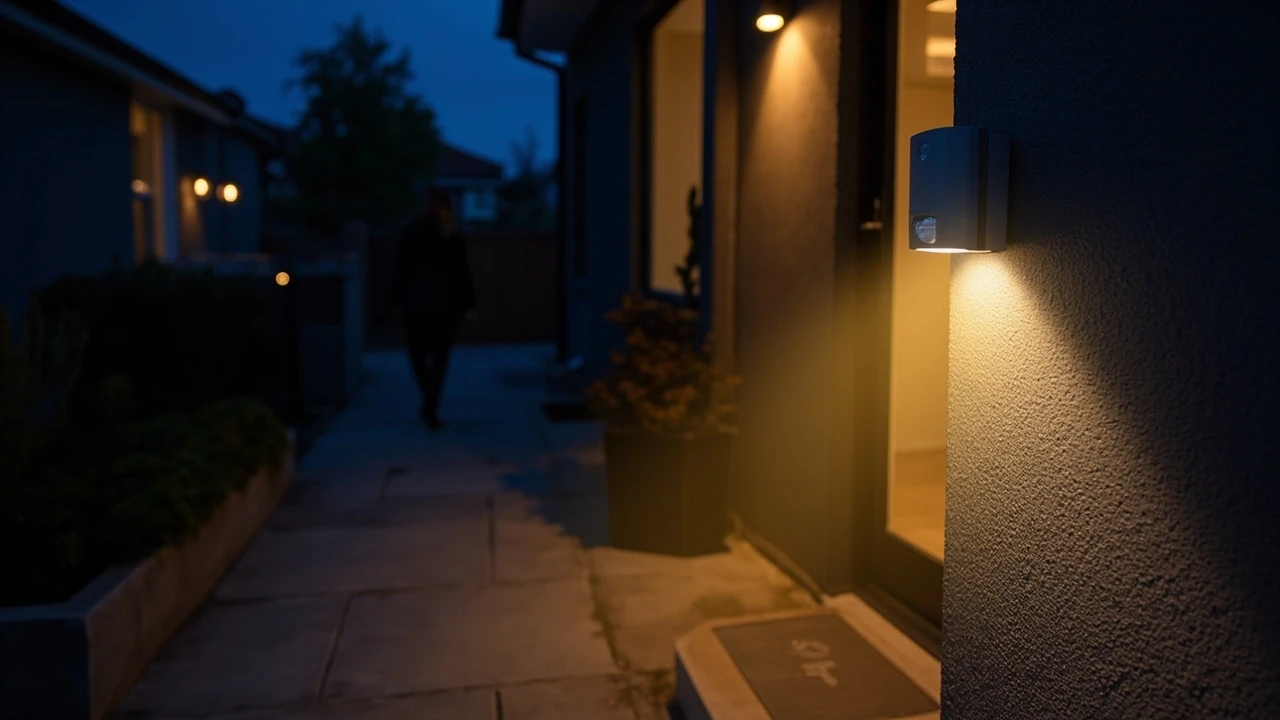
Motion sensor light: how detection, placement, and power shape the experience
A visitor approaches a side gate after sunset. The path is dark, the lock is unfamiliar, and within a second a soft cone of light snaps on, bright enough to read the keyhole but not so bright that it spills into the neighbour’s window. That single moment, the moment a motion sensor light does its job quietly and well, is the result of a chain of design decisions: which sensor technology to use, how high to mount the unit, what detection angle to aim for, and how the lamp’s brightness is matched to the space.
A motion sensor light is not a single product category. It is the meeting point of optics, electronics, industrial design, and the human experience of moving through a space after dark. The same physical device can feel reassuring in one setting and intrusive in another, and most of that difference comes from choices made before the fixture is ever switched on.
What a motion sensor light actually does
At its core, a motion sensor light combines three subsystems: a sensor that detects change in the environment, a control circuit that decides when the lamp should respond, and a light source that delivers the visible output. The sensor, not the lamp, is what defines the product, and the choice of sensor technology determines almost everything else about how the fixture behaves.
Most consumer and commercial motion sensor lights use one of three detection methods:
- Passive infrared (PIR), which senses changes in infrared radiation caused by a warm body moving across its field of view.
- Microwave or radio frequency detection, which emits a low-power signal and measures the reflection of moving objects.
- Dual-technology sensors, which combine PIR with microwave or acoustic sensing to reduce false triggers.
Each approach has practical tradeoffs. PIR sensors are inexpensive, draw very little power, and work well where the moving object has a different temperature from the background. They struggle, however, when an object approaches head-on, because the thermal contrast across the field of view is small. Microwave sensors detect movement through thin walls and around obstacles, which is useful in long corridors but can be a problem in tight residential settings where neighbour movement might trigger the lamp unintentionally.
Detection range, angle, and the geometry of real spaces
Manufacturers quote detection range and detection angle as headline numbers, but these figures describe ideal conditions that rarely match the place where a fixture is actually mounted. A PIR sensor rated for 12 metres at a 110-degree angle on a flat spec sheet will behave very differently on a narrow side path, a tall gable wall, or a covered porch.
Three geometric variables shape the effective coverage of a motion sensor light:
- Mounting height, which sets the size of the detection footprint on the ground.
- Tilt angle of the sensor head, which controls how far the detection zone extends from the wall.
- Aiming direction, which determines whether the sensor looks across a path of travel or down it.
For most residential applications, mounting the sensor between 2 and 2.5 metres above ground gives a useful balance. Lower mounts create close-range detection that triggers almost as soon as someone steps onto the path, which feels responsive, but they also expose the sensor to vandalism and to direct rain. Higher mounts extend the detection footprint but reduce the angle of incidence, which can cause PIR units to miss slow, lateral movement at long range.
Sensitivity, lux thresholds, and the difference between a sensor and a switch
A motion sensor light is often described as if it were simply a switch that turns on when someone walks past. In practice, the control circuit usually makes a more nuanced decision. It compares what the sensor is seeing with two adjustable thresholds: how much change is enough to count as motion, and how dark does the ambient light need to be before the lamp responds at all.
The first threshold is usually called sensitivity, and the second is called the lux level or daylight threshold. Setting both correctly is the difference between a fixture that feels intelligent and one that feels broken.
- Set sensitivity too high and the lamp will trigger on small animals, distant traffic, or branches moving in the wind.
- Set sensitivity too low and the lamp will fail to detect a slow-moving adult in heavy winter clothing.
- Set the lux threshold too high and the lamp will turn on during the day, wasting energy and annoying neighbours.
- Set the lux threshold too low and the lamp will refuse to fire on overcast evenings, exactly when the light is most needed.
Most quality fixtures expose both controls through small dials or, increasingly, through a smartphone app. A common mistake is to leave these controls at factory defaults. The defaults are tuned for a generic indoor showroom and almost never match the specific place where the fixture is installed.
Power, runtime, and the question of how long the light stays on
Once the sensor has decided that motion is occurring, the lamp switches on and stays on for a preset period, often called the on-time or hold-time. This is the third adjustable parameter on most fixtures, and it has a surprising effect on both user satisfaction and energy use.
A short on-time of around 15 seconds feels responsive for a doorway but frustrating on a longer path, because the light can switch off while the user is still walking. A long on-time of several minutes feels generous on a path but wasteful when the light was triggered by a passing cat. Many modern fixtures use adaptive timing, where the on-time is extended automatically while motion continues to be detected, and then reset to a shorter base time once the area is still.
| On-time setting | Typical use case | Strength | Weakness |
|---|---|---|---|
| 10 to 20 seconds | Doorways, letterboxes, single-step entries | Low energy use, fast reset | Can switch off mid-walk on longer paths |
| 30 to 60 seconds | Driveways, garden paths, side gates | Comfortable for most visitors | Still short for elderly users or carrying items |
| 2 to 5 minutes | Security applications, commercial yards | Strong deterrent effect | Higher energy use, more neighbour disturbance |
| Adaptive or presence-based | Accessibility routes, step-free entrances | Matches actual occupancy | More expensive, more complex to set up |
Light output, colour temperature, and the experience of being lit
The lamp inside a motion sensor light is no longer the simple incandescent bulb it once was. Modern fixtures use LED arrays, which makes the choice of colour temperature and beam shape more important than the raw lumen number. A bright, cool-white lamp can make a small path feel like a service yard, while a warm, low-glare lamp at the same brightness can feel welcoming.
For most residential and hospitality applications, a colour temperature between 2700K and 3000K reads as warm and familiar, while anything above 4000K starts to feel clinical. For security-focused applications, a cooler colour can improve facial recognition at a distance, but it also increases glare and light pollution. The street lighting literature consistently shows that cooler, brighter light improves detection at the cost of visual comfort, and the same trade-off applies to a motion sensor light at a smaller scale.
Beam shape matters as much as colour. A wide, low-intensity beam that washes across a path feels safer than a narrow, high-intensity beam that creates sharp shadows. A fixture aimed straight down from a porch ceiling will produce a hot spot directly under the lamp, while a fixture with a forward-tilted optic spreads the light along the direction of travel.
False triggers: where they come from and how to reduce them
The most common complaint about motion sensor lights is not that they fail to turn on, but that they turn on when no one is there. False triggers usually have one of a small number of causes, and understanding them makes it much easier to tune a fixture after installation.
- Heat sources: PIR sensors can be triggered by direct sunlight moving across the lens, by warm exhaust from a dryer vent, or by a window that suddenly reflects a passing car’s headlights.
- Moving vegetation: branches swaying in the wind are the single most common cause of false triggers in garden installations, especially when the sensor is aimed at a hedge or a thin tree.
- Small animals: cats, foxes, and large birds are within the detection range of most residential fixtures, and there is no realistic way to detect only humans with a basic PIR sensor.
- Mechanical vibration: a poorly secured fixture can trigger its own sensor if the housing moves slightly in the wind.
Most of these problems can be reduced with thoughtful placement. Aiming a PIR sensor away from reflective surfaces, keeping the detection zone clear of swaying branches, and mounting the fixture on a solid structural surface rather than on a fence panel will address the majority of false triggers without any change to the controls.
Integration with broader lighting and smart-home systems
A standalone motion sensor light solves one specific problem. The same sensor can also feed into a wider system, and the design considerations change once the fixture is no longer the only output. A sensor that triggers a single lamp is a discrete device; a sensor that triggers a path, a porch, and an indoor hallway is part of a lighting strategy.
Several integration patterns are common in practice:
- Sensor-controlled relay, where the motion sensor directly switches a separate lighting circuit, often used for retrofit installations in existing homes.
- Wireless trigger, where the sensor sends a radio signal to one or more lamps, which is useful when running a new cable would be invasive or expensive.
- Smart-home coordination, where the sensor is one input among many, and a controller decides which lights to turn on based on time of day, occupancy elsewhere in the home, or the home’s current security state.
Each pattern has its own failure modes. A hardwired relay is reliable but inflexible. A wireless trigger avoids cable runs but introduces a battery or wireless reliability concern. A smart-home controller is the most flexible but also the most dependent on software and network stability, which is why even smart installations usually keep at least one fixture operating independently.
Accessibility, safety, and inclusive lighting design
Motion sensor lights are often discussed in terms of security and convenience, but they have a significant accessibility role. A well-placed sensor at a side gate, a ramp, or a step can reduce the cognitive load of moving through an unfamiliar or uneven space for older adults, for people with low vision, and for anyone carrying bags or guiding a child.
Accessibility-focused design usually means longer on-times, lower lux thresholds so the lamp fires earlier in the evening, and warmer colour temperatures that preserve dark adaptation. It also means avoiding fixtures that strobe, flicker, or pulse on and off as a person moves through overlapping detection zones, which can be disorienting or even trigger discomfort for users with photosensitive conditions.
For a deeper look at how inclusive design decisions are made in digital products and physical spaces together, the studio’s practical guide to web accessibility covers a related set of trade-offs in software, many of which translate directly into how a connected motion sensor light should behave when it is part of a wider accessibility-aware environment.
Where a motion sensor light sits in a wider visual identity
Outdoor lighting is one of the most visible parts of a building’s identity, and a motion sensor light that activates in front of a visitor is, in a small way, part of the brand experience. A fixture that switches on at exactly the right moment, with the right colour and the right spread, is doing the same job as a well-designed entrance screen: it is setting tone before a single word is spoken.
For studios and brand teams who think about the entrance as a designed moment, the connection between physical fixtures and visual identity is worth taking seriously. The principles that guide a coherent brand system, consistency, restraint, and deliberate detail, apply just as much to the lamp above the door as to the typography on the website. The studio’s overview of what a visual identity includes and how to build one is a useful reference for teams who want the motion sensor light to feel like part of the same system as the signage and the digital touchpoints.
Installation choices that change the user experience
Two fixtures with identical specifications can feel completely different after installation, because the installation itself is part of the product. The most important installation decisions are not about wiring; they are about geometry and context.
| Installation variable | Effect on detection | Effect on user experience |
|---|---|---|
| Mounting height | Higher extends range, reduces close-range accuracy | Higher feels more general, lower feels more personal |
| Tilt of sensor head | Aiming down shortens range but improves ground coverage | Downward tilt reduces glare into eyes |
| Distance from path | Too far away creates a dead zone close to the wall | Too close creates harsh shadows behind the user |
| Fixture orientation | Sensor across the path detects faster than sensor along it | Across-path detection feels more responsive |
| Adjacent surfaces | Reflective walls amplify PIR signal but can confuse microwave | Glossy surfaces increase glare and discomfort |
For most doorways, a sensor that looks across the path of approach detects movement earlier than a sensor that looks along it, because lateral movement produces a stronger change in the sensor’s field of view. For long driveways, a sensor that looks down the drive can extend detection further, at the cost of slower response at the far end.
Common mistakes when choosing a motion sensor light
Most disappointing installations share one of a small number of root causes, and they are worth naming directly because they are easy to avoid with a little planning.
- Choosing on lumen output alone. A very bright lamp with a poorly aimed sensor still misses the user at the worst moment.
- Mounting a PIR sensor where direct sunlight can reach the lens, which causes both false triggers and long-term sensor degradation.
- Ignoring the lux threshold, leaving the fixture to fire during the day because the default is set to maximum darkness.
- Installing the fixture on a fence post or thin wall, where vibration from wind can trigger the sensor on its own.
- Forgetting that outdoor fixtures need a clear IP rating for the location. A porch ceiling and an exposed garden wall are not the same environment.
When a motion sensor light is the wrong tool
There are situations where a motion sensor light is genuinely the wrong choice, and choosing one anyway usually produces a poor result. Constant-occupancy spaces, such as a long-stay outdoor seating area, are better served by a dimmed always-on lamp. Very large perimeters, where the goal is deterrence rather than illumination, are better served by separate detection and lighting, with the camera or sensor mounted high and the lamp aimed at the most likely approach path. Decorative lighting, where the goal is the visual effect of the fixture itself, is rarely improved by adding a motion sensor, because the activation event becomes more noticeable than the design.
The decision to use a motion sensor light is, like most design decisions, a question of fit. When the goal is to light a space exactly when a person needs it, and to leave it dark and quiet the rest of the time, a well-tuned motion sensor light is hard to beat. When the goal is something else, a simpler solution will usually do the job more honestly.
Maintenance, batteries, and long-term reliability
A motion sensor light is one of the few building products that the user actively notices working. That makes reliability more visible than it would be for, say, a weatherproof socket. Three maintenance factors have the largest effect on long-term reliability: the quality of the seal against moisture, the type of power supply, and the cleanliness of the sensor lens.
- Mains-powered fixtures are the most reliable in the long term, but they require correct electrical installation and, in many regions, a qualified electrician.
- Solar-powered fixtures have improved significantly, but their performance still depends on the orientation of the panel, the local climate, and the depth of winter.
- Battery-powered fixtures are flexible to install but require periodic battery replacement, and a fixture that has gone silent because of a dead battery is worse than no fixture at all.
Cleaning the sensor lens once or twice a year, and checking that insects have not built a nest inside the housing, is usually enough to keep a fixture performing as it did on the day it was installed.
A short checklist before specifying or buying
Before committing to a specific model or installation position, it is worth running through a short, practical checklist that covers the most common failure modes.
- Identify the primary purpose: security, convenience, accessibility, or aesthetics. These call for different settings, and trying to satisfy all four with a single fixture usually fails.
- Map the exact path of approach and decide where detection should start. The sensor should trigger before the user reaches the most awkward part of the route, not after.
- Check the IP rating against the actual mounting location, including exposure to driving rain and to direct afternoon sun.
- Confirm that sensitivity, lux threshold, and on-time are all adjustable, either physically or through an app.
- Decide whether the fixture should operate alone or as part of a wider system, and plan cable runs or wireless pairing accordingly.
Frequently asked questions
How does a motion sensor light detect movement?
Most consumer motion sensor lights use a passive infrared sensor, which detects changes in the infrared radiation, or heat signature, in its field of view. When a warm body moves across the sensor, the change in infrared level triggers the lamp. Some fixtures use microwave detection, which senses movement by reflecting a low-power radio signal off objects, or combine both technologies for fewer false triggers.
What is the best height to mount a motion sensor light?
For most residential doorways and paths, a mounting height between 2 and 2.5 metres gives a good balance between detection range and a comfortable trigger distance. Lower mounts feel more responsive but expose the sensor to tampering and weather, while higher mounts extend the detection footprint but can miss slow or head-on movement at long range.
Why does my motion sensor light turn on during the day?
This is almost always caused by the daylight threshold, also called the lux level, being set too high. The threshold tells the sensor how dark it needs to be before the lamp is allowed to switch on. If it is set to maximum, the sensor will fire even in bright daylight. Adjusting the lux dial downward, or, in a smart fixture, lowering the daylight threshold in the app, will usually fix the problem.
Can a motion sensor light be set to stay on continuously?
Many fixtures include a manual override mode, often activated by switching the power off and on within a few seconds, which forces the lamp to stay on until the next power cycle. This is useful for events or for temporary task lighting, but it disables the motion function for the duration and should not be used as a permanent setting, since it removes the energy-saving benefit of the sensor.
What is the difference between PIR and microwave motion sensors?
PIR sensors detect changes in heat, so they work best when a warm body moves across their field of view, and they ignore movement behind walls. Microwave sensors emit a low-power radio signal and detect any movement that reflects it, including through thin walls. PIR is cheaper and more selective, while microwave is more sensitive and has longer range but is more prone to false triggers from off-property movement.
How long should the light stay on after detecting motion?
For most residential paths and doorways, an on-time of between 30 seconds and one minute feels comfortable. Shorter times feel unresponsive on longer paths, while longer times waste energy and can annoy neighbours. For accessibility-focused installations, especially in step-free routes, longer or adaptive on-times of two minutes or more are usually more appropriate.
Are motion sensor lights worth it for security?
Used as part of a wider security strategy, motion sensor lights are a strong deterrent because the sudden illumination removes the cover of darkness at exactly the moment an intruder would prefer to remain hidden. They are most effective when paired with other measures such as visible cameras, clear sightlines, and lighting that covers the main approach paths rather than the entire garden.
Can motion sensor lights trigger on small animals?
Yes, especially PIR sensors with sensitivity set high and a wide detection footprint. A cat or a fox is well within the detection range of most residential fixtures, and there is no realistic way to detect only humans with a basic sensor. Reducing sensitivity, narrowing the detection zone, and aiming the sensor away from the ground at very close range will reduce animal triggers but will not eliminate them.
Do motion sensor lights work in cold weather?
Most modern LED-based motion sensor lights work well in cold weather, and in fact a cold ambient temperature can improve PIR performance, because the contrast between a warm body and the cool background is larger. The main winter concern is ice or snow covering the sensor lens, which will block detection until the lens is cleared.
What IP rating should an outdoor motion sensor light have?
For an exposed outdoor wall, an IP rating of at least IP44 is a sensible minimum, and IP65 is a better choice for locations that face driving rain. For a covered porch or soffit, IP44 is usually sufficient. The rating should always be checked against the actual mounting location rather than assumed from the product description.