September 19, 2026 / Web Design
Lenovo gaming laptop buying guide: which line fits how you play
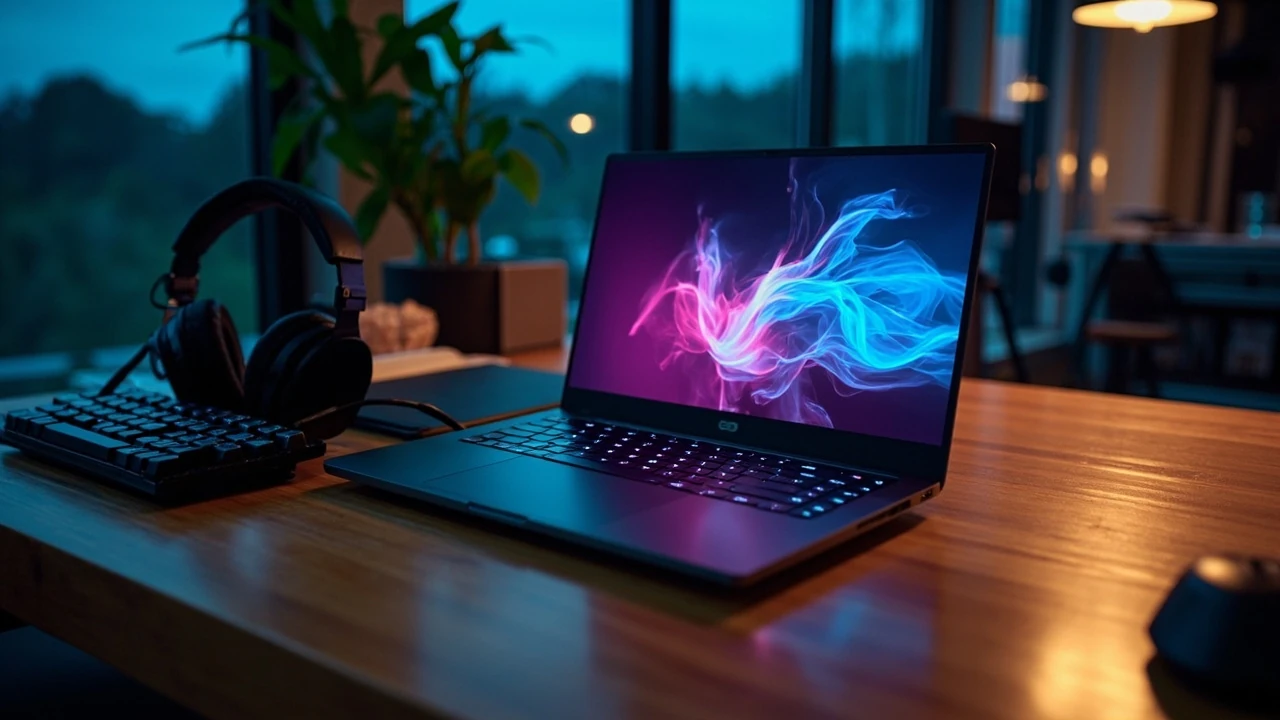
You walk into a store or open a product page and the wall of model numbers looks like alphabet soup: Legion Pro 7i, Legion 5i, LOQ 16IRX9, Legion Slim 7i, Legion Go. The price gap between two models on the same shelf can be 800 dollars, and the sticker rarely tells you why. A Lenovo gaming laptop is a real tool for specific kinds of work, not a single object, so the right pick depends on what you actually run, where you use it, and how long you expect to keep it. This guide walks through the lineup, the spec sheet terms that matter, and the trade-offs that are easy to miss before checkout.
Lenovo gaming laptop lineup at a glance
Lenovo separates its gaming hardware into two brand families. Legion is the long-running performance line, and LOQ is the newer value line that targets buyers who want modern parts without flagship pricing. Each family then splits into size classes (14, 15, 16, and 17 inch) and tiers that trade weight, build, and feature set against price. Understanding where a model sits in that tree is the fastest way to narrow the field before reading a single spec sheet.
Within Legion, the common tiers you will see on retailer pages are:
- Legion 5 and Legion 5i, the mainstream 15 and 16 inch options aimed at 1080p and 1440p play.
- Legion Pro 5 and Legion Pro 5i, which add higher-refresh panels and stronger GPUs while staying under 2.5 kg in most configurations.
- Legion Pro 7 and Pro 7i, the flagship tier with top-end GPUs, vapor-chamber cooling, and brighter Mini LED screens.
- Legion Slim 5, Legion Slim 7, and Legion Slim 7i, which trim thickness and weight for buyers who carry the machine daily.
- Legion 9i, the top-of-line model with a forged-carbon lid, a built-in liquid-metal cooling system on the CPU, and Mini LED display options.
LOQ, by contrast, is built to a budget. The chassis is plastic rather than metal, the speakers are simpler, and the configuration ceiling is lower. In return, you often get the same generation of CPU and GPU as a mid-tier Legion at a noticeably lower price. For a first-time gaming PC, a student who also needs it for classwork, or a household second machine, that trade is often a good one.
Start with the games and work you actually run
The spec sheet only makes sense once you know what it is feeding. Make a short list of the three or four most demanding things you do, and rank them by how often you do each. A 30-hour-a-week player running modern shooters needs a different machine than a 5-hour-a-week player who streams football or plays indie strategy games, and both differ from a 3D artist who also wants to play on the side.
Competitive esports and high-refresh play
If you spend most of your time in Valorant, Counter-Strike 2, League of Legends, Apex Legends, Rocket League, or Overwatch 2, your bottleneck is frame rate, not visual detail. A 1080p panel at 240 Hz or 300 Hz, paired with a current mid-range GPU and a fast CPU, will feel smoother than a 4K screen with a slower card. The Lenovo Legion 5 with an NVIDIA RTX 4060 or 4070 mobile GPU, or the equivalent AMD Radeon RX 7600M configuration, sits in the right zone for that audience. Aim for at least 16 GB of DDR5 RAM in dual channel, and prefer an SSD over a hard drive for level loading.
Single-player and open-world games
Players who focus on story-driven and open-world games, including modern titles built on Unreal Engine 5, care more about image quality, ray tracing, and large VRAM buffers than about raw frame rate. A 1600p or 2400p Mini LED panel with high peak brightness makes night scenes and HDR cutscenes look closer to what the developers intended. Pair that panel with an RTX 4080 mobile or higher, or an RX 7900M in supported models, and at least 32 GB of system RAM. The Legion Pro 7i and Legion 9i are the obvious fits here.
Game development, 3D work, and local AI
If the laptop doubles as a workstation, GPU VRAM, memory capacity, and sustained performance matter more than the marketing numbers. Compile times in Unreal or Unity, viewport frame rate in Blender, and small-model inference with llama.cpp all want at least 12 GB of VRAM, fast storage, and a cooler that does not throttle after 20 minutes. A Legion Pro 7i configured with 32 GB or 64 GB of RAM and a 1 TB or 2 TB PCIe 4.0 SSD is a more honest answer than a slim chassis with the same GPU but weaker cooling.
Study, light gaming, and tight budgets
If gaming is a few hours a week and the rest of the time is spent on documents, browsers, and the occasional photo edit, the LOQ line covers the use case without the price premium of the Legion chassis. A Ryzen 7 or Core i7 H-series chip, 16 GB of RAM, and an RTX 3050 or RTX 4050 mobile GPU will handle most 2024 and 2025-era games at 1080p on medium settings, and the same hardware will not break a sweat in Office or a browser with a dozen tabs.
What the spec sheet actually means
Manufacturers reuse marketing language across very different hardware, so the numbers in a product name do not always line up with what the laptop can do. The table below translates the most common terms you will see on a Lenovo product page into the question a buyer is really asking.
| Term you see | What it actually means | What to check before trusting it |
|---|---|---|
| RTX 40 series “mobile” GPU | NVIDIA’s current gaming and creator GPU line, scaled for laptops | Total graphics power (TGP) in watts, not the chip name alone; two laptops with the same GPU can differ by 30 percent in real performance |
| Core i7 / Ryzen 7 HX | High-performance CPU class with more cores and higher power draw than U-series chips | Whether the laptop can cool it under sustained load, and whether the model is the H, HS, or HX variant |
| DDR5 5600 MHz | System memory type and speed | Capacity first (16 GB minimum today), then whether it is dual-channel, then speed |
| PCIe Gen 4 SSD | Current-generation solid-state storage | Capacity and whether there is a second M.2 slot for future expansion |
| 240 Hz / 240 Hz display | How many times per second the screen can redraw | Native resolution, response time, and whether the panel covers the sRGB or DCI-P3 color space |
| Wi-Fi 6E / Wi-Fi 7 | Wireless standard supported by the card inside the laptop | Your router, and whether Bluetooth audio stays stable while you play online |
The two numbers most often glossed over are GPU TGP (total graphics power) and sustained CPU power. A Lenovo Legion Pro 5i and a LOQ 16IRX9 can both list an RTX 4070 mobile on the spec sheet, but the Legion is allowed to draw well over 100 W to that GPU while the LOQ is held closer to 80 W. The frame rate difference at the same resolution and settings is rarely subtle. Look for the wattage in the fine print, or for reviews that measure sustained performance with a 20-minute stress test rather than a one-minute benchmark.
Cooling, noise, and the trade nobody likes to talk about
Gaming laptops are small enclosures for parts that want to run hot. The cooling system decides whether the parts inside can actually reach the speeds Lenovo publishes, and how much noise you tolerate to get there. Legion models use a vapor chamber on the higher tiers and dual fans with multiple heat pipes on the rest. LOQ models use a similar layout but with smaller fans and a smaller exhaust area, which means higher fan speeds for the same heat output.
Three things to weigh in the cooling conversation:
- Acoustic profile under load. A laptop that hits 55 dB at full fan speed is fine in a noisy office but unpleasant in a quiet bedroom at 1 a.m.
- Surface temperature. The WASD keys and the wrist rest are the areas to check, since those are the spots you actually touch.
- Sustained versus burst performance. A chip that boosts to 5.2 GHz for ten seconds and then drops to 3.4 GHz is not as fast as a chip that holds 4.6 GHz for an hour, even if both share a “max turbo” number.
Reviews on sites that measure frame rate over a 20-minute session, rather than a single 60-second benchmark run, give a much more honest picture of what you will actually see. Independent testing of current Legion Pro 7i configurations, for example, has shown the RTX 4080 mobile variant holding frame times close to its peak number during a one-hour Cyberpunk 2077 run, while thinner Legion Slim 7i models throttle by roughly 10 to 15 percent under the same conditions.
Display choices and what to look for
The display is the part of the laptop you look at every minute you use it, and it is also the part most often traded away to hit a price point. The two main attributes are resolution and refresh rate, but color gamut, peak brightness, and response time change the experience in equal measure.
| Panel type you see on a Lenovo product page | Best use case | Trade-off to know |
|---|---|---|
| 1920 x 1080 IPS, 144 Hz to 165 Hz | Esports and budget gaming; long battery life during light work | Visible pixel structure on 16 and 17 inch panels at typical viewing distance |
| 2560 x 1600 IPS, 165 Hz to 240 Hz | Balanced choice for single-player games and general use | Needs a stronger GPU to push frame rates up to the refresh ceiling |
| 2560 x 1600 Mini LED, 240 Hz, HDR 1000 | HDR games, HDR video, and creators who care about color | Heavier, more expensive, and can show some blooming around bright UI elements |
| 3200 x 2000 or 3840 x 2400, 120 Hz to 165 Hz | Sharp text and detailed scenes for content work | Demanding for gaming; many current GPUs will not sustain 120 fps at native resolution |
For most buyers, a 1600p IPS panel at 165 Hz or 240 Hz is the most honest middle ground. It looks sharper than 1080p on a 16 inch screen, is within reach of a mid-range GPU at high settings, and avoids the Mini LED cost premium. Mini LED is worth the spend if you regularly watch HDR movies or play HDR-supported games and you want the highlights to actually pop, or if you do color-accurate photo and video work where a wide color gamut is non-negotiable.
Display response time is the other number that often gets buried. A 5 ms GtG panel is fine for casual play, but a 3 ms or faster panel with a stated “overdrive” mode reduces motion blur in fast camera turns, which competitive players will notice in the first ten minutes of a match.
Keyboard, trackpad, and the parts you touch every day
Lenovo’s gaming keyboards are a quieter strength. The Legion line uses a 1.5 mm key travel, optional per-key RGB, and a full numpad on 16 and 17 inch models. The feel is closer to a thin mechanical keyboard than a typical laptop chiclet, which matters for typing-heavy work as much as for gaming. LOQ keyboards share the same layout but use a slightly softer switch feel and fewer lighting zones.
A few practical details to confirm on any model before you buy:
- Arrow key size. Some 15 inch and slim 16 inch models use half-height arrow keys. If you play driving games or flight sims, full-size arrows are easier to find by feel.
- Trackpad material. Glass trackpads track more accurately than plastic and resist finger drag during long sessions.
- Webcam position. A camera above the screen, not below it, makes video calls look natural. A 1080p webcam is a meaningful upgrade over the 720p units in older models.
- Speaker placement. Speakers that fire up and out from the sides sound fuller than speakers that fire down from the bottom.
Ports, expansion, and the I/O checklist
Ports are the easiest spec to ignore and the hardest spec to fix later. A Lenovo gaming laptop that skimps on ports will end your evenings with a small forest of dongles on the desk. Before you check out, make sure the chassis has what you actually need.
| Connection | Why it matters | Minimum to look for |
|---|---|---|
| USB-C with power delivery | Charge the laptop and run a portable monitor from one cable | At least one USB-C port rated at 100 W input and 10 Gbps data |
| USB-A | Plug in a mouse, external SSD, or streaming capture card without a hub | Two USB-A 3.2 Gen 1 or faster |
| HDMI | Connect to a TV or a 4K monitor without an adapter | HDMI 2.1 if you want 4K at 120 Hz on a TV |
| Ethernet | Stable online play where Wi-Fi is congested | 1 Gbps Ethernet; 2.5 Gbps is a quiet luxury on the higher tiers |
| Headphone jack | Use a wired headset for low-latency game audio | 3.5 mm combo jack on the left or right side, not the back |
| SD or microSD card reader | Offload photos and video from a camera or a Steam Deck | Useful for content creators; not required for pure gaming |
Internal expansion matters as well. Most current Legion and LOQ models expose two M.2 SSD slots, which means you can keep the boot drive small and add a second 2 TB SSD for game libraries without opening the wallet for a single 4 TB drive. RAM is soldered on most 2024 and 2025-era Legions, so choose your memory size on day one; buying a 16 GB model and planning to upgrade later will not work.
Battery life and the reality of mobile gaming
Manufacturer battery life numbers are measured with the screen at a low brightness, the wireless radios off, and the laptop running a video loop. Real gaming on battery is a different story. A modern RTX 4070 mobile or higher will pull the battery flat in 60 to 90 minutes under full load, and the frame rate will be lower than on the charger because the GPU is held to a lower power budget.
The honest use of a gaming laptop on battery is light work, browsing, and a few rounds of a casual or older game. If you commute, do classwork, and game for an hour in the evening, a 80 Wh or larger battery and a 65 W or 100 W USB-C charger will let you leave the bulky power brick at home on lighter days. Lenovo’s USB-C charging support on most current models is one of the underrated quality-of-life features of the line.
Software, bloatware, and the Legion experience
Lenovo Vantage and Lenovo Legion Vantage are the two apps that ship with the line. Legion Vantage handles performance profiles, fan curves, display color modes, and the per-key RGB on supported keyboards. Vantage handles warranty, system updates, and power settings. Both are useful when trimmed to the parts you actually use, and both are worth disabling at startup if you want a faster boot.
Things to switch off on day one:
- Lenovo Welcome, which prompts you through product tours and partner offers.
- McAfee or Norton trial, which often slows the system and bombards the screen with pop-ups.
- Any preinstalled game launchers you do not use, which auto-start with the system.
- Nahimic or similar audio tuners, unless you actively like their sound profile. The default Windows audio stack is fine for most headsets.
Legion’s pre-tuned performance modes (Quiet, Balance, Performance, and Custom) are worth an evening of testing with a game you know well. Quiet mode is genuinely quiet for class and work, Balance is the right default for most play, and Performance unlocks the full TGP budget at the cost of louder fans. Custom lets you set a wattage cap on the GPU, which is the best way to find a noise-versus-frame-rate point you are happy with.
How a Lenovo gaming laptop compares to the alternatives
Brand loyalty only matters when the trade is real. The table below compares Lenovo’s main gaming lines against the most common alternative families a buyer in 2026 will see on the same shelf.
| Brand family | Where it usually wins | Where it usually loses | Best fit |
|---|---|---|---|
| Lenovo Legion | Cooling, keyboard, port selection, build consistency across tiers | Higher price than LOQ for the same GPU tier; soldered RAM on most models | Buyers who want a balanced machine for gaming and a full workday of typing |
| Lenovo LOQ | Price-to-performance on current-generation parts; simple plastic chassis is easier to replace parts on | Cooling headroom, speaker quality, display options capped below Legion Mini LED | First-time buyers, students, second machines in a household |
| ASUS ROG Strix and Zephyrus | Bold design options, very high-TGP configs on Strix, strong thin-and-light on Zephyrus | Aggressive gamer styling, hotter CPU temperatures on slim models, higher price in some regions | Style-conscious buyers who want a loud-looking machine and a strong GPU |
| MSI Raider, Katana, and Stealth | Wide configuration range, strong value on mid-range models | Software bloat, inconsistent keyboards, mixed trackpad quality across SKUs | Buyers hunting for a specific GPU and RAM combo at the lowest price |
| HP Omen and Victus | Clean design, solid thermal designs on Omen 16 and 17 | Fewer configuration options in some markets, weaker speakers on Victus | Buyers who prefer a more understated look over gaming flash |
| Alienware m and x series | Premium materials, strong GPU options on m18, distinctive look | Higher price, heavier chassis, fewer ports on the x series | Buyers who care more about the brand and the look than about the dollar-to-frame ratio |
For most buyers reading this guide, the practical question is not which brand is best in the abstract, but which model in the line is closest to the use case above. The Lenovo Legion 5i at 16 inch with an RTX 4070 mobile and a 1600p panel is the safest middle-of-the-road pick, and the Legion Pro 7i with an RTX 4080 mobile and a Mini LED display is the realistic ceiling before stepping into the Legion 9i’s price bracket.
Buying timing, configuration, and where to save
Lenovo’s pricing moves in waves tied to retailer sales, generational GPU launches, and the back-to-school window. A few rules of thumb keep the total honest:
- Buying one generation behind the latest GPU usually saves 20 to 30 percent with a frame rate penalty of roughly 15 to 20 percent. For most players, the savings outweigh the loss.
- Configure the SSD on the manufacturer’s page rather than buying a smaller drive and adding storage later. Lenovo’s storage upgrades are usually priced close to retail SSD prices, and you skip a screwdriver.
- Skip the preinstalled Office bundle and Windows upgrades you do not need. A Windows Home license is enough for gaming, and a school or work Microsoft 365 subscription is usually cheaper than the OEM upcharge.
- Add accidental damage protection only if you travel with the laptop. A desktop-replacement that lives on a desk is covered by standard warranty for the risks that matter.
Refurbished and open-box units from Lenovo’s own outlet are also worth a look. They ship with the same warranty as new units, and the previous-generation Legion Pro 7 at an outlet price is often a better value than a current-generation Legion 5 at full price.
A short buyer checklist
If you only have a few minutes, run through this list before you click buy.
- Confirm the GPU wattage, not just the chip name.
- Match the display resolution to the GPU so you are not paying for pixels the GPU cannot push.
- Check that the RAM is 16 GB or more, ideally 32 GB if the laptop is also a work machine.
- Confirm at least one USB-C port with power delivery, and HDMI 2.1 if you have a 4K TV.
- Read a sustained-load review, not a launch-day benchmark, for the exact configuration you are buying.
- Decide whether you need Mini LED HDR or whether a high-quality IPS panel is enough.
- Pick the size class that matches how you carry the laptop, not just the spec sheet.
Where this fits on the rest of the site
If you are weighing the cost of a new laptop against a faster external monitor, a better desk chair, or a more reliable internet connection for online play, the trade-offs look different than the spec sheet suggests. Two articles on the site that pair well with this one are Website strategy: how to plan a site that actually performs, which covers the same kind of decision-making in a different context, and Web accessibility: a practical guide to inclusive design, which is a useful reminder that the best hardware is the hardware the people around you can actually use.
Frequently asked questions
Is a Lenovo Legion worth the extra cost over a LOQ?
Yes if you game more than ten hours a week, want a metal chassis, or need better cooling for sustained loads. No if you only play a few hours a week and the LOQ has the same generation of CPU and GPU at a lower price.
How much RAM do I need in a Lenovo gaming laptop?
16 GB is the practical minimum in 2026, dual-channel if possible. 32 GB is the right pick if you also run creative apps, browsers with dozens of tabs, or virtual machines. Anything beyond 64 GB is only useful for very specific workstation work.
Does an RTX 4070 mobile play games at 4K?
It can play many games at 4K with medium to high settings, but frame rates will not always sit at the panel’s refresh ceiling. For 4K native play, an RTX 4080 mobile or higher is the honest answer.
What is the difference between an RTX 4060 and an RTX 4070 in a laptop?
About 20 to 30 percent more frame rate at the same settings, plus more VRAM on the 4070 in most laptop variants. The price gap between 4060 and 4070 configurations is often narrower than the performance gap, which is why the 4070 tier is usually the better value.
Can I charge a Lenovo gaming laptop over USB-C?
Most current Legion and LOQ models support USB-C charging at 65 W or 100 W, which is enough for light work and browsing. Heavy gaming will still need the included power brick to feed the full TGP budget to the GPU.
How long will a Lenovo gaming laptop last?
With reasonable care, the chassis and keyboard last longer than the gaming performance will feel current. Expect three to four years of high-refresh competitive play, and five or more years of casual play and general use, before the GPU starts to feel slow on new releases.
Is Mini LED worth it on a Legion Pro 7i?
Worth it if you regularly watch HDR movies, play HDR-supported games, or do any color-accurate work. Not worth the price premium if you only play competitive esports or use the laptop in a bright room where HDR highlights are washed out by ambient light.
Should I wait for the next generation of Lenovo gaming laptops?
If your current machine still runs the games you play at the settings you want, waiting is the cheapest upgrade. If your laptop is already struggling, the current Legion line is mature, well-cooled, and competitively priced against newer alternatives that have not yet been discounted.
Do Lenovo gaming laptops run hot on a desk?
They run warm under load, which is normal for the GPU and CPU power involved. A laptop stand with a small gap underneath, or a cooling pad, helps the intake fans pull in more air. The chassis is designed for desk use, not for soft surfaces that block the vents.
What is the quietest Lenovo gaming laptop in the line?
The Legion Slim 7i, with its lower TGP target and smaller fans, is the quietest in the current line under typical play. The LOQ 14-inch models are also a quiet option for buyers who want a smaller machine and do not need the full performance envelope of a 16 inch chassis.