October 16, 2026 / Web Development
iBUYPOWER gaming PC: what to check before you buy
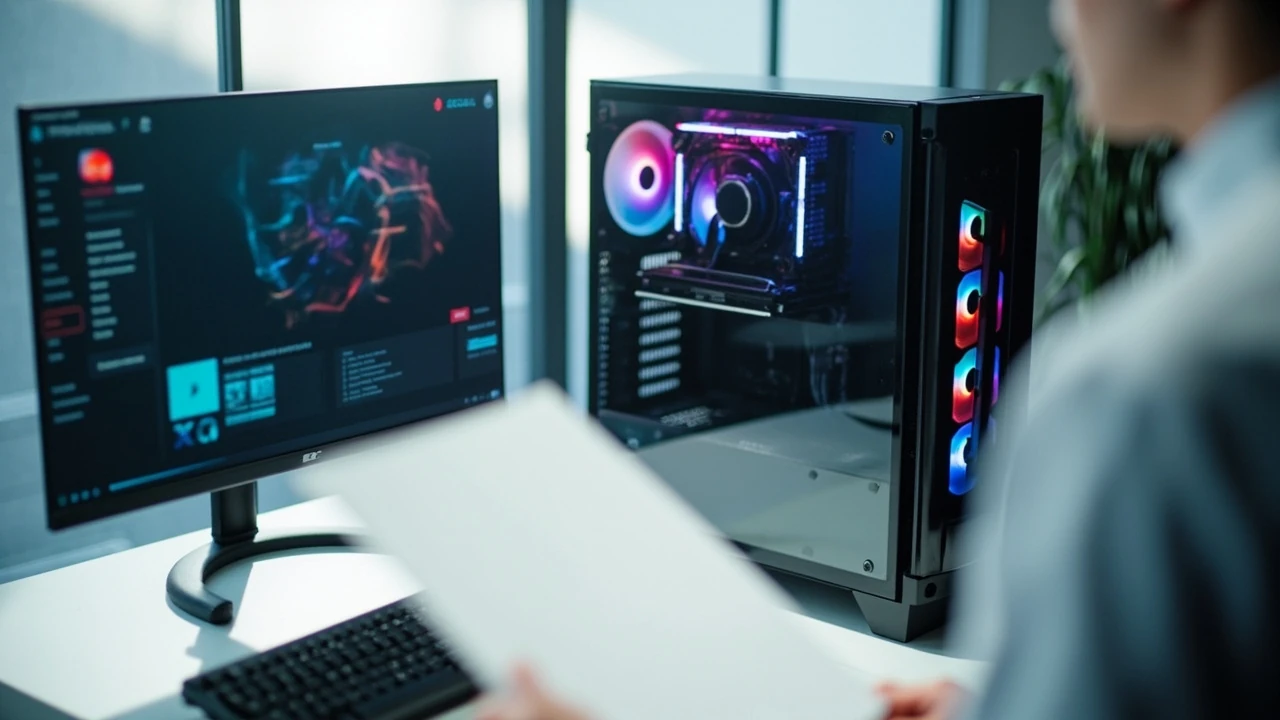
A prebuilt tower looks simple on a product page: a case, a GPU, a price. The reality is that the difference between an iBUYPOWER gaming PC that runs your favorite games well for years and one that bottlenecks on day one usually comes down to a handful of decisions made before checkout. This guide walks through those decisions one at a time, so you can read a configurator the way a builder reads a parts list.
iBUYPOWER gaming PC: how to read the configurator
An iBUYPOWER gaming PC is a custom-configured prebuilt, assembled in the United States from off-the-shelf components. The configurator on the retailer’s site lets you choose a case, a CPU, a graphics card, memory, storage, a power supply, and a cooling solution, then ships the assembled system to you. The advantage over a hand-built rig is warranty coverage and the convenience of receiving a single tested box. The disadvantage is that the parts list is only as balanced as the person who picked it.
Most buyers do not need to understand every component. They need to check three relationships: that the graphics card is appropriate for the monitor they own, that the CPU is strong enough to keep that graphics card fed, and that the cooling and power delivery can sustain both under load. The rest of this article breaks those relationships down.
What a balanced gaming PC actually means
In a balanced build, no single component sits idle while another works at full tilt. A common imbalance is a top-tier graphics card paired with a low-wattage power supply, or a high-refresh 1440p monitor attached to a system whose GPU was chosen for 1080p esports. The parts are not bad in isolation; they simply do not match the work the system is being asked to do.
The configurator at iBUYPOWER exposes every part, so balance is something you can check yourself. Treat the GPU as the anchor: choose the resolution and refresh rate you want to play at, pick a graphics card that can sustain it, then match the rest of the system to that choice.
Set the target first: resolution, refresh rate, and the games you play
Before looking at a single component, decide what you expect the system to do. Three target tiers cover most home gaming setups.
- 1080p at 60 Hz, single-player and indie games. A modest modern graphics card handles this comfortably, and the rest of the build can stay budget-friendly.
- 1080p at 144 Hz or 1440p at 60–144 Hz, mixed titles and competitive shooters. This is the middle of the market and the most common target for a new iBUYPOWER gaming PC. The graphics card matters more than the CPU here.
- 1440p at 144 Hz or 4K, demanding AAA games with high or ultra settings. A high-tier GPU is unavoidable. The CPU and power supply also need to scale with it.
The monitor you already own is the strongest constraint. A 1080p 60 Hz display will not show the benefit of a card designed for 4K. A 1440p 165 Hz display will look underwhelming if the GPU cannot push frame rates close to that ceiling. Match the build to the screen, not to a benchmark you saw online.
Pick the graphics card before anything else
The graphics processing unit (GPU) does the largest share of the work in modern games. It is also the component that ages the fastest, because new game engines lean more heavily on it each year. Within an iBUYPOWER configurator, the GPU tier is the single decision that most affects price and longevity.
How to compare two GPU options on the same page
Ignore the model name and read the small print. Three numbers matter most:
- the amount of video memory (VRAM), usually 8 GB, 12 GB, or 16 GB;
- the card’s tier, which you can cross-reference against published reviews for current generation cards;
- the power draw, expressed in watts, which tells you whether the chosen power supply is still adequate.
For 1080p gaming, 8 GB of VRAM is the practical floor. For 1440p, 12 GB is more comfortable. For 4K or heavily modded titles, 16 GB avoids texture pop-in and stutter. The iBUYPOWER configurator typically lists these values directly, so they are easy to verify.
Pairing the GPU with the right CPU tier
A central processing unit (CPU) that is too slow will hold back a strong GPU in some games, especially competitive shooters and strategy titles that spread work across many cores. A practical rule is to keep the CPU within one tier of the GPU in price. A high-end graphics card with an entry-level CPU creates a bottleneck; a budget graphics card with a flagship CPU wastes money that would have been better spent on the GPU.
Most iBUYPOWER gaming PC builds in the mid-range use a current-generation mid-tier CPU from either Intel or AMD. Both are viable. The choice between them usually comes down to the games you play, the motherboard chipset that ships in the chosen case, and any specific features you need, such as integrated graphics for troubleshooting.
Memory, storage, and the small parts that quietly matter
After the GPU and CPU, the remaining components have less impact on frame rates but a large impact on everyday experience.
| Component | Minimum sensible choice | Comfortable choice | What to check on the spec sheet |
|---|---|---|---|
| System memory (RAM) | 16 GB DDR4 or DDR5 | 32 GB if you keep many browser tabs open or stream | Speed and CAS latency, not just capacity |
| Primary storage | 1 TB NVMe SSD | 1 TB NVMe SSD plus a larger secondary drive | Whether the listed drive is PCIe Gen 3 or Gen 4 |
| Secondary storage | Optional | 2–4 TB HDD or SSD for game libraries | That the case has the bays and cables for it |
| Power supply | 550 W, 80 Plus Bronze | 750–850 W, 80 Plus Gold, modular cables | Wattage headroom above the system’s estimated draw |
| Cooling | Stock air cooler on a non-overclocked CPU | Aftermarket tower cooler or 240 mm AIO liquid cooler | That the cooler fits the case and clears the RAM |
Two of these deserve more explanation because they are easy to overlook in a configurator.
Why the power supply is not just a wattage number
The power supply unit (PSU) feeds every other component. A cheap unit with a stated wattage that is technically large enough can still cause instability, coil whine, or early failure. An 80 Plus efficiency rating is a baseline, not a guarantee, but it does indicate the unit meets a published efficiency target at common loads. A reputable brand on the PSU label is a more reliable signal than the wattage alone.
For most current-generation iBUYPOWER gaming PC builds, a 650 W to 850 W unit from a known manufacturer is the practical range. Going significantly above that without a clear reason (a high-wattage GPU plus heavy overclocking) usually means money that would be better spent elsewhere.
Why cooling choices echo through the rest of the build
Heat is the limiting factor in sustained performance. A CPU that runs hot will throttle, which means the GPU never gets to use the frame budget the system could have produced. A case with restricted airflow will trap heat even if the CPU and GPU coolers are excellent individually.
When evaluating a build, check three cooling details:
- how many fans the case includes and where they exhaust;
- whether the CPU cooler is rated for the processor’s thermal design power (TDP);
- whether the case has enough clearance for the cooler height or radiator length you have chosen.
A common mistake is selecting a large tower cooler in a small case. The configurator usually blocks obvious mismatches, but the resulting build can still be louder than expected if the case airflow is poor.
Reading the case and aesthetic options without paying for noise
Prebuilt configurators spend a lot of screen real estate on cosmetic options: tempered glass panels, RGB lighting, custom paint, branded side art. None of these change performance. Some of them affect thermals slightly. The honest way to approach them is to decide on a budget for aesthetics before opening that part of the configurator and to treat it as a separate line.
| Aesthetic option | Performance impact | Things to verify |
|---|---|---|
| Tempered glass side panel | Neutral to slightly negative on airflow, depending on the case | That the case still has at least one intake and one exhaust path |
| RGB fans and lighting strips | Negligible, unless they replace better fans | That they are controlled by a header the motherboard actually has |
| Custom paint or wrap | None | That it does not block vents |
| Liquid cooling with a large radiator | Can lower CPU temperatures meaningfully | Radiator clearance and the pump’s expected lifespan |
A small RGB kit is fine. A four-figure paint job on a budget case is a different decision, and the right answer depends on how long the case will stay in service. Most cases are replaced every two to three builds, not every ten years.
Software, drivers, and what arrives in the box
An iBUYPOWER gaming PC typically ships with a fresh install of Windows and a stack of preinstalled utilities. Some of those utilities are useful: a system information tool, a driver updater, the manufacturer’s motherboard control panel. Others are not, and can be removed without affecting the system.
Two habits are worth forming as soon as the system arrives.
- Run Windows Update and let it pull current chipset and graphics drivers, or install the GPU vendor’s clean driver package directly. This avoids carrying over an older driver that may not match the exact card shipped.
- Open the manufacturer’s support page for the motherboard and confirm the BIOS version. A prebuilt that has been on a shelf for a while may have an older BIOS, which in some cases affects memory training and CPU behavior.
Both steps are small. Together they prevent the most common first-day problems.
Warranty, support, and the question of upgrades later
A prebuilt’s warranty is a real advantage over a self-built system. When a single company assembled the machine and selected the parts, that company owns the integration. If a component fails within the warranty window, the buyer deals with one support contact rather than several individual manufacturers.
Read the warranty terms before ordering. Three things to look for:
- the length of the standard warranty, usually one to three years for labor and parts;
- the procedure for service, whether the buyer ships the system or a technician is dispatched;
- any exclusions around overclocking, certain cooling modifications, or opening the case.
Upgrades are usually allowed within a warranty, but the warranty may not cover parts the buyer added. If a future GPU upgrade is part of the plan, confirm that the existing power supply has the connectors and wattage for the next card, and that the case will physically fit it.
Comparing an iBUYPOWER gaming PC to the alternatives
A prebuilt is one of three ways to get a desktop gaming system. The other two are building it yourself and buying a fixed-configuration prebuilt from a large vendor. The differences are practical, not philosophical.
| Approach | Upfront cost | Time to set up | Warranty coverage | Customization |
|---|---|---|---|---|
| Self-built | Parts at retail, no assembly fee | A few hours, plus OS install and driver setup | Per-component, handled by each manufacturer | Total |
| Custom prebuilt (iBUYPOWER and similar) | Parts at retail plus an assembly and testing margin | Plug in and play, an hour for updates | Single-point, usually one to three years | Wide, within the offered parts list |
| Fixed-configuration prebuilt | Often discounted, sometimes lower than the equivalent custom build | Plug in and play | Single-point, often one year | Limited to what the vendor offers that week |
A custom prebuilt makes sense when the configurator offers the parts you would have chosen anyway and the warranty is worth the assembly margin. It makes less sense when the configurator pushes a part you would not have picked, or when a fixed-configuration model with similar specs is on sale for less.
A short pre-purchase checklist
Before placing the order, run through this list. It is short on purpose.
- The GPU matches the resolution and refresh rate of the monitor you will plug in.
- The CPU is within one tier of the GPU in price and is not the cheapest option on the page.
- System memory is at least 16 GB, and the speed matches what the motherboard supports.
- Primary storage is a solid-state drive of at least 1 TB, not a hard disk.
- The power supply has at least 100 W of headroom above the system’s estimated draw and carries a known brand name.
- The CPU cooler is appropriate for the processor’s TDP, and the case has clearance for it.
- The aesthetic additions fit inside a budget you set before opening that part of the configurator.
- The warranty terms are acceptable, including the service procedure and any exclusions.
If any of these fail, the right move is to change the configuration, not to compromise. A prebuilt is a single decision, and the configurator is built to support that decision being made carefully.
Frequently asked questions
Is an iBUYPOWER gaming PC good for first-time buyers?
Yes, provided the configurator is read the way a builder reads a parts list. The single-point warranty and the assembled delivery remove the two steps that are most likely to go wrong for someone building for the first time: choosing compatible parts and assembling them correctly. The trade-off is a small assembly and testing margin built into the price.
How long should an iBUYPOWER gaming PC last before it needs an upgrade?
For the GPU, three to five years is realistic for modern AAA games at high settings. The CPU and storage often last longer, because games depend on them less aggressively. A practical upgrade path is to replace the graphics card at the end of that window, then the CPU and motherboard together a few years after that.
Can the components inside an iBUYPOWER gaming PC be replaced later?
Yes, with the same caveats as any standard ATX or micro-ATX desktop. The case, power supply, storage, and memory are all user-replaceable. The CPU can be replaced if the new chip matches the motherboard socket. The cooling solution can be swapped for a different model that fits the case. Warranty terms may require the buyer to keep records of which parts were added and when.
What is the difference between an iBUYPOWER gaming PC and a similarly priced laptop?
At the same price, a desktop will outperform a laptop in sustained gaming loads, because it has more room for cooling and a higher power budget for the GPU. A laptop offers portability. If the system will live on a desk and plug into a monitor, the desktop is the more capable choice for the same money. If the system has to move, the laptop is the only option.
How much storage do most buyers actually need?
Modern games regularly exceed 50 GB, and a few exceed 100 GB. A 1 TB primary drive fills quickly if several large titles are installed at once. A practical pattern is a 1 TB NVMe SSD for the operating system and current games, plus a larger secondary drive for the rest of the library. The exact split depends on how many games the buyer keeps installed at the same time.
Does an iBUYPOWER gaming PC come with a mouse and keyboard?
Sometimes, depending on the promotion in effect at the time of order. Bundled peripherals are usually entry-level and are meant to get the system running out of the box. Serious gamers tend to replace them within a few months. If peripherals matter, it is worth checking the configurator’s current bundles before placing the order.
Is the preinstalled software safe to remove?
Most of it is. The motherboard control panel, the system information tool, and the audio control panel are useful and are safe to keep. Generic utility bundles that come preinstalled and that prompt the user to register or update are usually not necessary. Windows can be reset or a clean install performed, which removes everything that is not part of the operating system or a current driver.
What happens if a part fails after the warranty expires?
The system is treated as a standard desktop. Any part can be diagnosed with free utilities, identified by model number, and replaced with an off-the-shelf equivalent. The case, power supply, storage, and memory are the easiest to replace. The motherboard replacement is more involved but is well within the reach of a typical home builder. Documentation from the original build, such as the order invoice listing the parts, is the most useful reference.
Are iBUYPOWER gaming PCs loud?
That depends on the case, the cooling solution, and the load. A well-configured system at idle is barely audible. Under sustained gaming load, the graphics card fans become the dominant noise source, and that is true of any gaming desktop, not just prebuilts. Cases with restricted airflow tend to be louder because the fans have to spin faster to move the same amount of air.
Can the system be overclocked from the configurator?
Some configurators offer an overclocked CPU or GPU profile as a paid option. The warranty may or may not cover the result, depending on the terms. For most buyers, the stock settings are already a reasonable balance, and the gain from a mild overclock is small. A meaningful overclock requires attention to cooling and power delivery that goes beyond what a configurator exposes, and is usually done after delivery by the buyer.