September 17, 2026 / Brand Strategy
How to archive old brand assets without confusion
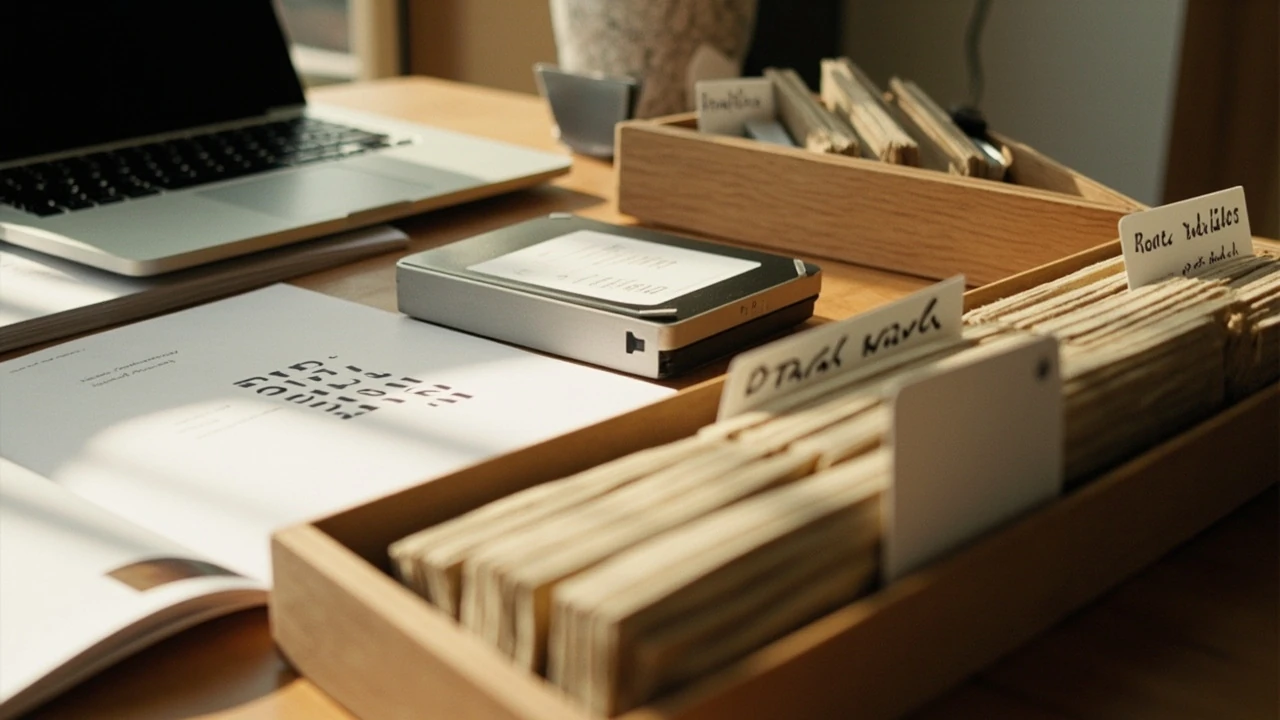
A studio finishes a rebrand, ships a fresh logo, and promises the team that the old marks will be “kept for reference.” Six months later, a freelancer pulls the wrong file for a pitch deck, a sales rep sends a retired color to a printer, and a partner site is still serving a logo the brand stopped using two cycles ago. The problem is rarely a lack of storage. It is the absence of a deliberate system for keeping old work separate from current work. The discipline of how to archive old brand assets without confusion is what keeps a quiet promise to “keep it for reference” from turning into a slow leak of outdated material into live projects.
This guide walks through the practical decisions that make an archive usable: what to keep, what to retire, how to name files so a stranger can read them, where to store them, how long to hold them, and how to communicate the rules to collaborators who do not live inside your drive. The aim is a system that survives turnover, a redesign, and the moment someone asks at 4 p.m. on a Friday, “Can you just send the old logo?”
How to archive old brand assets without confusion
The archive itself is a product, not a folder. Treat it the way you would treat a public-facing library: with a catalog, a clear shelving system, and a way to find one item without learning the entire structure. Confusion creeps in when the archive grows faster than the rules that govern it, so the first decision is a simple one. Decide that the archive will be read by someone who was not in the room when the work was retired.
A useful archive answers four questions for every item inside it:
- What is this?
- When was it current, and when was it retired?
- Why was it retired, and what replaces it?
- Who is allowed to use it, and under what conditions?
Every other decision in this guide is in service of those four answers. If a folder, a filename, or a metadata field does not move one of those answers forward, it is decoration. Decoration is what creates confusion two years later when a new designer tries to interpret a folder called “Misc_OLD_v3_final_use_this_one.”
Separate the archive from the working library
The single most common cause of asset confusion is that old and current files live in the same space. A working library is optimized for speed and selection: open it, grab the right logo, drop it into a layout. An archive is optimized for restraint: open it only when you have a reason, and treat what you find as historical, not active.
The cleanest way to enforce that is a hard boundary, not a soft one. A soft boundary is a folder called “Archive” sitting next to a folder called “Current” inside the same shared drive. People will still drop new work into the archive by accident, and people will still pull from the archive when they are in a hurry. A hard boundary is a separate drive, a separate cloud account, or at minimum a top-level workspace with permissions that block write access for most roles.
What belongs in the working library
- Current logo files in every format the team actually uses (SVG, PNG, PDF, EPS).
- The active color palette in HEX, RGB, CMYK, and Pantone where relevant.
- Current typography files and licensing notes for the active typefaces.
- Live templates for common deliverables: presentations, social posts, email headers, letterhead.
- Photography and illustration that has been cleared for current brand use.
What belongs in the archive
- Retired logo files, including rejected directions from past explorations.
- Old color systems and the swatches that supported them.
- Discontinued typography, including licensed faces whose licenses have ended.
- Past style guides, brand books, and the rationale documents that explain each version.
- Historical campaign artwork that the brand no longer runs but may need for legal, anniversary, or press reference.
The two spaces should not share a search index. If your team uses a tool that indexes both, a quick search for “logo” will return twelve results, three of which are current and nine of which are retired. That is how retired marks end up on a billboard.
Build a folder structure that reads like a sentence
Names carry meaning. A folder called “Logo” tells a reader nothing about whether the contents are current, retired, or experimental. A folder called “Logos_2018_retired_2024” tells a reader the asset, the period, and the status in a single glance. The cost of a longer name is trivial. The cost of a short, ambiguous name compounds every time someone misreads it.
A reliable convention uses four fixed fields in this order:
- Asset type (logo, palette, type, template, photography, guidelines).
- Period or version (year, brand version number, or both).
- Status (current, retired, draft, experimental).
- Owner or steward (the team or role responsible for the file).
For example: logo_2018_retired_2024_brand-team/. The fields can be separated by hyphens, underscores, or camel case, but the order should not change. Predictability matters more than style, because the archive will outlive the convention document that explains it.
Sample top-level structure
| Top-level folder | Purpose | Write access |
|---|---|---|
| 00_current/ | Active brand system, used in daily production. | Brand team only. |
| 10_archive/ | Retired systems, versioned by year of retirement. | Brand team only; read access for other roles on request. |
| 20_archive_inactive/ | Material past the retention window, kept only for legal or historical reference. | Brand lead only. |
| 30_legal_hold/ | Files tied to a contract, dispute, or compliance requirement. | Brand lead and legal contact. |
| _meta/ | Conventions, change log, deprecation notices, and the master index file. | Brand team only. |
The numbered prefixes force a visual order when the folders are sorted alphabetically, which is how most file systems and cloud drives display them by default. The leading zeros keep single-digit folders together. The _meta folder uses an underscore prefix so it sinks to a predictable position in listings.
Name files the way a stranger would search for them
Folders set the room. Filenames set the objects inside it. A filename should answer three things: what is it, what version, and what is its status. Anything else is optional and should be added only if it helps a future reader.
A safe filename looks like acme-logo_primary_2018_retired_2024-06.svg. The components are:
- Brand or project identifier (acme).
- Asset type and role (logo, primary mark).
- Year the version was current.
- Status and the year the status changed (retired, 2024-06).
- File extension that matches the actual format.
Avoid embedding designer initials, internal project codes that do not appear in the brief, or words like “final,” “FINAL_FINAL,” or “use_this.” Those phrases tell the next reader that the file’s history is contested, which is exactly the kind of uncertainty the archive is supposed to remove. For broader context, the Brand overview provides a concise reference for this section.
Filename do’s and don’ts
| Pattern | Example | Why it works |
|---|---|---|
| Brand-asset-version-status-date.ext | acme-logo_primary_2018_retired_2024-06.svg | Every reader gets the same answer. |
| Brand-asset_role-color-purpose-status.ext | acme-logo_secondary-knockout-draft_2023-09.ai | Distinguishes a working file from a released one. |
| Author initials or personal tags | JD_logo_v2.ai | Useless after the author leaves and signals private ownership. |
| Words like “final,” “new,” “use this” | acme_logo_new_final_use_this_v3.ai | Conflicts with the same file named by a different teammate. |
| Spaces or special characters | Acme Logo (final).ai | Breaks URLs, scripts, and version control diffs. |
Write a short metadata sheet for every retired asset
Filenames and folders are a kind of metadata, but they cannot carry nuance. A retired logo may be off-limits for new work, allowed for anniversary storytelling, or required to remain available for a specific partner contract. That information cannot live inside a filename. It needs a document, and the document needs to be findable from the file it describes.
Store a single CSV, TSV, or spreadsheet in the _meta folder as the master index. One row per asset, with columns tuned to the questions your team actually asks. A useful starting set:
- Asset ID (a stable code that never changes).
- Asset type (logo, palette, type, template, photo, guide).
- Version or year of release.
- Date retired.
- Reason for retirement (rebrand, contract end, license expired, replaced by v2).
- Replacement asset ID (if any).
- Allowed uses (none, anniversary, press only, contract-bound).
- Owner or steward role.
- Retention end date.
- Storage path (relative to the archive root).
The point of a master index is to let a non-technical reader answer the “can I use this?” question without opening the file. Once the index exists, link to it from the archive’s top-level README so the file is never more than two clicks away.
Set a retention policy you can defend
“Keep it forever” is not a policy. It is a postponement of the decision, and it is the seed of a confusing archive. A real retention policy is a written rule that says, for each kind of asset, how long it stays in the active archive before it is either deleted, moved to cold storage, or moved to a legal hold.
A practical baseline, which you should adapt to your own legal advice and contract terms, is:
| Asset class | Active archive | Cold storage or legal hold | Deletion |
|---|---|---|---|
| Retired logo marks | 2 years after retirement | Additional 5 years | Only with brand lead approval |
| Discontinued typography | Until license end date | License record only | Font files removed at license end |
| Past style guides | 3 years after retirement | Additional 5 years for reference | With brand lead approval |
| Campaign artwork | 2 years after campaign end | 1 year for press reference | Standard deletion |
| Photography cleared for one campaign | Until license end | License record only | Files removed at license end |
Write the policy in plain language, store it in the _meta folder, and reference it from the master index. When a teammate asks “can we delete the 2017 logo folder?” the answer is in a document, not in someone’s memory.
Control who can write, who can read, and who can request
Permissions are the part of an archive that most teams skip, and they are the part that prevents most of the confusion. If anyone with a shared drive login can drop a file into the archive, the archive stops being trustworthy within a quarter. If no one outside the brand team can read the archive at all, the archive becomes a black box and people start keeping private copies “just in case,” which is its own form of confusion.
Three roles are usually enough:
- Brand lead. Full read and write access to the active archive, plus the only write access to the master index. Approves deletions and deprecation notices.
- Brand team. Read access to the entire archive and write access to the active archive. Cannot delete or move items between archive tiers.
- Other roles. Read access on request, or read access limited to a specific retired version (for example, an anniversary campaign that needs the 2018 mark for one quarter).
Time-bound access is a powerful tool. Grant a contractor or partner read access to a single retired folder for the duration of a project, then remove it. The archive stays small, the permissions stay legible, and the contractor never develops the habit of treating the archive as their default source.
Use version control, even for design files
Designers often think of version control as a developer tool, but the same logic that keeps code legible also keeps a brand archive legible. A version control system, or even a disciplined folder structure that mirrors one, gives every file a history: who changed it, when, and why. For a working brand, that history is rarely needed. For an archive, it is the only way to answer “which version did the partner actually receive in 2019?”
You do not need a full Git repository to get the benefit. Three habits cover most of the ground: Readers can also consult the grow without losing their glow for an independent source related to this section.
- Use a source-of-truth folder per retired system, and keep every approved file inside it with its version number in the filename.
- Record each version in the master index, with a date, a one-line summary of the change, and the person who approved it.
- Store a small text file called
CHANGELOG.mdin each retired system folder, with one bullet per version in reverse chronological order.
For studios that work on long-running client relationships, the changelog is the single most useful document in the archive. It lets a brand lead answer “what changed between 2018 and 2020?” without opening a single design file.
Write a deprecation notice for every retired system
A deprecation notice is a short human-readable document that says, in plain language, what is being retired, when, what replaces it, and what is allowed during the transition. It is the bridge between the brand team and everyone else. The deprecation notice lives next to the retired system in the archive and is linked from the master index.
A useful deprecation notice covers:
- The name of the retiring system and the version or year it covers.
- The date the retirement takes effect.
- The replacement system, with a link to its folder.
- Permitted uses during a transition period, if any (for example, “existing print runs may use the old mark until 2026-12-31”).
- Permitted uses after the transition period (for example, “press and historical reference only, no new layouts”).
- The contact role for exceptions.
Without a deprecation notice, retirement is an event the team experiences. With one, it is a process the rest of the organization can plan around.
Communicate the system to collaborators outside the studio
Most confusion about old brand assets comes from people who never opened the archive. Freelancers, partner agencies, printers, and internal teams all need the same answer to the same question: “Which version is current?” A public-facing brand page on your own site is one of the cleanest ways to deliver that answer without sending every collaborator into the archive itself. Pair that page with a short “asset request” form that funnels requests through the brand team, and the archive stops being a public library by accident.
When you do share retired material, share it with a wrapper, not as a raw file. A small PDF that includes the asset, the deprecation notice, and the permitted uses gives the recipient the context they need without requiring them to ask follow-up questions. That wrapper is the difference between a controlled reference and a stray logo that lives on someone’s desktop for the next three years.
Plan the moment of retirement before the new system ships
The cheapest time to build the archive is the same week the new system goes live. The most expensive time is the week after a partner has already used the retired mark on a six-month campaign. Build the retirement into the rollout plan, not after it.
A practical rollout sequence:
- Freeze the retiring system. No new work uses the old mark, palette, or type.
- Duplicate the working library into a versioned folder named with the retirement date.
- Write the deprecation notice and add it to the archive and the master index.
- Move the live templates to the new system and archive the old templates with a clear “do not use for new layouts” tag.
- Notify internal teams, freelancers, and partner agencies with a single message that includes the deprecation notice as an attachment.
- Run a 30-day review to catch any leftover uses of the retired system on partner sites, social profiles, and printed materials.
The 30-day review is the part most teams skip, and it is the part that catches the worst offenders. Set a calendar reminder the day the new system goes live, block two hours, and search for the retired marks across the channels the brand actually uses.
Keep the archive alive with a quarterly audit
An archive without maintenance becomes a graveyard within a year. Old files accumulate, the master index drifts out of sync with the folders, and the deprecation notices stop reflecting reality. A quarterly audit is the cheapest insurance against that drift.
A 90-minute audit covers the basics:
- Compare the master index against the actual folder contents. Add missing entries, remove deleted ones.
- Check that every retired system has a current deprecation notice and that the permitted uses still make sense.
- Confirm that permissions match the current role list. Remove access for people who have left, add access for new roles.
- Move anything past its retention date into cold storage or deletion, following the written policy.
- Update the changelog with the audit date and the changes made.
Pair the audit with a short written summary, stored in _meta/audit-log/, so the next audit has a starting point. The first audit takes longer than 90 minutes. The second is faster. By the third, the archive is a system the team actually trusts.
A short checklist for the next retirement
Before you start moving files, work through this list. It is the same sequence in condensed form, designed to be printed and taped to the wall during a rebrand.
- Freeze the retiring system and announce the freeze date.
- Create the versioned archive folder using the naming convention.
- Copy every active file from the working library into the archive.
- Write the deprecation notice and link it from the master index.
- Update permissions so only the brand team can write to the archive.
- Notify internal teams, freelancers, and partner agencies.
- Run a 30-day review of public-facing uses of the retired system.
- Schedule the first quarterly audit.
If you can answer “yes” to every item on the list, the archive will be readable by the next person who walks into the role, which is the only test that matters.
Frequently asked questions
How long should a brand keep old logo files after retirement?
A practical default is two years in the active archive, followed by a move to cold storage for an additional five years. The exact window depends on your contract terms, the regions you operate in, and any legal hold requirements. The point is to set a number in writing and stick to it, so the archive does not grow without limit.
Should the archive be searchable by everyone in the company?
Read access can be broad, but write access should be narrow. Most of the confusion in shared archives comes from well-meaning edits, not from malicious ones. A common pattern is to let any employee read the archive through a request-based tool, while restricting write access to the brand team.
What is the difference between an archive and a brand book?
A brand book describes the system that is currently in use. An archive describes the systems that are no longer in use, plus the rules for handling them. A brand book points forward; an archive points back. Both are useful, but they should not be merged into a single document, because the audience for each is different.
Can old brand assets ever be used again?
Sometimes, and only with explicit permission. A common exception is anniversary campaigns, which deliberately revisit a retired mark for a defined period. Another is press and historical reference, where a journalist needs the original file to illustrate a story. The archive should record which retired assets are allowed for which uses, and the deprecation notice is the place to make that visible.
Where should the archive live, on a shared drive or in a dedicated tool?
Either works, as long as the access rules are enforced. A shared drive is the lowest-cost option and is fine for small teams. A dedicated asset management tool becomes worth the cost when the brand has multiple contributors, multiple partner agencies, and a need for granular permissions. The important thing is that the archive is a separate workspace from the working library, not a folder inside it.
How do I stop freelancers from using retired assets?
Share the current system explicitly, in a single message, at the start of every project. Include a link to the working library and a one-line reminder that the archive is for reference only. The combination of a clear current source and a clear retired source is what prevents the mix-up, because the freelancer no longer has a reason to guess.
What should I do with assets tied to an expired font license?
Remove the font files from any folder where they could be reused, and keep a license record in the master index so the brand knows the typeface is no longer available. The visual records of past work can stay in the archive as flattened PDFs, which preserves the appearance without making the underlying font available for new layouts.
How do I document a partial retirement, where only some elements change?
Treat the partial retirement as its own version. Keep the unchanged elements in the working library and move the changed elements into the archive, tagged with the retirement date. The deprecation notice should describe exactly which elements changed and which did not, so a reader does not have to compare the two systems by hand.
Is a cloud drive enough, or do I need a full digital asset management system?
For most small studios, a well-structured cloud drive is enough. A digital asset management system earns its cost when the brand has hundreds of files, multiple regions, and strict compliance requirements. The deciding factor is not the file count, but the number of people who need to find a specific file quickly without learning the folder structure first.
What is the most common mistake when building an archive for the first time?
Skipping the master index. A folder structure without a searchable index forces every reader to open every file to learn what it is. The index is what turns a pile of folders into an archive, and it is the document that most teams postpone until “later,” which is usually never.