October 29, 2026 / Web Development
Gaming laptop under $500: what actually works in 2026
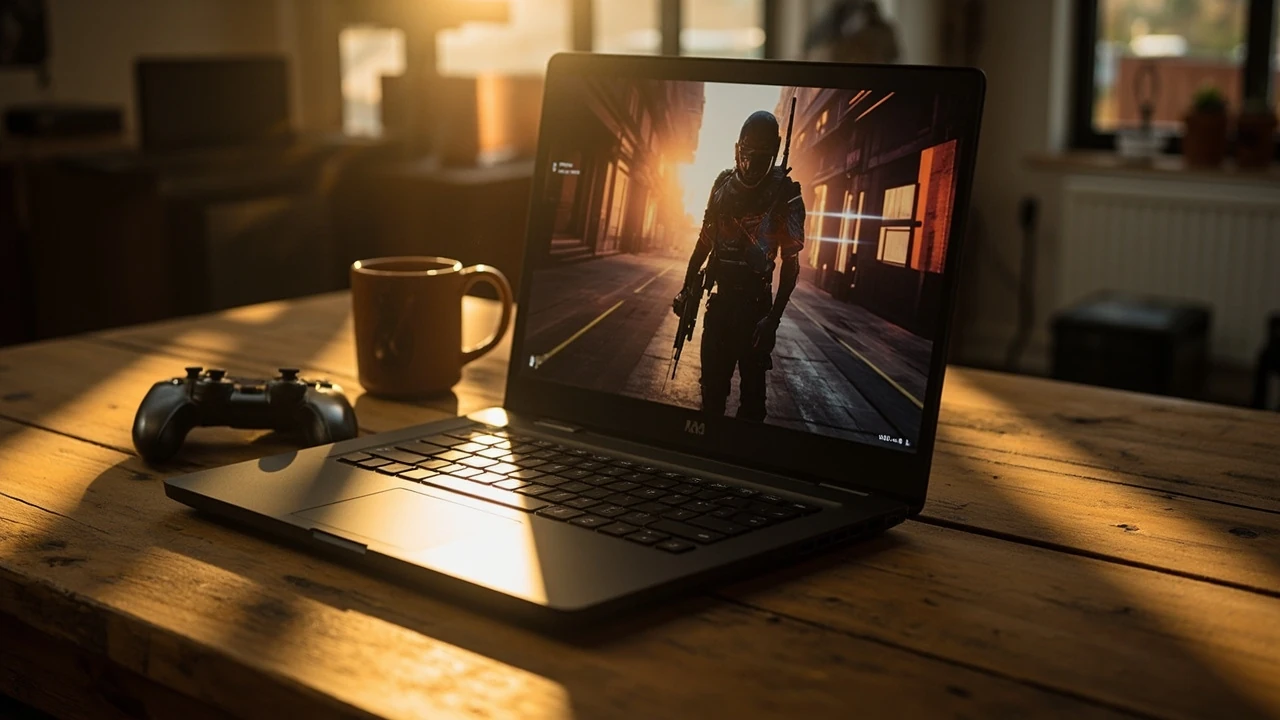
Gaming laptop under $500: what actually works
A 500-dollar budget sounds low for a gaming machine, yet every year manufacturers squeeze more performance into entry-level chassis. In 2026, a gaming laptop under $500 can handle esports titles at smooth frame rates, run older AAA games at 1080p on medium settings, and double as a work or study machine when the match is over. The catch is that “gaming laptop” means very different things at this price, and the wrong pick turns a new purchase into a frustration. This article walks through the realistic expectations, the components that matter most, the trade-offs you cannot avoid, and the checks worth doing before you pay.
The goal here is not to crown a single winner. Prices shift, stock rotates, and a configuration that looks great on paper can throttle under load. Instead, the aim is to give you a decision framework so you can read any product page and judge whether a $500 machine is actually a gaming laptop, or just a regular laptop with a flashy label.
What a $500 budget realistically buys in 2026
At this price, you are shopping in the entry-level segment where manufacturers cut costs on the display, the storage, the build, and often the CPU. The GPU is usually the strongest part of the configuration because it is the component marketing teams lead with. Expect a current-generation integrated graphics chip, or a low-tier dedicated card from a previous generation. Memory usually lands at 8 GB, sometimes 16 GB on closeout models, and storage is commonly a small SSD paired with a slower drive or cloud storage promise.
Realistic performance looks like this:
- Esports titles such as Counter-Strike 2, League of Legends, Valorant, and Dota 2 running above 60 frames per second at 1080p on low to medium settings.
- Indie and older AAA games from 2018 to 2022 running at 30 to 60 frames per second on medium settings.
- Modern AAA releases with demanding engines, such as recent open-world titles, running only at low settings and often below 30 frames per second.
- 1080p display as the baseline, with some models still shipping 1366 by 768 panels that should be avoided for gaming.
None of this is bad for $500. It simply sets the expectation that a budget machine is a tool for specific kinds of games, not a do-everything rig.
The components that decide whether a budget laptop feels like a gaming laptop
Marketing language is loud at this price. Almost every entry-level machine is sold as a “gaming” product. The difference between a usable pick and a disappointing one usually comes down to four components.
The GPU: integrated vs. entry-level dedicated
The graphics chip is the single biggest factor in gaming performance. At $500, you will most often see one of two setups:
| GPU type | Typical 2026 examples | What it does well | What it struggles with |
|---|---|---|---|
| Current integrated graphics | AMD Ryzen 5 / 7 mobile with Radeon integrated graphics; Intel Core Ultra with Arc integrated graphics | Esports, indie games, light creative work, low power draw, longer battery life | Modern AAA at high settings, hardware ray tracing, sustained 60 fps in demanding titles |
| Entry-level dedicated GPU | NVIDIA GeForce RTX 2050 / RTX 3050 mobile; AMD Radeon RX 6500M class | Smooth 1080p in esports, playable 1080p in many AAA games, better driver support for older titles | Ray tracing at usable frame rates, high-refresh gaming on demanding titles, future AAA releases at medium or above |
| Older dedicated GPU (clearance stock) | GTX 1650, GTX 1050 Ti, older Radeon 5000 series mobile | Solid 1080p esports performance, low price | No hardware ray tracing, weaker encoders, often paired with weak CPUs and slow storage |
If the listing only says “integrated graphics” or a vague model name, dig into the exact GPU part. A Ryzen 7 mobile chip with strong integrated graphics can outperform an old dedicated card in some titles while drawing far less power, which helps thermals and battery life on a budget chassis.
The CPU: enough cores, not just a high model number
Many budget listings advertise a high-tier CPU but pair it with a weak GPU, or vice versa. For a gaming laptop under $500, the CPU matters most for esports and strategy titles, which tend to be more processor-bound. A modern quad-core or six-core chip with strong single-thread performance will keep frame times stable. An older eight-core chip with weak single-thread speed can feel laggy in fast games even though the core count looks impressive on paper.
Watch for thermal limits as well. Budget chassis often throttle a strong CPU under sustained load, which means the advertised boost clock is only available in short bursts. Reviews that include a 20-minute gaming benchmark tell you more about real performance than a spec sheet.
Memory: 8 GB is the floor, 16 GB is the comfort zone
Modern games are unforgiving with 8 GB. A $500 gaming laptop with 8 GB of RAM will run today’s games, but you will see stutter when the game loads new areas, when background applications are open, and when the operating system caches its own data. The good news is that many budget laptops expose a second SO-DIMM slot or use a single module that is easy to upgrade. If the laptop ships with one 8 GB stick, a 16 GB upgrade often costs less than a third of the laptop’s price and delivers a noticeable improvement.
Dual-channel memory also matters. A single 8 GB stick runs the integrated GPU in single-channel mode, which can cut graphics performance by 15 to 25 percent in some titles. Two matched 4 GB or 8 GB sticks unlock the full memory bandwidth and make integrated graphics behave more like a real gaming chip.
Storage: SSD size and speed
A solid-state drive is standard at this price, but the size varies. A 256 GB SSD fills up fast once you install two or three modern games. A 512 GB drive is the practical minimum for a dedicated gaming machine, and 1 TB is more comfortable. Some budget laptops combine a small SSD for the operating system with a slower hard drive for files, which is fine for documents and media but not for game installs. Modern games read constantly during play, so the slow drive becomes a stutter source.
The features that look important but rarely are
Budget marketing often pushes features that have little effect on the gaming experience. A few examples:
- RGB backlit keyboards with multiple zones look dramatic in product photos, but the key travel, switch feel, and layout matter far more for both gaming and typing comfort.
- “Gaming” brand stickers, paint finishes, and aggressive venting do not improve frame rates, and they usually signal that the manufacturer spent the budget on cosmetics rather than thermals.
- High-wattage power bricks are necessary for fast charging on powerful machines, but on a $500 laptop the included brick is usually matched to the system. A heavier brick does not mean a faster GPU.
- Pre-installed software suites from the manufacturer often slow the system at boot and waste storage. A clean Windows or Linux install after purchase recovers performance and reduces background noise.
None of this means the features are bad. It just means they are not the reason to pick one budget laptop over another.
Trade-offs you cannot avoid on a budget
At $500, every machine makes compromises. The honest approach is to choose which trade-off hurts the least for the games and the work you actually do.
Display quality
Budget panels are usually the weakest part of the package. Many older listings still include 1366 by 768 screens, which look soft and limit detail in modern games. A 1920 by 1080 IPS panel is the minimum worth accepting. High refresh rates of 120 Hz or 144 Hz appear on some $500 models in 2026, but the response time and color accuracy vary. If you play competitive shooters, a higher refresh rate panel helps more than extra GPU power at this price, because you can render at lower settings to keep frame rates high and still feel the smoothness.
Build and thermals
Plastic chassis dominate the segment, and the cooling solutions are usually a single fan with a short heat pipe. Under sustained load, expect the keyboard area to warm up and the fans to ramp audibly. A machine that runs cool and quiet in a 10-minute benchmark can still thermal-throttle during a long match. Look for reviews that run games for at least 30 minutes and report average frame rates, not just peak scores.
Battery life
Gaming on battery is rarely a good idea because the system throttles aggressively to protect the cells, and frame rates drop sharply. For light work, browsing, and video, a budget gaming laptop with a modern efficient CPU and integrated graphics can last between five and eight hours, which is acceptable for a study session. Heavy gaming realistically needs the charger plugged in.
Upgrade paths
The easiest budget upgrade is storage, followed by memory if the laptop has an accessible second slot. The CPU and GPU are soldered, so you are buying them once. A model that supports at least 32 GB of RAM and two storage drives is more future-proof than one that ships maxed out at the factory.
How to read a $500 gaming laptop listing without getting burned
The fastest way to evaluate a listing is to scan for the four red flags below before you look at anything else.
- The exact GPU is not named. “Gaming graphics” or “next-generation visuals” usually means integrated graphics. Confirm the chip before you read the rest.
- The display resolution is below 1080p, or the panel type is not listed. A TN panel with low resolution will make even smooth frame rates feel rough.
- Memory is 8 GB or less and soldered. A non-upgradeable 8 GB configuration will age quickly as new games assume more system memory.
- Storage is a small SSD with a slow hard drive and no second M.2 slot. You will run out of fast storage within a year of regular gaming.
If any of these appear, keep looking. The combination of all four almost always means a regular laptop with gaming branding rather than a real gaming laptop under $500.
Refurbished and previous-generation options
Refurbished or last-year stock is often the smartest way to stretch a $500 budget. A previous-generation mid-range gaming laptop, sold refurbished through the manufacturer or a reputable retailer, frequently offers a stronger GPU, more memory, and a better build than a brand-new entry-level machine at the same price. The trade-off is cosmetic wear, a shorter warranty, and sometimes an older battery.
If you go this route, check the return window, the warranty length, and what is actually refurbished. Battery replacement, keyboard replacement, and SSD swap are cheap and worth doing on arrival to make the laptop feel new. A clean operating system install is almost always a good idea on a refurbished machine, since the previous owner’s settings and software will slow it down.
Realistic performance by game type
Different genres stress different parts of the machine. The table below shows what most buyers can expect from a well-configured $500 gaming laptop in 2026, with settings chosen to keep frame rates stable.
| Game type | Typical 2026 entry-level GPU | Realistic settings at 1080p | Expected frame rate |
|---|---|---|---|
| Competitive shooters (Valorant, CS2, Fortnite Performance mode) | Modern integrated graphics or RTX 2050 class | Low to medium, 1080p | 60 to 120+ fps |
| Strategy and simulation (Civilization, Total War, Stellaris) | Modern integrated graphics | Medium, 1080p | 40 to 60 fps, dips on large late-game turns |
| Indie and older AAA (Hollow Knight, Hades, 2018-2022 AAA titles) | RTX 2050 or better | Medium to high, 1080p | 40 to 60 fps |
| Modern demanding AAA (recent open world, cinematic releases) | RTX 3050 mobile or better | Low, 1080p, no ray tracing | 25 to 40 fps, occasional drops |
| Ray-traced or path-traced titles | Any $500 GPU | Not recommended | Below 20 fps in most scenes |
If your library is mostly competitive games, the budget is comfortable. If your library is full of recent cinematic releases, the same money goes further on a used previous-generation mid-range machine or on a desktop with a stronger GPU for the same total cost.
Accessories that make a $500 laptop feel like more
Accessories cannot raise frame rates, but they can raise the quality of the experience. A small list of items that punch above their weight:
- An external 1080p monitor, even a basic 24-inch IPS panel, makes long sessions easier on the eyes and lets the laptop sit on a stand for better airflow.
- A USB or Bluetooth mouse with a reliable sensor. Trackpads are fine for browsing but poor for fast aiming, and the cost of a solid entry-level gaming mouse is a fraction of the laptop’s price.
- A laptop cooling pad with a single quiet fan. The pad will not transform performance, but it can drop surface temperatures by a few degrees and keep the keyboard area more comfortable during long sessions.
- A pair of over-ear headphones. Closed-back headphones isolate the fan noise and let you hear positional cues in competitive games, which is more useful than a louder speaker system.
Setting up a new budget gaming laptop for the best experience
A few minutes of setup work after unboxing pays off for the life of the machine. The steps below take less than an hour and produce a noticeable difference.
- Update the operating system and drivers, especially the GPU driver. First-party drivers from the GPU vendor often outperform the generic drivers pre-installed by the manufacturer.
- Disable or uninstall any pre-installed bloatware, trial software, and manufacturer toolbars. These quietly consume memory and storage.
- If the laptop has a second memory slot, install a matching module to run the memory in dual-channel. This single upgrade often improves integrated graphics performance by a wide margin.
- Set the power plan to balanced or a manufacturer gaming profile, and confirm the laptop is plugged in for demanding games. Battery-saving modes throttle the GPU and CPU to extend runtime.
- In each game, cap the frame rate to the panel’s refresh rate. Capping the frame rate at, for example, 60 fps on a 60 Hz panel reduces heat, fan noise, and visual tearing.
When a budget laptop is the wrong tool for the job
A $500 gaming laptop fits a student, a casual player, an esports competitor on a tight budget, or someone who needs a single machine for school and play. It is the wrong tool for a buyer who wants a long-term AAA experience at high settings, plans to run a VR headset, or expects the machine to last more than four or five years without an upgrade.
For those cases, stretching the budget by 50 to 100 percent changes the conversation, and the same money often buys a refurbished previous-generation mid-range machine that outperforms a brand-new entry-level model. Spending more is not always the right answer, but spending with the right expectations almost always is.
A short checklist before you click buy
Use this list as a final check on any candidate. Every line should be true before you commit.
- The exact GPU model is named and belongs to a current or recent generation.
- The display is at least 1080p on an IPS or equivalent panel.
- Memory is 16 GB, or 8 GB with a confirmed and easy upgrade path.
- Storage is at least 512 GB of SSD, with a slot for a second drive if you play many games.
- Reviews include a sustained gaming benchmark of at least 20 minutes, not just a synthetic score.
- The warranty and return policy are clear, and refurbished units come from a recognized seller.
If a machine passes every line, you are looking at a real gaming laptop under $500, and the rest of the decision is about which keyboard, which color, and which seller to trust.
Frequently asked questions
Can a $500 gaming laptop run modern AAA games?
It can run them, but usually at low settings and 1080p, often below 30 frames per second. Esports and indie titles are a much better fit for this budget. If your library is full of recent demanding releases, consider a refurbished previous-generation mid-range machine or save up for a stronger GPU.
Is an integrated graphics chip good enough for a gaming laptop under $500?
Modern integrated graphics from current AMD Ryzen and Intel Core Ultra mobile chips handle esports and many indie games well, especially when paired with dual-channel memory. They struggle with hardware ray tracing and the most demanding AAA releases, so expectations matter more than the marketing label.
How much RAM do I really need?
16 GB is the comfortable target for a dedicated gaming machine in 2026. 8 GB works for lighter titles, but it limits how many applications you can keep open and can introduce stutter in modern games. If the laptop ships with one 8 GB stick, a second matching module is one of the best cheap upgrades available.
Is 256 GB of storage enough?
It is enough for the operating system, a few games, and your documents. Once you install two or three modern titles, the drive fills up and you start uninstalling to make room. 512 GB is the practical minimum for a dedicated gaming machine, and a second M.2 slot makes the future much easier.
Should I buy refurbished?
Refurbished is often the smartest way to stretch a $500 budget, because last year’s mid-range laptop usually outperforms this year’s entry-level laptop in raw gaming performance. Buy from a reputable seller, check the warranty and return policy, and plan to reinstall the operating system on arrival.
Does a higher refresh rate panel matter at this price?
Yes, especially for competitive games. A 120 Hz or 144 Hz panel makes aiming feel smoother even when the GPU cannot push a high frame rate in the most demanding titles. The improvement is most visible in shooters, fighting games, and racing games where input feel matters.
Can I use a $500 gaming laptop for school or work?
Yes. Most budget gaming laptops double as capable work and study machines because they pair a modern CPU with enough memory and storage. The trade-off is weight, fan noise under load, and shorter battery life compared with a thin ultrabook, but the extra GPU power helps in creative software, CAD, and video editing.
How long should a budget gaming laptop last?
With reasonable care, three to five years of comfortable gaming is realistic. A memory and storage upgrade at the one-year mark can extend that further. Expect the machine to remain useful for school, browsing, and older games long after it stops being a strong modern gaming machine.
What is the single best upgrade I can do after buying?
Adding a second matched memory module is usually the highest-value upgrade. It enables dual-channel mode, which improves integrated graphics performance dramatically, and it gives the system more breathing room for modern games. A larger SSD is the next best step.
Are gaming laptops under $500 worth it in 2026?
For the right buyer, yes. A well-chosen $500 gaming laptop in 2026 handles the games most people actually play, doubles as a work or study machine, and avoids the premium pricing of mid-range and high-end models. The key is buying with realistic expectations and avoiding the listings that cut corners on the components that matter most.