October 3, 2026 / Web Design
Gaming console buying guide: how to choose the right one
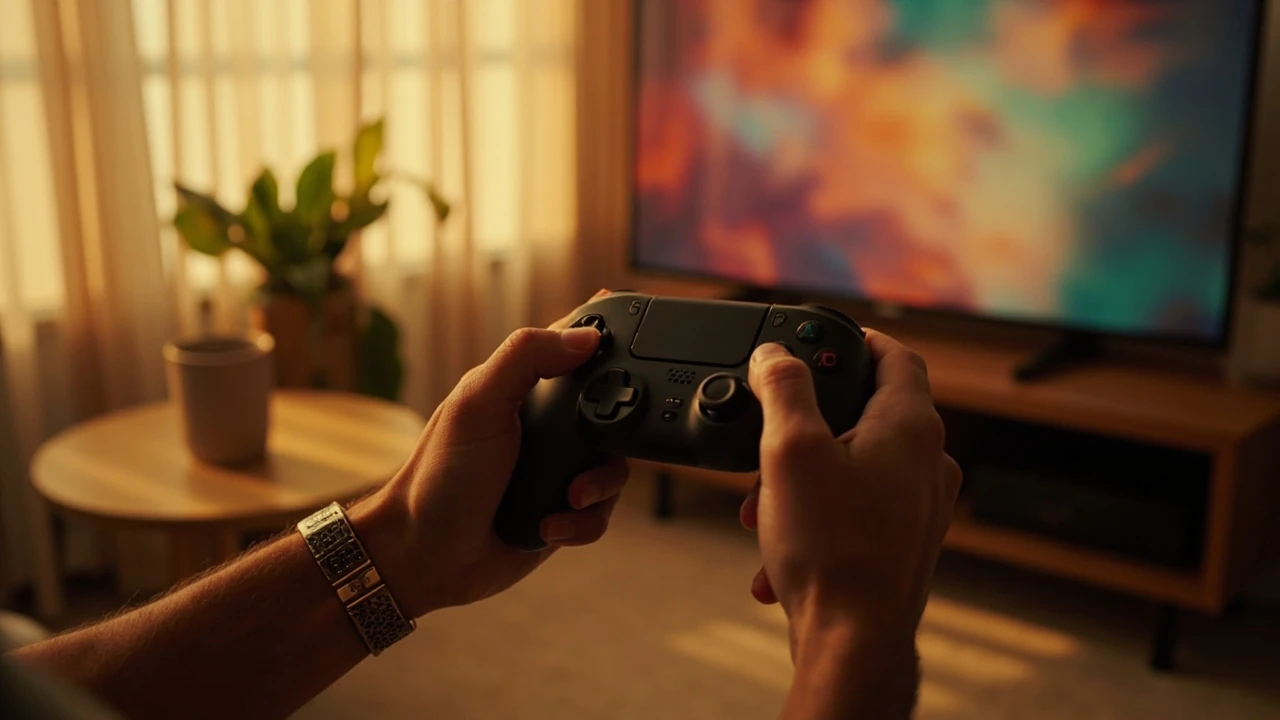
Gaming console buying guide: how to choose the right one
You walk into a store, open a comparison page, or scan a friend’s shelf and you see three or four boxes, each promising the best place to play. The marketing copy sounds identical, the prices look surprisingly close, and the controller pictures all blur together after a minute. Choosing a gaming console is less about which machine is technically fastest and more about which one lines up with the games you actually want, the people you want to play with, and the screen you sit in front of every evening.
This guide walks through the decisions that matter when you buy a gaming console, without turning the page into a spec sheet. The goal is to leave with a clear shortlist and a few practical checks you can run before you spend any money, whether you are buying your first system, replacing an aging one, or splitting a household decision.
Start with the games, not the hardware
Every other question about a gaming console comes back to one thing: what do you want to play. Hardware specs, teraflops, and storage speeds are interesting, but they only matter when they unlock the experiences you care about. The simplest way to begin is to write down a list of five games you genuinely want to play in the next two years, then check which gaming console holds exclusive or timed access to them.
Console makers keep their flagship franchises tightly controlled. Sports simulations, racing series, and long-running role-playing games often appear on one platform first or only. If a specific franchise anchors your list, that single decision may answer the whole question before you ever look at resolution or refresh rate.
Build a short practical list
- Five games you expect to buy or play within two years.
- One game you have finished recently, just to see which gaming console it came from.
- One game from a friend whose opinion you trust, to see if you share taste.
- One older or cross-generation game you would like to replay.
- One multiplayer or online game you would like to try with people you know.
If two consoles cover at least four of the five games, you can move on to secondary criteria. If only one console covers the list, the decision is already made and you can spend the rest of your budget on a good controller, storage, or a second pad for co-op play.
Understand the main gaming console families
The term gaming console covers a small number of distinct product families, each with a different design philosophy. The differences go deeper than the logo on the box. They shape what your living room looks like, how your saves move between devices, and how the system fits into the rest of your entertainment setup.
| Family | Core focus | Typical strengths | Typical trade-offs |
|---|---|---|---|
| Home console | Living room play at high resolution | Strong exclusive lineups, large install base, big-screen experience | Requires TV or monitor, fixed placement, full-size footprint |
| Handheld console | Portable play with built-in screen | Mobility, sleep and resume features, lower power draw | Smaller screen, shorter sessions per charge, simpler controls for some genres |
| Hybrid console | Connects to a TV or travels as a handheld | Two play styles in one device, shared game library, family friendly | Higher purchase cost, docked performance often lower than dedicated home consoles |
| Streaming-focused device | Plays games from remote servers | Small size, low price, access to a large catalog without downloads | Depends on stable internet, latency sensitive for some genres |
Each family suits a different routine. A handheld or hybrid fits a commuter or a parent who plays in short bursts between tasks. A home console fits a household with a dedicated television, comfortable seating, and time for longer sessions. A streaming-focused device fits someone who mainly wants access to older games or light sessions on a second screen.
Match the console to your screen and room
Resolution, frame rate, and HDR support only matter once they match the display you actually own. A mid-range gaming console connected to an older 1080p television will look and feel different from the same console connected to a current 4K set with HDR. You can buy the most powerful system available and still see muddy results if the display cannot show what it produces.
Room layout also matters. Glare from windows, the distance between the couch and the screen, and ambient light all change how the picture reads. If you play mostly at night with curtains closed, you can push for darker, more cinematic images. If you play in a bright living room during the day, a brighter picture with strong anti-glare handling will matter more than peak contrast.
Quick room and screen check
- Measure the distance from your main seat to the screen and pick a target resolution that looks sharp at that distance.
- Note the panel type of your TV, since OLED, QLED, and standard LED handle motion, HDR, and reflection differently.
- Check the number of HDMI ports and whether any support the audio return features you need for a soundbar or receiver.
- Decide whether the gaming console will share the screen with cable, streaming, or a work monitor.
For a deeper look at how design decisions ripple into the rest of a digital product, the article on visual identity shows how consistent visual choices improve the experience across surfaces, a principle that applies as much to a console interface as to a brand.
Storage, downloads, and the hidden cost of digital libraries
Modern games are large, and the trend points upward. A single modern release can take a large fraction of the internal storage that ships with a new gaming console, especially when you include a day-one patch. The storage number printed on the box is rarely the number you can use for games, since the operating system and reserved space eat into the headline capacity.
Two practical steps help. First, check whether the gaming console you are considering accepts expandable storage through a standard card format or a proprietary module, and what the realistic cost of the largest supported card is. Second, estimate your library size over the next year. If you plan to keep more than a dozen modern games installed, you will probably need to expand storage or rotate titles.
Storage planning checklist
- Confirm the size of the operating system reserve on the gaming console you want.
- Check the speed class of the supported storage, since slower cards extend load times.
- Look at the cost of the largest supported card and treat it as part of the total purchase.
- Decide whether you will keep games installed or delete and redownload them.
Online services, subscriptions, and the monthly bill
Most modern gaming consoles pair with a paid online service that unlocks multiplayer matchmaking, cloud saves, and a rotating catalog of included games. The price changes by tier, region, and renewal term, so the headline number rarely tells the whole story. Over a few years, subscriptions often approach the cost of a second controller or a mid-range storage upgrade.
| Service type | What it usually covers | Who benefits most |
|---|---|---|
| Online multiplayer | Access to matchmade and hosted multiplayer modes | Anyone who plays competitive or cooperative online games |
| Cloud saves | Backup of save files and settings | Players who move between consoles or want safety against hardware failure |
| Game catalog | Rotating access to a library of older or partner titles | Casual players who enjoy variety and discovery |
| Cloud streaming | Plays select games from remote servers | Players with stable high-speed internet and limited local storage |
The right tier depends on how you use the gaming console, not on what a friend recommends. A household that plays one online game a few nights a week may only need the entry tier, while a family that shares a single system with two or three profiles often saves money by choosing a family plan rather than individual subscriptions.
Controllers, accessories, and long-term comfort
A gaming console is a complete package, but the controller is the part your hands actually touch for thousands of hours. The default pad that ships with a console is rarely the best pad for every hand, every genre, or every grip. Aftermarket options range from compact fight sticks to large ergonomic pads, and the right choice can prevent fatigue during long sessions.
Accessibility-focused controllers add remappable buttons, larger triggers, and alternative inputs. If you share the gaming console with a child, a partner, or a player with limited grip strength, accessibility hardware can turn a frustrating experience into a comfortable one. Trying a controller in person, even for a few minutes, usually reveals more than reading a spec sheet.
Accessory budget that pays off
- A second controller for co-op or local multiplayer on the same gaming console.
- A charging station so the household never hunts for a cable at 9 p.m.
- A headset or earbuds for clearer voice chat and reduced living room volume.
- A surge protector, since a single power spike can end a console far more quickly than a single game.
When a household connects several devices, the layout around the screen starts to matter. The piece on website strategy explores how planning the connections between elements improves the experience, a habit worth borrowing when you plan a media cabinet that holds a console, a soundbar, a streaming box, and a router.
Generations, mid-cycle refreshes, and timing
Console generations last six to eight years, with a mid-cycle refresh that often offers better performance at a similar price. The choice is rarely between brand new and outdated, and more between three states:
- The current launch model, with the longest support window and the cleanest resale value.
- The mid-cycle refresh, with better hardware and the same game library at a lower street price after the refresh launches.
- The previous generation, still supported for a year or two, often sold at a steep discount.
Timing matters because of the games, not the hardware. The first year after a new gaming console launches often has a small number of big releases, while the third or fourth year usually carries the deepest libraries and the best prices on older titles. Buying slightly later in a generation is often the best value, unless a specific launch title pulls you in early.
Used, refurbished, and trade-in options
Second-hand consoles are a sensible way to save money, especially at the tail of a generation. The main risks are worn storage, a tired battery on wireless controllers, and a system that has been opened or modified. Refurbished units sold by the manufacturer or a reputable retailer usually carry a short warranty and replace the most failure-prone parts, which is a strong middle ground.
Trade-in programs from retailers and console makers convert old hardware into credit toward a new gaming console. The offer is rarely generous, but it removes the awkward step of finding a private buyer and the risk of shipping a heavy box across the country. For a household that upgrades every generation, the trade-in value compounds into a meaningful discount over a decade.
Used-buying checklist
- Ask for the original power supply and cables, since proprietary chargers are expensive to replace.
- Check the serial number against the manufacturer’s warranty lookup before you pay.
- Inspect the controller sticks for drift, a common failure that is hard to fix without soldering.
- Format the storage on first boot so the previous owner’s accounts do not linger on the system.
Family use, parental controls, and shared spaces
A gaming console in a family home is more than a personal device. It is a shared object that needs clear rules around screen time, spending, and online communication. Modern consoles expose parental controls through a single dashboard, with options to limit playtime by day, restrict purchases, and filter chat by age group. Setting these up on day one is far easier than fixing problems later.
Profiles also matter. Each family member should have a separate profile with their own save data, friends list, and parental settings. Sharing a single profile to save time tends to create cross-contaminated save files, accidental purchases, and arguments about who broke the streak in the racing game.
Designing these rules benefits from the same thinking that goes into a clear, accessible interface. The guide on web accessibility explains how inclusive design choices reduce friction for everyone, a principle that maps cleanly onto a household where grandparents, parents, and children share the same gaming console.
Performance, frame rate, and what your eyes can actually see
Marketing language around resolution and frame rate has grown more aggressive with each generation. Most modern televisions refresh at 60 Hz, and many games target 60 frames per second as a baseline. Higher frame rates reduce input lag and make fast motion look smoother, but the jump from 60 to 120 is far less visible on a casual television than the jump from 30 to 60 was a generation ago.
Resolution, on the other hand, is heavily tied to the size of the screen and the viewing distance. A 4K image on a 55-inch television viewed from three meters away already approaches the limit of what most people can resolve. Spending more for higher internal resolution on a gaming console delivers less visible benefit at typical living room distances than the same spend on a larger or better-calibrated display.
Comparing the practical decision paths
To make the choice concrete, the table below matches common reader situations with the type of console that tends to fit best. It is a starting point, not a verdict, since local prices, regional exclusive titles, and personal taste always shift the balance.
| Your situation | Console type that tends to fit | Reason |
|---|---|---|
| First-time buyer, casual play, shared TV | Home console in the most popular family | Largest exclusive catalog and the deepest aftermarket support |
| Commuter with short daily sessions | Handheld or hybrid | Plays well in transit and docks to a TV for longer weekend sessions |
| Player focused on a single competitive game | Home console with the best online infrastructure for that game | Lower input latency, broader matchmaking population, and stronger controller options |
| Family with mixed ages and interests | Hybrid console with strong parental controls | Shared library, simple profile management, two play modes in one device |
| Player with limited storage and fast internet | Streaming-focused device or mid-tier home console | Reduces local storage pressure and lowers upfront cost |
Setting up the console the right way on day one
The first hour with a new gaming console shapes the next several years. A few small steps during setup save a lot of friction later:
- Create a personal profile with a real email and a strong password, even if the console is for a child.
- Enable two-step verification on the account to protect stored payment methods and save data.
- Adjust the display settings, including HDR, motion smoothing, and picture mode, with the lights you usually play in.
- Set the system to download updates overnight, when bandwidth is free and the console can rest.
- Move save data to the cloud, so a hardware failure does not erase hundreds of hours.
These steps take about twenty minutes, and they remove the most common sources of regret: lost saves, surprise purchases, washed-out pictures, and slow downloads that block the first big night of play.
Common mistakes to avoid when buying a gaming console
Most regrets around a console purchase come from a small set of repeating patterns. Knowing them in advance makes them easier to dodge.
- Buying on launch day without checking whether the launch library matches your taste.
- Skipping the cost of expandable storage, which can quietly double the total spend.
- Choosing a console based on a single benchmark while ignoring the controller fit in your hands.
- Ignoring subscription tiers and ending up with a more expensive plan than you actually use.
- Forgetting the household rules around screen time and online chat until the first conflict.
What to do after you choose
Once the gaming console is home and updated, give it a week of normal use before buying accessories. Hands learn a new controller, eyes adapt to a new interface, and the first round of patches usually changes the default settings. After that first week, the accessories that still feel missing are the ones worth buying, while the ones that seemed exciting at the store tend to stay in the drawer.
Keep an eye on your actual play time, not the time you planned. The best gaming console is the one you keep using after the novelty fades, and that tends to be the one whose library and form factor matched the rest of your life, not the one with the loudest announcement trailer.
Frequently asked questions
How much should I budget for a gaming console in total?
Plan for the console price, one extra controller if you play with anyone, and the largest supported storage card your library will need. Add the first year of any subscription you actually use, and a small reserve for one or two new releases. Many households find that the realistic first-year cost is noticeably higher than the sticker price, especially if they already own a 4K television and want to use it well.
Should I buy a console at launch or wait?
Buying at launch makes sense if a specific launch title drives the decision and you value early access. Waiting makes sense if you want a deeper library, lower prices on hardware, and more patches for early software. A practical compromise is to watch the launch window for the one or two games that interest you, and then buy once those are in your hands, even if the console has been available for a few months.
Is a handheld console a replacement for a home console?
For most players, a handheld is a complement rather than a replacement. Handhelds shine for short sessions, travel, and shared play on a single device, while home consoles tend to deliver longer sessions, higher picture quality, and a deeper online experience. Some hybrids narrow the gap by docking to a television, but the docked experience still trades some performance for the convenience of one device.
Do I need a 4K television to enjoy a modern gaming console?
No. A 1080p set still produces a sharp image at typical living room distances, and many games look excellent at 1080p with stable frame rates. The jump to 4K is most visible on larger screens, closer seating, and content designed for high dynamic range. If your current television is in good condition, a new console can wait until the next television purchase, rather than the other way around.
How long does a gaming console generation usually last?
Most generations run for six to eight years, with a mid-cycle refresh about halfway through. Software support usually tapers off in the final year, as developers shift their focus to the next generation. The best time to buy a previous-generation console is usually one to two years into the new generation, when prices drop and the catalog is well understood.
What is the difference between a streaming-focused device and a full console?
A streaming-focused device plays games hosted on remote servers, so the work happens elsewhere and the device sends you the video. A full console runs the game locally, with downloads or discs, and depends far less on internet quality. Streaming devices suit players with fast, stable connections who want a large catalog without large downloads, while a full console suits players who want predictable performance, offline play, and the ability to buy and own games.
Can one gaming console work for the whole family?
Yes, with separate profiles, shared payment rules, and clear parental controls. The most important step is to set up each profile with its own email, friends list, and age rating on day one, so saves do not mix and parental settings apply to the right player. Once profiles are in place, the same console serves casual, competitive, and younger players without constant reconfiguration.
How important is the controller when choosing a console?
The controller is the part you touch for thousands of hours, so it deserves real attention. Comfort varies by hand size, grip style, and the genres you play. If possible, try the controller in a store, watch a long-play video with the audio on, and read recent feedback about stick drift, which has been a recurring issue across several generations. A good aftermarket pad can rescue a console whose default controller does not fit your hands.
Do I need an internet connection to use a gaming console?
For single-player games on physical media, an internet connection is helpful for updates but not strictly required. For online multiplayer, digital purchases, cloud saves, and most subscription catalogs, a stable connection is part of the experience. A practical test is to run a speed check at the spot where the console will sit, since the result there often differs from the test taken next to the router.
What is the single best way to future-proof a console purchase?
Buy the largest storage you can afford from day one, keep the system in a ventilated spot, and set up cloud saves and two-step verification early. Those three choices protect the time you invest in your library, the money you spend on hardware, and the data that defines your progress. The rest of the experience will keep evolving, but those foundations age very well.