October 1, 2026 / Web Design
Curved gaming monitor: how to choose the right one for your setup
Curved gaming monitor: how to choose the right one for your setup
A curved gaming monitor changes the feel of a game long before any setting is touched, and that change is not purely cosmetic. The screen wraps a small portion of your field of view, so edges behave more like the center of your vision and peripheral cues read faster. Players who switch from a flat 27 inch panel to a curved 32 inch display often notice the difference in the first match, especially in racing, flight, and first person shooters where turning the camera is constant. The curve also helps large screens feel more uniform, because every point on the panel sits closer to the same focal distance from your eyes.
That experience only holds if the rest of the monitor matches your games, your desk, and your graphics card. A poorly chosen curve, the wrong panel size, or a refresh rate that your hardware cannot drive will turn the same screen into a disappointment. The aim of this guide is to walk through the practical decisions that determine whether a curved gaming monitor is a good fit for your setup, and to explain what each specification actually does in everyday play.
What makes a curved gaming monitor feel different
Curvature is measured with an “R” value, such as 1500R or 1800R. The number is the radius, in millimeters, of a circle that the screen would form if it were a full ring. A smaller number means a tighter curve. A 1500R panel would complete a circle with a radius of 1.5 meters, while a 1800R panel would form a circle with a radius of 1.8 meters. The 1500R curve is more aggressive, and the 1800R curve is gentler.
Most modern gaming monitors use one of three common curvatures:
- 1000R: the tightest mainstream curve, designed to roughly match the natural curve of the human eye. Common on 27 to 32 inch screens that sit at a normal desk distance.
- 1500R: a balanced curve that works well from 27 to 34 inches and is the most common choice for general gaming and productivity.
- 1800R: a softer curve, often used on larger 32 to 34 inch ultrawide screens, where an aggressive bend is less comfortable at close range.
A tighter curve pulls the corners closer to your eyes, which is the main reason the screen feels more immersive. It also reduces the visual distance between the center and edges, so the entire panel looks more evenly focused. On the other hand, a tight curve can exaggerate reflections from a window or lamp, because each part of the screen faces a slightly different direction.
Why curvature actually matters for gameplay
The reason players care about a curved gaming monitor is not the shape itself, but what the shape does to perception. Three effects matter most.
Peripheral information reads faster. In a racing sim, a bend that enters from the side of a flat screen has to be mentally re-projected because it is small and compressed. On a curved screen, the same bend is presented at a more natural scale, so your eyes pick it up before the camera turns toward it. Studies of curved displays in office work have found that users report less visual strain and prefer the curved format for sustained reading, which is a useful proxy for sustained gameplay.
Eye movement is reduced. With a flat ultrawide, you have to rotate your eyes or even your head to read the corners. A curved screen brings the corners closer, so the angular distance your eyes travel is smaller. Over a long session, that adds up to measurable comfort.
Distortion is lower at the edges. Geometry distortion on a flat panel is most visible at the far edges, where straight lines bow outward. A curved panel compensates for this because the edges face the viewer more directly, so straight lines on screen look straighter in real space.
None of these benefits exist in isolation. They only matter if the panel is large enough for the curve to do something, and if you sit at a sensible distance.
Size and curve: matching the panel to the desk
Curve and size should be chosen together, because a curve that feels immersive on a 32 inch screen can feel awkward on a 24 inch screen. The relationship between screen size and viewing distance is described by a rule of thumb: the recommended viewing distance for a monitor is roughly 1.5 to 2.5 times the diagonal size. A 27 inch monitor typically sits about 50 to 70 centimeters from the eyes, while a 34 inch ultrawide sits about 70 to 90 centimeters away.
| Screen size | Common curvature | Best viewing distance | Typical use |
|---|---|---|---|
| 24 inch | 1500R | 45 to 60 cm | Esports, small desks, secondary screen |
| 27 inch | 1500R or 1800R | 50 to 70 cm | Mixed gaming and productivity |
| 32 inch | 1500R or 1800R | 60 to 80 cm | Single-player story games, sims, content work |
| 34 inch ultrawide (21:9) | 1800R | 70 to 90 cm | Open world games, racing, flight sims |
| 49 inch super ultrawide (32:9) | 1800R or 1000R | 80 to 100 cm | Sim racing, flight sim, multitasking |
Before settling on a size, measure from the back of your desk to where your eyes sit when you play. If the distance is under 60 centimeters, a 27 inch curved panel is the practical ceiling. If you have room to push the screen further back, a 32 inch or 34 inch ultrawide becomes realistic.
Resolution and aspect ratio: getting the pixels right
Resolution determines how sharp the image looks at your viewing distance, and aspect ratio determines the shape of the field of view. For a curved gaming monitor, the two interact strongly with the curve.
For a 27 inch curved screen, 2560 x 1440 is the modern sweet spot. It is dense enough to look sharp at 60 to 70 centimeters and is not so demanding that mid-range graphics cards struggle. 1920 x 1080 still works on 24 inch screens, but on 27 inch the pixel density drops to about 82 pixels per inch, which makes text and HUD elements look soft.
For 32 inch screens, 3840 x 2160 (4K) brings pixel density up to about 137 ppi, which is excellent for clarity. The trade-off is performance. A modern mid-range card can push 4K at 60 frames per second in many games, but at 144 frames per second for high refresh rate gaming, you need a high-end card. A practical compromise is 2560 x 1440 on 32 inch, which gives a softer image but a smoother experience.
Ultrawide screens use 21:9 aspect ratios, most often at 3440 x 1440. That resolution gives extra horizontal space without the vertical jump of 4K, which is why many players prefer it for racing and flight sims. The extra width is also the reason a curve helps: without a curve, the corners of a 34 inch ultrawide look noticeably farther away than the center.
| Resolution | Common size | Aspect ratio | Performance load | Good match for |
|---|---|---|---|---|
| 1920 x 1080 | 24 to 27 inch | 16:9 | Low | Esports, older hardware |
| 2560 x 1440 | 27 to 32 inch | 16:9 | Medium | Mid-range GPUs, mixed use |
| 3440 x 1440 | 34 inch | 21:9 | Medium to high | Immersive single player, sims |
| 3840 x 2160 | 27 to 32 inch | 16:9 | High | High-end GPUs, visual detail |
| 5120 x 1440 | 49 inch | 32:9 | Very high | Sim setups, multitasking, content work |
Aspect ratio also affects which games support the format. A growing number of modern titles natively support 21:9, and several allow 32:9, but some competitive shooters lock to 16:9 to keep competitive parity. Check the support list for your main games before committing to an ultrawide.
Refresh rate and response time: where the action lives
Refresh rate is the number of times per second the panel redraws the image, measured in hertz. Response time is how quickly a pixel can change from one color to another, measured in milliseconds. On a curved gaming monitor, both matter because the curve can hide some motion issues, but it cannot fix them.
For most players today, 144 Hz is the practical floor. A 60 Hz panel looks fine for a single player game played at a relaxed pace, but the moment you try an online shooter or a fast racing game, the difference between 60 Hz and 144 Hz is hard to ignore. 165 Hz panels are now common and cost little more than 144 Hz, while 240 Hz is the target for serious competitive play.
Response time is where many people get tripped up. Manufacturers list a single number, often 1 ms, but that number is the best case. Two useful numbers to look for are:
- GtG (gray to gray): the time for a pixel to move between two shades of gray. Lower is better. 1 to 4 ms GtG is the modern standard for gaming panels.
- MPRT (moving picture response time): a measure of perceived blur, often controlled with backlight strobing. Lower looks sharper in motion, but strobing can reduce brightness and introduce flicker.
Variable refresh rate technology such as AMD FreeSync and NVIDIA G-Sync synchronizes the monitor’s refresh with the frame rate of the graphics card. The practical effect is the elimination of tearing and most stuttering when the frame rate fluctuates. Almost every modern curved gaming monitor supports at least one of these standards, and many support both. The two external technologies are described in detail on the Variable refresh rate Wikipedia page.
Panel type: VA, IPS, and OLED compared
Three panel technologies dominate the curved gaming monitor market, and each has a clear personality.
VA (vertical alignment): the most common choice for curved screens because the technology bends well without image distortion. VA panels offer deep blacks and high native contrast, typically 3000:1 or higher, which makes dark game scenes look more layered. The trade-off is slower pixel response, which can show as smearing in dark transitions, and narrower viewing angles than IPS.
IPS (in-plane switching): known for accurate color and wide viewing angles, which keeps the edges of a curved screen looking the same as the center. Native contrast is lower, usually around 1000:1, so blacks look closer to gray in a dark room. Modern IPS panels have closed the gap on response time, and many hit 1 ms GtG. IPS is a good choice if you edit images or videos on the same screen.
OLED (organic LED): each pixel emits its own light, so contrast is effectively infinite and response time is near zero. OLED panels produce the best motion clarity on the market and the deepest blacks. The two practical concerns are brightness, which is lower than high-end LED panels for full-screen white scenes, and the risk of burn-in with static HUD elements. OLED is a strong match for single player and sim players who value image quality above all else.
| Panel type | Native contrast | Response | Viewing angles | Best fit |
|---|---|---|---|---|
| VA | 3000:1 or higher | 4 to 8 ms typical | Good | Immersive single player, dark scenes, curved formats |
| IPS | 1000:1 typical | 1 to 4 ms | Excellent | Color work, fast competitive play, mixed use |
| OLED | Infinite (per pixel) | Near zero | Excellent | Visual quality priority, single player, sim |
Connectivity and ergonomic checks
The most overlooked part of choosing a curved gaming monitor is the practical interface with the rest of the system. A 4K 144 Hz panel is wasted if the only DisplayPort on the graphics card is already in use, and a 34 inch ultrawide is hard to enjoy on a stand that only tilts.
Look for these points before you buy:
- DisplayPort 1.4 or HDMI 2.1: needed for high refresh rates at high resolutions. HDMI 2.0 caps 4K at 60 Hz, which is not enough for modern gaming.
- USB-C with power delivery: useful for laptops, but check the wattage. 65 W is enough for an ultrabook, while 90 W or more is needed for a full workstation.
- Stand range: height adjustment, tilt, and swivel are the basics. Pivot is less useful on a curved screen because rotating it vertically breaks the geometry. A VESA mount is useful if you plan to use a monitor arm.
- Built-in KVM: lets one keyboard and mouse control two computers through the monitor. Helpful if you game on a desktop and work on a laptop.
Take a moment to check the included cable. Many curved gaming monitors come with only an HDMI cable in the box, which can limit the resolution or refresh rate you can drive. A DisplayPort cable rated for the bandwidth you need is often worth buying separately.
Common mistakes when buying a curved gaming monitor
Most regrets with curved screens come from one of four oversights. Watching for them in advance saves the cost of a return.
- Choosing curvature by trend rather than distance. A 1000R panel is dramatic, but on a 24 inch screen at 50 centimeters it can look slightly bowed when reading text. Match the curve to the screen size and the distance you actually sit.
- Ignoring desk depth. A 34 inch ultrawide needs a desk that is at least 70 centimeters deep, and ideally 80 centimeters, or the edges feel uncomfortably close.
- Chasing a single spec. A 4K 240 Hz OLED looks unbeatable on paper, but if your graphics card produces 80 frames per second in the games you actually play, the extra refresh headroom is wasted and the price is not.
- Forgetting ambient light. Curved screens reflect light from a wider range of angles than flat panels. A bright window behind the player or a ceiling light directly above the screen will be more visible on a curved display.
How a curved gaming monitor fits into a designed workspace
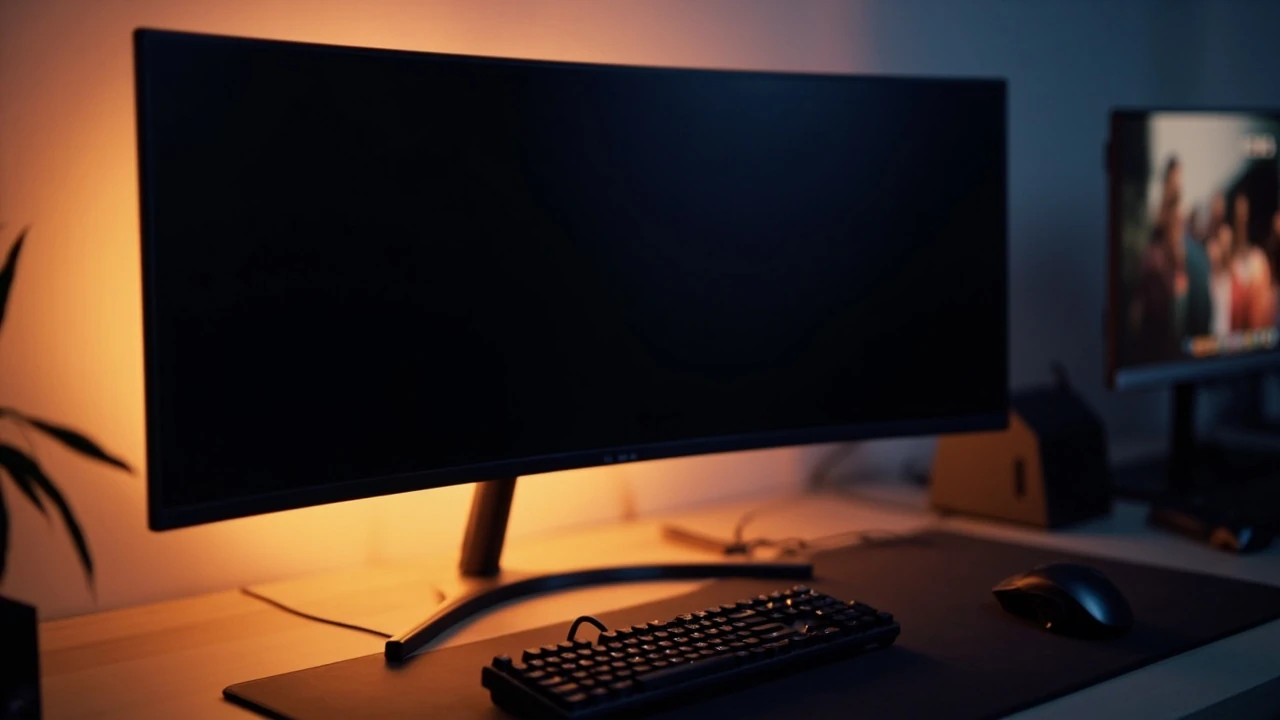
A curved gaming monitor is also a design object. It sits in the center of the room, frames the user’s view, and changes how the desk feels. Because the screen is wider and wraps the field of view, the rest of the workspace has to hold its own without competing. That is part of the reason the visual language around a curved gaming monitor is usually clean, with a single statement piece, controlled lighting, and a keyboard and mouse that sit quietly in front of the screen.
If you are building a setup from scratch, the monitor dictates a few downstream decisions. A wider screen needs a wider desk, often 160 to 180 centimeters, so the keyboard can sit centered in front of the player rather than off to one side. A larger panel also needs stronger ambient light behind it, either bias lighting behind the monitor or a soft wall wash, because the screen covers more of the visual field and any contrast between the panel and the wall behind it becomes more obvious.
For designers and developers who also work on the same machine, a curved gaming monitor is often paired with a vertical flat screen on the side for documents, code, or chat. The combination works because the curved screen handles the wide visual content, while the flat screen handles the tall, text-heavy content. Good visual identity and interface design for the broader brand, including the way the workspace itself is treated, is covered in the studio’s guide to visual identity: what it is, what it includes, and how to build one, which is a useful reference for anyone thinking about the screen as part of a larger visual system rather than a single purchase.
Quick decision checklist before you buy
Use this list as a final check before you commit to a specific curved gaming monitor.
- Measure your viewing distance and choose a screen size that fits within 1.5 to 2.5 times the diagonal.
- Decide whether your main games are competitive or single player, and pick a refresh rate and panel type to match.
- Check that your graphics card has the right output for the resolution and refresh rate you want.
- Confirm the stand or a VESA mount will fit your desk, and that the stand offers enough height adjustment.
- Test the curve in a store if possible, because 1500R and 1800R feel meaningfully different at the same screen size.
- Look at the warranty terms, especially for OLED panels, where burn-in coverage varies.
Frequently asked questions
Is a curved gaming monitor actually better than a flat one?
A curved gaming monitor is better than a flat one when the screen is large enough that the curve helps your eyes see the edges more comfortably. On 24 inch and 27 inch screens the difference is small, and on 32 inch and ultrawide screens the difference is noticeable, especially for single player and sim games. For competitive esports, a flat high refresh panel is often preferred because it offers more predictable geometry.
What curvature should I pick for a 32 inch curved gaming monitor?
A 1500R curve is the most common choice for 32 inch panels and works well at a viewing distance of 60 to 80 centimeters. A 1800R curve is gentler and a good option if you sit slightly farther back, around 80 to 90 centimeters. 1000R is more aggressive and is best if you want the maximum immersive effect and do not mind a more pronounced bow.
Do curved monitors cause eye strain?
A properly chosen curved gaming monitor usually reduces eye strain compared to a flat screen of the same size, because your eyes travel less to reach the corners. Eye strain is more often caused by low refresh rate, poor brightness calibration, or sitting too close to a screen of any shape. A distance of 1.5 to 2.5 times the diagonal and a refresh rate of at least 120 Hz keep most players comfortable.
Is an ultrawide curved gaming monitor good for competitive shooters?
Ultrawide curved screens are excellent for immersion, but competitive shooters have mixed support for 21:9 and limited support for 32:9. Many online games will run at the wider aspect ratio, but some will show black bars or stretch the image. If you mainly play ranked shooters, a 27 inch 16:9 240 Hz panel is a safer choice. If you mix competitive play with single player and sims, a 34 inch ultrawide is a strong all-rounder.
What is the best panel type for a curved gaming monitor?
VA panels are the most common for curved screens because they bend well and offer high contrast. IPS panels offer better color accuracy and faster response, which is useful for fast competitive play and color work. OLED panels offer the best image quality and near-zero response time, with brightness and burn-in as the main trade-offs. The right answer depends on which trade-off matters most to you.
Do I need G-Sync or FreeSync on a curved gaming monitor?
Yes, in practice. Variable refresh rate support eliminates tearing and reduces stutter when the frame rate fluctuates, which is the normal state for most modern games. Almost every curved gaming monitor released in the last few years supports at least one of the two standards, and most support both. Match the monitor to your graphics card so the two can handshake at the maximum refresh rate.
Can I use a curved gaming monitor for work and coding?
A curved gaming monitor works well for work, especially on 32 inch and 34 inch ultrawide sizes, because the extra width is useful for documents, timelines, and multiple windows. Curved screens are not a problem for coding, but if you read long vertical documents, consider pairing the curved screen with a flat vertical monitor on the side. The studio’s notes on website strategy: how to plan a site that actually performs cover how screen choice fits into a broader digital workflow for designers and developers.
How long do curved gaming monitors last?
LED-backlit curved gaming monitors typically last around 30,000 to 60,000 hours of use before the backlight dims noticeably, which is more than a decade of normal play. OLED panels can show signs of burn-in from static HUD elements after a few thousand hours of heavy use, though modern panels include compensation features that slow the process. Treat the panel with sensible brightness settings and you can expect many years of service from any of the three technologies.
What size desk do I need for a curved gaming monitor?
For a 27 inch curved screen, a desk at least 60 centimeters deep and 120 centimeters wide is comfortable. For a 32 inch screen, aim for 70 centimeters deep and 140 centimeters wide. For a 34 inch ultrawide, 80 centimeters deep and 160 centimeters wide is the practical minimum, and a monitor arm helps free up the space behind the screen for cables and accessories.
Is a curved gaming monitor worth the price over a flat one of the same size?
For screen sizes below 27 inches, the price premium for a curved gaming monitor is rarely worth it, because the visual benefit is small. For 32 inch and ultrawide sizes, the curve is a meaningful improvement in comfort and immersion, and the price premium is usually modest compared to the cost of the panel itself. The main price driver is the resolution, refresh rate, and panel type, not the curve.