October 24, 2026 / Web Development
Best ethernet cable for gaming: how to pick the right one
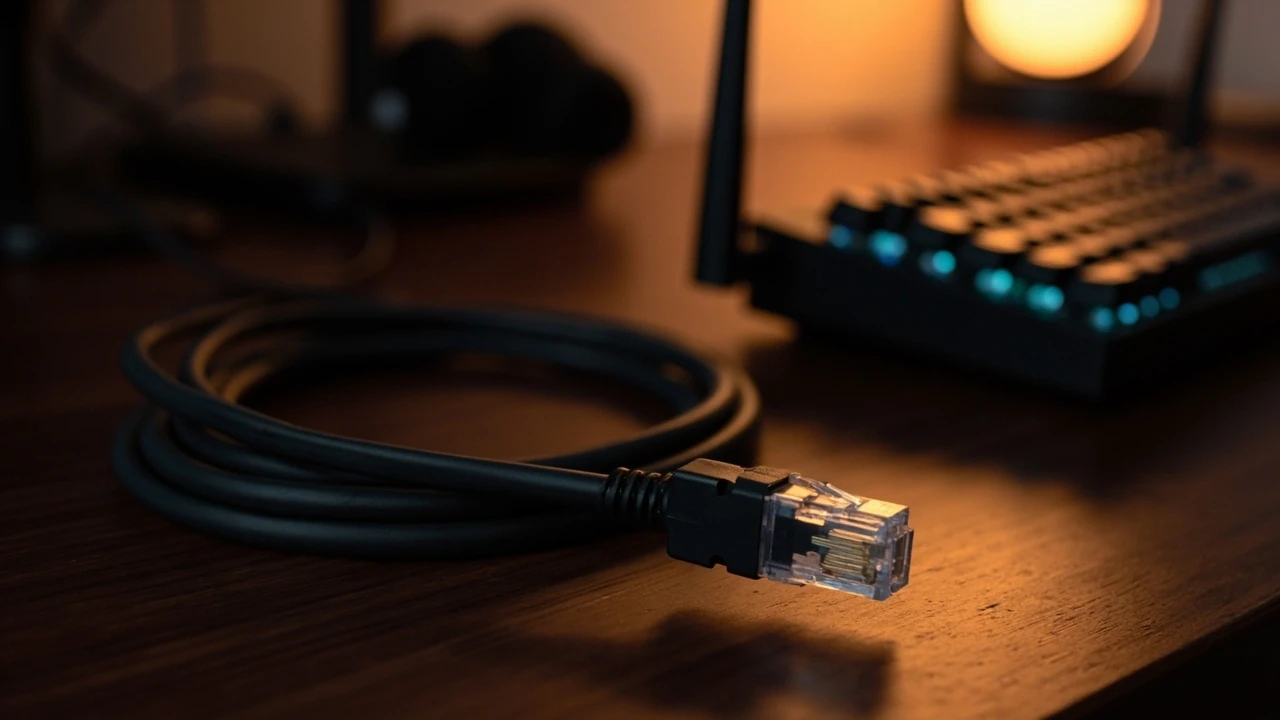
Best ethernet cable for gaming: how to pick the right one
You load into a ranked match, your ping suddenly climbs by 40 ms, and your team loses a round that should have been easy. Before you blame the server, look at the short, often-overlooked cable connecting your PC or console to the router. Picking the best ethernet cable for gaming is less about chasing the most expensive option and more about matching a cable category, length, and build quality to the network hardware you actually own. A wrong choice can quietly bottleneck a fast fiber connection or, just as often, add nothing useful at all.
This guide walks through what each cable category really delivers, which features matter for online play, and how to avoid paying for spec sheets you will never use. It also covers the practical decisions that show up in a real setup: how long a run you need, whether shielding matters in your room, and when a flat cable is worth the trade-offs.
How ethernet cables actually affect gaming performance
An ethernet cable does not make your computer faster. What it does is move data between your network card and the rest of the local network with a predictable amount of delay, packet loss, and jitter. Those three factors are what online games care about, because they translate directly into how quickly your inputs reach the server and how reliably the server’s updates reach you.
Latency, measured in milliseconds, is the round-trip time a single packet takes. A modern Cat6 cable on a gigabit link typically adds well under one millisecond of delay over a short home run. That is far smaller than the 20 to 60 ms most games spend inside the game engine and the internet path. So upgrading from a Cat5e to a Cat6, Cat6a, or Cat8 cable rarely changes the number on your ping overlay in any noticeable way.
Where cable quality does matter is stability. A damaged connector, a cable run parallel to a power line, or a poorly terminated plug can cause retransmissions. Each retransmission adds a small delay spike that your client notices as a stutter or rubber-banding. The right cable, properly seated, removes a whole class of those spikes from the troubleshooting list.
Understanding ethernet cable categories
Every ethernet cable you can buy today is labeled with a category, usually printed on the jacket. That label tells you the maximum frequency the cable is rated for and, in turn, the maximum throughput it can support over a given distance. The category is the single most important spec when comparing options.
Most gaming setups do not need the highest category available. They need a cable that comfortably exceeds the speed of the slowest device on the path, with enough headroom for future hardware. The table below summarizes the categories that show up most often in retail listings and what each one realistically delivers for a home gamer.
| Category | Max data rate | Typical bandwidth | Gigabit ready | 2.5G / 5G ready | 10G ready | Common use |
|---|---|---|---|---|---|---|
| Cat5e | 1 Gbps | 100 MHz | Yes | Limited, not certified | No | Basic home networking, still adequate for most console and PC gaming on gigabit internet |
| Cat6 | 1 Gbps (10 Gbps up to 55 m) | 250 MHz | Yes | Often works, mixed results | Short runs only | The sensible default for a gaming PC or console in 2025 and 2026 |
| Cat6a | 10 Gbps | 500 MHz | Yes | Yes | Yes, full distance | Future-proofing, multi-gig internet plans, longer runs |
| Cat7 | 10 Gbps | 600 MHz | Yes | Yes | Yes | Often shielded, sometimes uses proprietary GG45 connectors, niche for home users |
| Cat8 | 25-40 Gbps | 2000 MHz | Yes | Yes | Yes, but designed for data centers | Server rooms and short patch cables, not necessary for home gaming |
For the vast majority of gamers, Cat6 is the sweet spot. It is widely available, inexpensive, and rated for gigabit ethernet, which is what nearly every home router, game console, and gaming PC motherboard still ships with. Cat6a becomes worth considering only if you are already paying for a 2.5 Gbps or 5 Gbps internet plan and your router and network card both support those speeds.
What to look for beyond the category label
Two cables printed with the same category can perform very differently in the real world, because the category is a minimum standard, not a guarantee of quality. A few additional features are worth understanding before you click buy.
Shielding: UTP, STP, and when it actually helps
Unshielded twisted pair, often labeled UTP, is the most common construction. Each pair of wires inside the cable is twisted at a specific rate, and the opposing twists cancel out most electromagnetic interference. For a typical bedroom or living room gaming setup, UTP is more than enough.
Shielded variants, usually labeled STP, FTP, or S/FTP, add a layer of foil or braid around the pairs or the whole cable. They are designed for environments with heavy electrical noise, such as running a cable alongside power cables in a wall, near a large motor, or inside a metal conduit. In a clean home setup, shielding rarely changes measured performance. The downsides are real: shielded cables are stiffer, more expensive, and require shielded connectors and proper grounding to deliver any benefit at all.
Conductor size: 24 AWG versus 26 AWG
Cable jackets often print the American Wire Gauge, or AWG, of the copper inside. A 24 AWG conductor is thicker than a 26 AWG conductor. Thicker copper carries signals slightly farther with less loss, runs cooler, and tolerates sharp bends better. Slim 28 AWG patch cables exist for tight spaces but are rated for shorter distances, often around 8 meters for the full 10 Gbps spec, and should not be used as permanent runs.
Connectors and boot design
The RJ45 plug at the end of the cable matters more than people expect. A well-molded connector with a snagless boot protects the small plastic tab from snapping off when you pull the cable through a desk grommet or behind a TV stand. Gold-plated contacts resist corrosion, though plain nickel contacts work fine indoors. Look for a strain relief boot that flexes smoothly where the cable meets the plug rather than a hard molded shape that cracks after a year of use.
Jacket rating: CM, CMR, and CMP
If the cable will run inside a wall, the jacket rating decides whether it is safe and code-compliant. CM is the general-purpose rating for in-room use. CMR, sometimes called riser, is rated to resist flame spread between floors and is usually the minimum for in-wall runs in a single-story home. CMP, or plenum, is designed for air-handling spaces and is rarely needed in a residence. Running a CM cable behind drywall where a CMR cable is required can create a real fire risk, so this detail is worth checking before you fish cable through a wall.
Length, routing, and the physics of signal loss
Ethernet signals weaken as they travel, and at some length the link either falls back to a slower speed or drops entirely. The official 100-meter limit for Cat5e, Cat6, and Cat6a assumes a single continuous run with two connectors on each end, which is far more than any home gamer will need. Most gaming setups fall in the 1 to 10 meter range, where even cheap cables perform identically.
There is, however, one rule that is easy to get wrong: avoid running ethernet parallel to power cables for long distances. The 90-degree rule used in professional installations suggests keeping ethernet at least a few centimeters away from AC lines and crossing them only at right angles if they must meet. In practice, a short gaming cable draped behind a desk rarely picks up enough noise to matter, but a 20-meter run stapled next to a power feed can show measurable errors.
Sharp bends are another quiet failure mode. Cramming a thick Cat6a cable into a tight 90-degree turn behind a TV stand can deform the internal pairs and raise return loss. If you need a sharp turn, use a gentle bend radius, ideally at least four times the cable diameter, or pick a slimmer patch cable rated for the run length you actually need.
Flat cables versus round cables: when each makes sense
Flat ethernet cables have become popular because they slip under carpets, run along baseboards, and disappear behind a desk without bulging. The trade-off is internal construction. To stay flat, the twisted pairs are often laid side by side rather than tightly twisted, which can reduce crosstalk performance. A flat Cat6 cable in a 2-meter run is perfectly fine for gigabit gaming. A flat Cat6 cable stretched 15 meters across an apartment is more likely to show errors than a round one of the same category.
Round cables are easier to manufacture to spec, easier to terminate well, and generally hold up longer when plugged and unplugged repeatedly. If you want a cable you can move between setups, a round snagless patch cable is the safer default.
Matching the cable to your network speed
Before choosing a cable, look at the slowest device on the wired path. If your internet plan tops out at 300 Mbps and your router only has gigabit ports, a Cat5e cable will deliver identical gaming results to a Cat6a cable. The higher category simply sits idle. Conversely, if you have a 2.5 Gbps multi-gig port on a modern motherboard and a matching router, a Cat5e cable will silently limit that link to 1 Gbps.
- Internet plan up to 1 Gbps with gigabit router: Cat5e is acceptable, Cat6 is the better long-term buy.
- 2.5 Gbps or 5 Gbps multi-gig setup: Cat6a is the safe choice for runs over 5 meters.
- 10 Gbps networking, home servers, or heavy local file transfers: Cat6a or Cat7 for full-distance runs, Cat8 only for short patch cords.
- Console or living room gaming with a cable that will not be moved: any reputable Cat6 round cable, 1 to 5 meters, is enough.
These are rules of thumb, not absolute laws. The exact sweet spot depends on how often you upgrade hardware, how tidy you want the cabling to be, and whether you intend to run cables through walls.
Common mistakes when buying an ethernet cable for gaming
A few pitfalls come up often enough to call out. None of them are catastrophic, but each one can waste money or quietly degrade a setup that was otherwise working.
- Paying for Cat8 to use with a gigabit router. Cat8 cables are designed for 25 to 40 Gbps data center links over very short distances. For home gaming they offer no measurable benefit and are often stiffer and harder to route.
- Buying the cheapest no-name cable. The failure mode is not slow speeds but bad terminations. A cable with poorly crimped connectors can show high error counts under load, which only shows up during long gaming sessions.
- Overlooking the AWG rating. A 28 AWG slim cable can be perfect for travel but is a poor choice for a 10-meter run to a router in another room.
- Ignoring jacket rating for in-wall runs. A cable rated CM only is not suitable for in-wall installation, even if the category looks correct on paper.
- Using a damaged cable because it still works. Once the jacket is cracked, the twist rate of the internal pairs can be disturbed, and a cable that passes a basic speed test today may fail intermittently under heat or movement.
Recommended picks by use case
Rather than name a single best ethernet cable for gaming, it helps to match a cable profile to the kind of setup you have. The table below groups options by use case so the right choice is easier to defend in a buying decision.
| Use case | Suggested category | Suggested length | Shielding | Notes |
|---|---|---|---|---|
| PC or console at the same desk as the router | Cat6 | 1 to 3 m | UTP is fine | Pick a snagless round patch cable, any reputable brand, in the color that matches your setup |
| Console across the living room, cable on the floor | Cat6 flat | 3 to 8 m | UTP is fine | Flat design hides under rugs; choose a jacket rated for the traffic area |
| Gaming PC with multi-gig port, 2.5 Gbps internet plan | Cat6a | 2 to 10 m | UTP usually enough | Make sure the router, switch, and network card are all multi-gig to feel the benefit |
| Long in-wall run to another room | Cat6a CMR | 15 to 50 m | UTP works, STP helps near power | Use CMR-rated cable, terminate with keystone jacks, avoid sharp bends |
| Short patch between a multi-gig switch and a PC | Cat6 or Cat6a | 0.5 to 2 m | UTP | Keep it short, slim 28 AWG is acceptable at this distance |
If you only need one cable and want a safe default that will not feel outdated within the next several hardware cycles, a 2 to 5 meter Cat6a UTP round cable with snagless molded boots is the most flexible starting point. It costs only a little more than Cat6 and leaves headroom for a multi-gig router when you eventually upgrade.
How to test the cable you already own
Before buying anything, it is worth checking the cable currently in use. Many perceived gaming problems blamed on the network turn out to be a marginal cable or a loose connector.
- Look at the cable jacket and note the category printed on it. If it says Cat5e and your network is gigabit, the cable is fine for now.
- Inspect both RJ45 connectors. The plastic tab should be intact, the pins should sit evenly in the plug, and the cable should not pull out easily when given a gentle tug.
- Reseat both ends. Unplug, wait five seconds, plug back in until you hear the click. Many random packet loss issues come from a half-inserted connector.
- Check the link speed reported by your operating system. On Windows, the network adapter status page shows the negotiated speed. On macOS, the Network panel under hardware shows the same value. If the speed is below what the cable category supports, suspect a bad cable or a damaged port.
- Run a long ping test. A command like
ping -t 1.1.1.1on Windows orping 1.1.1.1on macOS and Linux, left running for several minutes, shows whether any individual packet takes a suspicious spike. A few jitter spikes are normal on a home network, but a steady pattern of large spikes points to a real physical issue.
If the link speed is correct, the connectors look healthy, and the ping graph is clean, the cable is doing its job. Any remaining lag is almost certainly upstream of the cable, in the Wi-Fi, the internet service, or the game’s own infrastructure.
Where ethernet fits in a broader design and build plan
Network cabling rarely shows up in design conversations, but it quietly shapes the experience of every digital product a team ships. A website strategy that ignores physical connectivity will always feel slower than its design files promise, and an internal testing environment that relies on shared Wi-Fi will produce inconsistent results. If you are planning a new build, an office move, or a redesign that includes remote collaboration, it is worth treating the network layer as part of the same design process as the user interface. A practical website strategy starts with the conditions under which a site will actually be used, and physical network quality is one of those conditions.
Accessibility matters here as well. Stable, low-latency networking helps players who depend on consistent frame timing, including users with photosensitive conditions or motor impairments that make sudden lag especially disorienting. Inclusive design is not only about what is on the screen, it extends to the quality of the experience that reaches the screen. A clear web accessibility plan should sit alongside any performance or infrastructure work.
Frequently asked questions
Does a Cat8 cable make a difference for gaming?
For almost every home setup, no. Cat8 is designed for 25 to 40 Gbps data center links over very short distances, typically under 30 meters. A gaming PC or console connected to a home router cannot feed the cable anywhere near its rated speed, so the extra bandwidth is never used. The cable will work, but it will not lower ping, reduce jitter, or improve throughput compared to a properly made Cat6 or Cat6a cable that costs a fraction of the price.
Is Cat6 enough for online gaming on a gigabit connection?
Yes. Cat6 comfortably supports gigabit ethernet at the full 100-meter spec and can even carry 10 Gbps over short runs of around 55 meters or less. For a home gaming setup with a gigabit router and a gigabit network port on the device, Cat6 has more than enough headroom. The most common reason to move up to Cat6a is a multi-gig internet plan, not gaming performance in isolation.
Do shielded ethernet cables reduce ping?
Shielding does not change the speed of light or the processing delay inside network hardware, so it does not lower the base ping. What shielding can do is reduce errors caused by nearby electrical noise, which in turn reduces retransmissions and jitter. In a clean home environment with short runs, the difference is usually too small to measure. In a setup with long cable runs near power lines or heavy machinery, a properly grounded shielded cable can noticeably improve connection stability.
How long can an ethernet cable be before it slows down?
Cat5e, Cat6, and Cat6a are all rated for 100 meters as a maximum. Beyond that, the signal may fall back to a slower speed or stop working entirely. Most home gaming setups use cables well under 10 meters, so signal loss is rarely an issue. The more common length-related problems are sharp bends, tight cable ties, and connectors that were crimped poorly at the factory, all of which can degrade a perfectly good cable.
Are flat ethernet cables worse than round ones?
Not necessarily worse, but they are more sensitive to length and build quality. A well-made flat Cat6 cable in a 2 to 3 meter run performs identically to a round one. A cheap flat cable stretched 15 meters is more likely to show errors because the internal pairs are harder to keep tightly twisted in a flat profile. For short, visible runs, flat cables are a tidy choice. For longer or in-wall runs, round cable is the safer bet.
Do ethernet cables go bad over time?
Yes, but usually slowly. The copper conductors themselves do not degrade indoors, but the plastic jacket can become brittle, the connectors can oxidize, and the plastic tab on the RJ45 plug can snap off after years of being flexed. A cable that has been kinked, pinched under furniture, or exposed to sunlight through a window is more likely to fail than one that has been routed cleanly. If a cable has visible damage to the jacket, it is worth replacing rather than patching.
Will a better ethernet cable lower my ping in a specific game?
Only if your current cable is the actual bottleneck. If the cable is in good condition, properly seated, and rated for your link speed, replacing it with a higher category will not change your in-game ping. The factors that move ping around the most are the route to the game server, the Wi-Fi or wired status of other devices on your network, and the game’s own netcode. A better cable removes one possible weak point, it does not actively speed up the path beyond that point.
Should I run an ethernet cable through the wall for my gaming setup?
Walls are a great way to get a clean, stable connection, especially if the router sits in a different room from the gaming device. Use a cable rated for in-wall use, typically CMR or riser-rated, and avoid running it parallel to electrical wiring for long distances. Keystone jacks and a short patch cable at each end are easier to maintain than a single hard-wired run, and they let you swap out a damaged cable without cutting into the wall.