August 28, 2026 / Web Development
Alienware 16x Aurora gaming laptop: specs, design, and who it is for
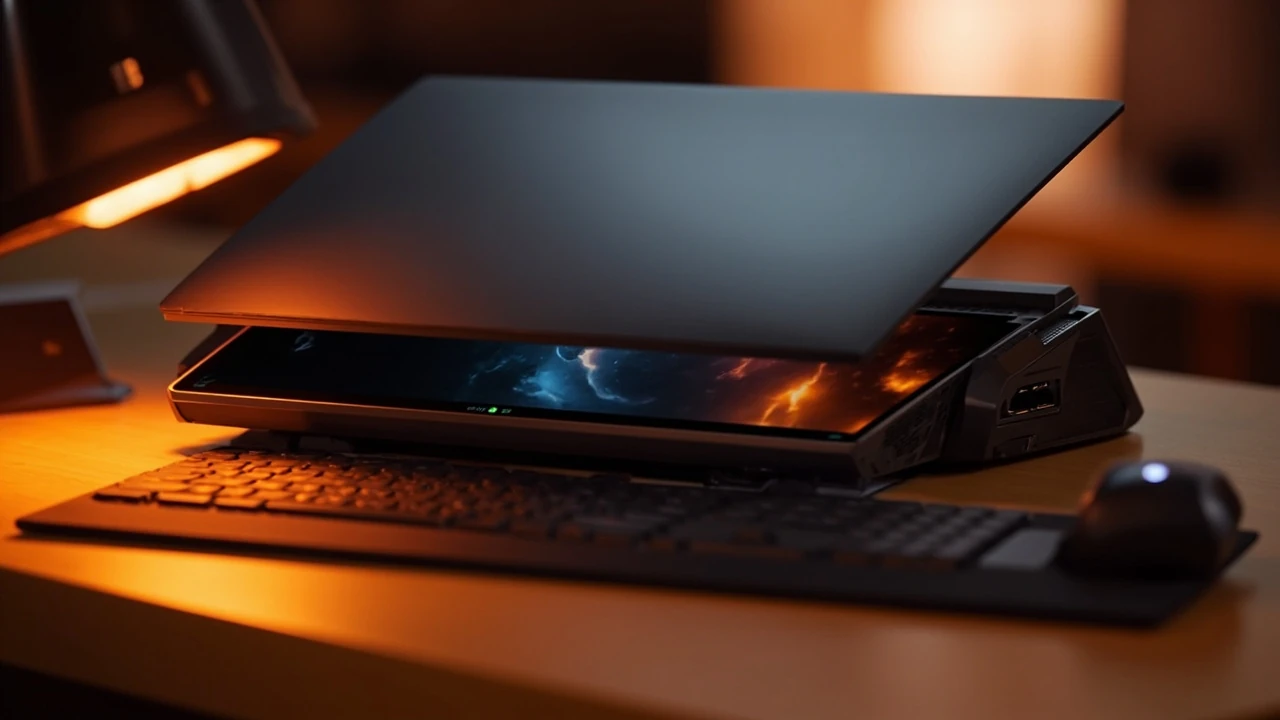
Alienware 16x Aurora gaming laptop: a practical reader’s guide
A new generation of mid-size gaming notebooks arrives every year, and most buyers only have one chance to get the configuration right. The Alienware 16x Aurora gaming laptop sits in a competitive segment where the choice of panel, GPU, and memory bus can swing real-world frame rates by double digits. This guide walks through what the machine actually offers, how the different configurations behave in practice, and which decisions matter before you check out.
Rather than restating marketing copy, the sections below focus on practical evaluation: how the chassis handles heat, what the display options mean for competitive and creative work, how the port layout affects a desk setup, and where the value sits against comparable 16-inch machines. If you are weighing this notebook against alternatives, the comparison and decision-support sections near the end should help.
Where the 16x Aurora fits in Dell’s lineup
Alienware’s naming has shifted over the years, and the current Aurora family covers the mid-range of the brand, sitting between the entry-level models and the flagship Area-51 tier. The 16x Aurora is the 16-inch variant of that family, which is itself different from the larger 18-inch Aurora in chassis, cooling capacity, and display options. Understanding the family tree matters because reviews of “Alienware 2026 laptops” online may mix specifications from several siblings.
The 16x designation refers to screen size, and Aurora is the design and thermal platform. This generation uses the Legend 3 industrial design language, which is a noticeable shift from the older Lunar Silver and Dark Side of the Moon finishes. The result is a thinner, more rectangular chassis that is easier to slot into a backpack sleeve designed for 16-inch notebooks.
For buyers, the practical consequence of the family structure is straightforward: the 16x Aurora is the model to look at if you want 16 inches of screen and a balance of price and performance. If you need the absolute largest display, you step up to the 18-inch model. If you want a smaller machine, the 16-inch x16 line occupies a different slot in the catalog with a different priorities list.
Design and build quality
The chassis uses a combination of anodized aluminum on the lid and a magnesium alloy frame on the lower deck, which keeps the weight manageable for a 16-inch notebook. Typical configured weight lands near 2.7 kg depending on battery and storage choices. That is heavy for a thin-and-light, but average for a gaming notebook with a dedicated GPU and a robust cooling system.
Two design choices stand out. First, the hinge is firm enough to hold the display at the angles most people actually use, including a wide range of recline, which is helpful for lap use on a couch or a low table. Second, the underside has substantial intake vents rather than thin slits, which suggests the cooling engineers expected the fans to do real work during long sessions.
The keyboard deck is a standard chiclet layout with a numeric keypad on most configurations, and the key travel is around 1.5 mm according to the spec sheet. The touchpad is offset to the left of the keypad, which is a placement choice that left-handed users sometimes dislike but that keeps the palms from interfering with WASD movement on a centered keyboard. There is per-key RGB lighting on most SKUs, with the option of a simpler single-zone backlight on entry configurations.
Display options and what they change in practice
The 16x Aurora ships with two main display options, and the difference between them is large enough to influence the buying decision.
- 2560 x 1600, 240 Hz IPS panel: a sensible middle ground that pairs well with mid-tier GPUs and is comfortable for general work.
- 2560 x 1600, 480 Hz IPS panel: the high-refresh option aimed at competitive players who want the lowest possible motion blur.
Both panels are 16:10 rather than 16:9, which gives a slightly taller working area for documents, code, and game lobbies. Brightness is rated around 500 nits with DisplayHDR 600 support on the higher-tier panel, which makes a real difference when playing HDR-enabled games in a dim room. The screens are not OLED on this generation, which is one of the trade-offs that helps keep the price below the flagship tier.
For color work, the panels cover a wide color gamut. Buyers who plan to use the laptop for photo or video editing should still calibrate, but the out-of-the-box accuracy is reasonable for the segment. If you specifically need OLED blacks, the Alienware x16 R2 or the larger 18-inch models are the more relevant choices in Dell’s catalog.
Internal hardware and configuration choices
The 16x Aurora generation uses Intel’s Core Ultra 200H series processors, paired with NVIDIA GeForce RTX 50-series laptop GPUs. The exact CPU and GPU pairings depend on the configuration at order time, and the most common combinations land in three buckets.
| Configuration tier | Processor | Graphics | Typical use |
|---|---|---|---|
| Entry | Intel Core Ultra 7 255H | RTX 5060 Laptop, 8 GB GDDR7 | 1080p or 1440p gaming at high settings, everyday creative work |
| Mid | Intel Core Ultra 7 265H | RTX 5070 Ti Laptop, 12 GB GDDR7 | 1440p gaming at high or ultra settings, video editing |
| High | Intel Core Ultra 9 285H | RTX 5080 Laptop, 16 GB GDDR7 | 1440p at max settings, AI-assisted workflows, long streaming sessions |
Memory options start at 16 GB of DDR5-5600 and scale to 64 GB, with two SO-DIMM slots so the RAM is user-upgradable after purchase. Storage is handled by two M.2 2280 PCIe 4.0 slots, which is useful because most buyers will want at least 2 TB for a modern game library.
Buyers should pay attention to the Total Graphics Power (TGP) figure for the GPU, because two notebooks with the same RTX 5070 Ti badge can perform very differently. The 16x Aurora uses a higher TGP profile than the thin-and-light x16 line, which is one of the main reasons the chassis is a bit thicker. More power means more frames, but also more heat, which the cooling system has to manage.
Cooling, noise, and thermals
Alienware uses a vapor chamber and dual-fan design on the 16x Aurora, with a thicker heat pipe assembly than the entry-level notebooks in Dell’s gaming catalog. In a typical gaming session, the CPU sits in the high 70s to mid 80s Celsius and the GPU in the high 70s Celsius range, depending on ambient temperature and the undervolting settings in the Alienware Command Center.
There are several thermal profiles available, and the practical difference between them is noticeable:
- Quiet: caps power draw and ramps fans slowly, useful for office or class use.
- Balanced: the default, and the right choice for most games.
- Performance: raises the power limits, spins the fans faster, and is the right choice for sustained benchmarks or competitive play where every frame matters.
- Full Speed: maximum fan RPM, useful for stress tests and for clearing heat after a long session.
Under Full Speed, the fans are loud enough to drown out most headset audio without a noise-cancelling microphone. Under Balanced, the notebook is audible in a quiet room but not intrusive, which is a reasonable compromise for a shared living space. A good pair of closed-back headphones solves most of the noise problem, but it is worth being honest about the fact that this is not a silent machine.
Ports, expansion, and desk integration
Port selection on a gaming notebook often decides whether the machine can replace a desktop. The 16x Aurora includes a useful mix of modern and legacy connectors.
| Port type | Quantity | Practical use |
|---|---|---|
| USB-A 3.2 Gen 2 | 2 | Mouse, keyboard, external storage |
| USB-C / Thunderbolt 4 | 1 | Dock, fast storage, single-cable workstation |
| USB-C with DisplayPort 1.4 | 1 | Secondary display output |
| HDMI 2.1 | 1 | TV or 4K monitor output at 120 Hz |
| 3.5 mm audio jack | 1 | Headset or external speakers |
| SD card reader | 1 (full size) | Photo and video import |
| 2.5 GbE Ethernet | 1 | Low-latency wired networking |
The 2.5 GbE port is a useful inclusion for anyone who plays on a wired home network, and the full-size SD reader saves photographers from carrying a dongle. Wireless connectivity is handled by Wi-Fi 7 and Bluetooth 5.4 on most configurations, which keeps the machine compatible with the latest routers and headsets.
Battery life and daily-driver behavior
The 16x Aurora uses a 96 Wh battery, which is near the airline maximum for cabin baggage. With a balanced thermal profile, the screen at moderate brightness, and light office work in a browser, real-world run time lands around six to eight hours. That figure drops sharply during gaming, where the discrete GPU and high-refresh display pull the run time down to under 90 minutes in demanding titles.
For a buyer who treats the laptop as a primary computer, that split behavior is normal. The practical habit is to keep the charger plugged in during play and to use battery mode for travel, classes, or meetings. The 240 W power adapter that ships with the mid and high configurations is reasonably compact for the wattage, but it is still a chunky brick that takes up space in a backpack.
USB-C charging is supported at lower wattage, which is enough to keep the battery stable during light use but not enough to game at full performance. Treat USB-C as a travel convenience, not a primary charging method.
Software, bloatware, and the Alienware Command Center
Dell ships the 16x Aurora with Windows 11 and a layer of first-party utilities. The most useful is the Alienware Command Center, which handles thermal profiles, lighting, and per-game performance tuning. The interface is not the cleanest in the industry, but it works once you have spent an evening with it.
There is also a fair amount of trial software pre-installed, including antivirus and various subscriptions. Most of it can be uninstalled in 20 to 30 minutes, but the extra step is worth knowing about before the first boot. Buyers who want a clean install can use the Dell recovery partition to reset the system and start from a minimal Windows image.
For anyone who already lives inside a specific game launcher, the Command Center is best left to thermal and lighting settings, with per-game tuning handled inside the game itself.
Performance expectations by tier
The numbers below are reasonable real-world expectations for each GPU configuration when running modern games at the native 2560 x 1600 resolution with high or ultra settings. Exact results vary by game, driver version, and cooling profile, so treat them as planning estimates rather than promises.
| GPU | Target tier | Expected 1600p / ultra | Expected 1600p / competitive |
|---|---|---|---|
| RTX 5060 Laptop | 1080p-leaning, 1440p with DLSS | ~50-70 fps | ~120+ fps |
| RTX 5070 Ti Laptop | 1440p high | ~80-110 fps | ~160-200 fps |
| RTX 5080 Laptop | 1440p ultra, 4K with DLSS | ~110-140 fps | ~200+ fps |
The key caveat is that frame generation and DLSS are doing real work in the higher frame rate ranges. Players who want pure rasterization at very high frame rates should temper expectations and look at the RTX 5080 configuration with the 480 Hz display.
Who the 16x Aurora is actually for
Notebooks at this tier are not for everyone, and the 16x Aurora is no exception. Three reader profiles match the machine well, and one profile should probably look elsewhere.
- The competitive or near-competitive player who travels: a 240 Hz or 480 Hz panel, a high TGP GPU, and a real Ethernet port make this machine a credible tournament companion without dragging a tower to a hotel room.
- The creative professional who also games: 16:10 panel, color-accurate IPS options, 2.5 GbE for fast NAS transfers, and a Thunderbolt 4 port for an external dock cover most production needs in one box.
- The student or hybrid worker who wants one machine: long enough battery life for class, enough GPU for evening play, and a chassis that fits a standard backpack slot.
The reader who should probably look elsewhere is the buyer who wants a thin-and-light notebook first and a gaming machine second. The x16 line, or a separate desktop plus a thin ultrabook, will serve that profile better than the 16x Aurora.
How it compares to common alternatives
The 16-inch gaming segment is crowded, and the 16x Aurora’s value depends on what it is being compared against. A few rules of thumb help keep the comparison honest.
- Against the Alienware x16 R2: the 16x Aurora wins on raw GPU power and thermal headroom, the x16 wins on portability and OLED option availability.
- Against the 18-inch Aurora: the 16x wins on price and bag-friendly size, the 18-inch wins on sustained performance and a larger screen for single-player games.
- Against competitors from ASUS, Lenovo, and Razer: the 16x Aurora is competitive on build and service network, slightly behind on industrial design polish, and ahead on port selection for a desk-bound setup.
Brand loyalty and warranty service matter as much as raw spec sheets at this price point. Dell’s on-site service options are a real advantage for buyers who would rather not ship a 2.7 kg notebook for repairs, and that is a fair point to weigh against a slightly cheaper competitor with thinner bezels.
Practical buying checklist
Before placing an order, run through the following decisions. Each one is reversible only at a cost, which is why it is worth doing the work up front.
- Choose the GPU tier first: the GPU drives the price and the frame rate, the CPU can usually be one step lower without a visible loss in games.
- Pick the 240 Hz panel unless you play competitively: the 480 Hz panel costs more and only pays off in a small number of fast-paced titles.
- Order 32 GB of RAM if you can: 16 GB is workable in 2026 but tightens quickly with a browser, Discord, and a modern game open at the same time.
- Add a second M.2 drive: a 2 TB secondary SSD is cheap and removes the chore of reinstalling games to free space.
- Budget for a real headset: the fan noise under load is enough to justify a good closed-back pair or active noise-cancelling earbuds.
- Plan for the charger: the 240 W brick is a real-world travel item, and a slim third-party USB-C charger is worth owning for office days.
Long-term ownership and serviceability
One of the more practical strengths of the 16x Aurora is that the bottom panel comes off with a standard Phillips screwdriver, and the components most likely to be upgraded or replaced are within reach. RAM, both M.2 slots, the Wi-Fi card, and the battery are all user-serviceable on most configurations. The fans and heat sinks are also accessible, which is useful for dust cleaning after a year of heavy use.
Dell offers a standard one-year warranty with options to extend to three or four years of on-site service. For a machine at this price, the extended warranty is a sensible buy if you travel often, because shipping a gaming notebook back to a depot is awkward and risky.
Drivers and BIOS updates are delivered through Dell’s support site and through Alienware Command Center. The update process is not always smooth, so it is worth reading the release notes before clicking through a BIOS flash, especially in the first six months after release when early firmware revisions tend to fix thermal and sleep behavior bugs.
Frequently asked questions
Is the Alienware 16x Aurora gaming laptop good for competitive esports?
Yes, the 240 Hz and 480 Hz panel options, the high TGP GPU tiers, and the 2.5 GbE Ethernet port all support competitive play. For the smoothest experience, pair the 480 Hz panel with the RTX 5070 Ti or RTX 5080 configuration.
How loud is the 16x Aurora under load?
Under the Balanced thermal profile, the fans are audible but not intrusive. Under the Performance and Full Speed profiles, the fans are loud enough that a closed-back headset or noise-cancelling earbuds are a practical necessity.
Can the RAM be upgraded after purchase?
Yes. The 16x Aurora uses two SO-DIMM slots, and most configurations ship with one or two modules that can be replaced or expanded up to 64 GB of DDR5.
Does the 16x Aurora support USB-C charging?
Yes, but only at lower wattage. USB-C charging is enough to keep the battery stable during light office work, not enough to game at full performance. The 240 W barrel charger is the right choice for play sessions.
Is the display suitable for photo and video editing?
The IPS panels offer wide color gamut coverage and good out-of-the-box accuracy for the segment. For color-critical work, a hardware calibration with a colorimeter is still recommended, but most editors will find the panel usable without one.
What is the difference between the 16x Aurora and the 18-inch Aurora?
The 18-inch model has a larger display, more thermal headroom, and a higher sustained performance ceiling. The 16x Aurora is the more bag-friendly option and is usually cheaper in equivalent GPU configurations.
How long does the battery last during gaming?
Expect under 90 minutes in demanding titles with the discrete GPU active. For non-gaming use, the 96 Wh battery supports around six to eight hours of light work, depending on screen brightness and thermal profile.
Is the keyboard good for typing and programming?
Yes, the key travel of around 1.5 mm and the standard chiclet layout work well for long typing sessions. The numeric keypad is a useful bonus for spreadsheet work, and the per-key RGB lighting can be disabled for a quieter office look.
Does the 16x Aurora work well with an external monitor?
Yes. The HDMI 2.1 port supports 4K output at 120 Hz, and the Thunderbolt 4 port can drive a second display or a docking station. Many buyers use the laptop closed on a vertical stand with an external monitor, keyboard, and mouse for a full desk setup.
Who should consider a different laptop instead?
Buyers who want the lightest possible machine, an OLED display, or the longest possible battery life should look at the Alienware x16 line or a thin-and-light competitor. The 16x Aurora prioritizes GPU power and thermal capacity over portability, and that is a deliberate trade-off worth respecting.
Related reading from the studio
For most readers, the Alienware 16x Aurora gaming laptop is a balanced pick in the 16-inch segment: a real GPU, an honest thermal design, a useful port layout, and a clear upgrade path. The decisions that matter most are the GPU tier, the RAM amount, and the display refresh rate. Lock those in early, and the rest of the configuration is mostly a matter of storage and warranty. For broader context on how performance hardware shapes the way we work and play on the web, the studio’s piece on gaming computers is a useful orientation, and Alienware’s official laptop catalog is the right place to confirm current configuration and pricing before you order.