August 2, 2026 / UX and Accessibility
Gaming keyboard choices: switches, layouts, and features that actually matter
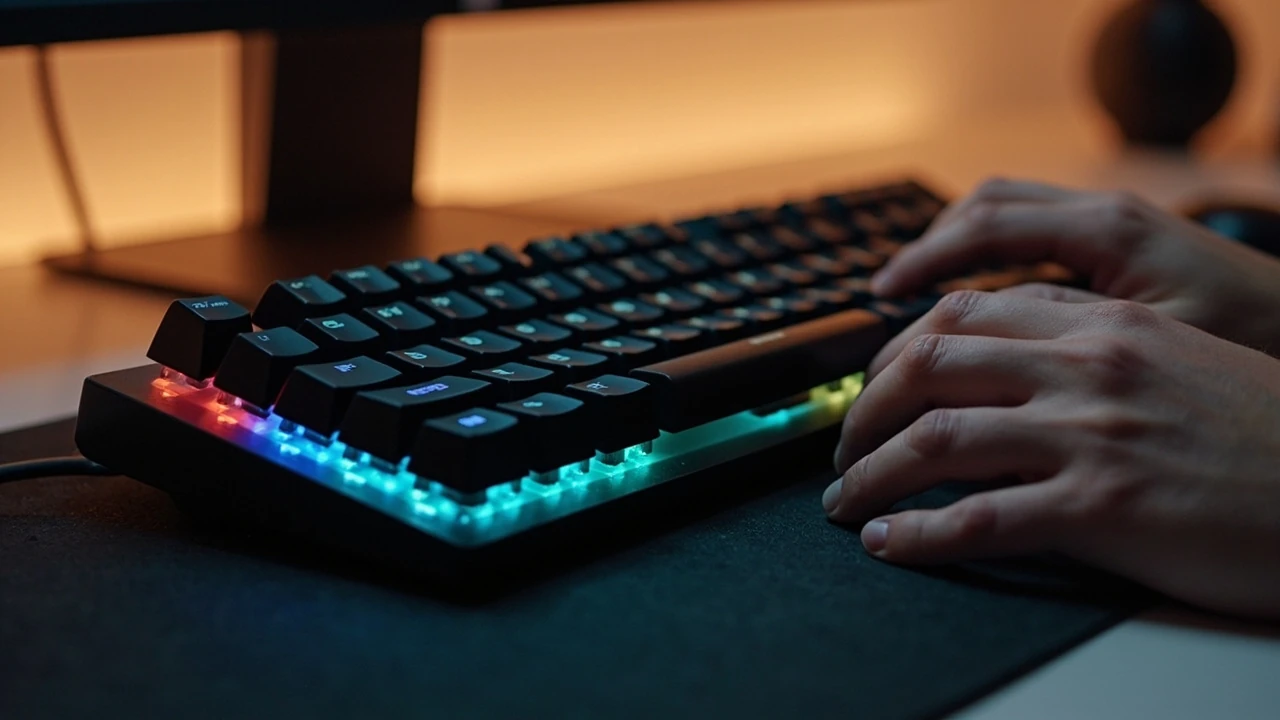
Gaming keyboard choices that match how you actually play
A friend upgraded from a ten-dollar office keyboard to a mechanical one, plugged it in, and asked why half the keys felt louder than the rest. The answer was simple: the box was labelled “gaming keyboard,” but the board mixed two switch types and a soft rubber dome in the numpad. Labels do not change how a key feels under your finger, and the gap between marketing copy and physical feel is where most buying mistakes happen. A good gaming keyboard is a tool tuned to a specific hand, a specific set of games, and a specific desk, and the tuning lives in switches, layout, firmware, and fit.
This guide walks through the decisions that change how a gaming keyboard behaves during long sessions: which switch family fits your fingers, why layout affects reaction time, what polling rate and actuation distance really control, and how ergonomics and accessibility shape comfort. It also covers a practical way to compare options in a shop and a short checklist for first-time buyers.
What counts as a gaming keyboard
The term “gaming keyboard” covers a wide range of products, from bare-bones tenkeyless boards with red linear switches to full-sized boards with macro columns, media wheels, and configurable RGB lighting. A working definition helps separate the category from a regular office keyboard:
- Switches rated for tens of millions of keystrokes, often mechanical or advanced membrane designs.
- Faster polling and scan rates than the standard 125 Hz USB baseline, typically 1000 Hz or higher.
- Anti-ghosting and n-key rollover so multiple simultaneous key presses register during play.
- Programmable keys, profiles, or on-board memory for game-specific layouts.
- Reinforced construction, detachable cables, or replaceable switches in mid- to high-end models.
None of those traits are decorative. They came from specific problems competitive players ran into in the late 1990s and early 2000s, when fast-paced games exposed the limits of the basic keyboards shipping with home PCs. Understanding that history makes the spec list easier to read.
How a gaming keyboard is built
Three layers do most of the work: the case, the switches, and the stabilizers. The case holds the plate that the switches clip into, the switches convert finger force into an electrical signal, and the stabilizers keep longer keys level so they do not wobble or rattle.
Cases are usually ABS or a higher-grade polycarbonate, sometimes wrapped in aluminum or steel for weight. A heavier case does not make a board “better,” but it stops the keyboard sliding when you lean on it, which matters in tense moments. Plate material changes feel as well: brass adds stiffness and a brighter sound, polycarbonate softens the bottom-out, steel sits between the two.
Stabilizers are the small mechanisms under the spacebar, shift, enter, and backspace. Cheap stabilizers rattle; well-tuned ones feel like a smooth press on any part of the keycap. Lubricated screw-in stabilizers are a common upgrade on enthusiast boards, and the difference is audible from across a quiet room.
Switch families and how they feel
Switches shape most of the typing and gaming experience. The two main families are mechanical and membrane-style. A mechanical switch has a separate physical mechanism for each key, while a membrane-style switch uses a rubber dome or a scissor mechanism over a circuit layer. Each family has trade-offs.
Mechanical switches
Mechanical switches share a basic structure: a housing, a spring, and a stem. When the stem moves far enough, two metal contacts close and the key press registers. The shape of the stem, the spring weight, and the addition of a tactile bump or click leaf all change the feel.
The three feel categories line up with the colors most brands borrow from the original Cherry MX naming:
- Linear (often red, black, or yellow): smooth travel with a consistent force curve. Fast on rapid taps, no tactile feedback, quieter than clicky but louder than many rubber domes.
- Tactile (often brown, clear, or blue with a bump and no click): a small bump part-way through the press signals actuation. Helpful for typing accuracy, still reasonably fast in games.
- Clicky (often blue, white, or green with a click leaf): an audible click at actuation. Loud, satisfying for typists, and the most common cause of friction in shared rooms.
Spring weight changes how heavy each press feels. Lighter springs (around 35-45 g actuation) suit fast double-taps in action games and reduce finger fatigue. Heavier springs (50 g and up) cut down on accidental presses, which helps in games where a stray key has a big cost, such as competitive shooters or rhythm games. Personal preference and finger strength both matter, so the right weight is the one you can press a few thousand times without strain.
Membrane, scissor, and hybrid switches
Rubber-dome membrane keyboards use a single rubber sheet under all the keys. They feel soft at the start of the press and get firmer as the dome collapses. Topre-style electrostatic capacitive switches sit in between: they feel like a refined rubber dome with a clean, consistent bottom-out and a sound that many writers love. Scissor switches, common on slim boards and laptop-style designs, use a small plastic mechanism to keep travel short and uniform.
Membrane designs are quieter and cheaper, and they survive spills better when sealed. Their trade-off is mushier feedback, lower consistency between keys, and a shorter typical lifespan. A pure membrane board is rare in the gaming category today; most entry-level gaming keyboards use a hybrid design that keeps the feel closer to a mechanical switch while staying affordable.
Optical and Hall-effect switches
Two newer switch types show up on higher-end gaming keyboards. Optical switches replace the metal contact with a beam of light; the key press is registered when the stem blocks the beam. This removes one source of wear and can lower debounce time, which is the delay the controller adds to ignore switch chatter. Hall-effect switches measure the position of a magnet with a sensor, so the actuation point can be tuned in software rather than fixed at the factory. Both designs add depth to what a gaming keyboard can do in competitive play, and both cost more than a basic mechanical switch.
Layout, size, and where the keys live
Size is one of the easiest decisions to get wrong because it shapes the desk setup around the keyboard.
Form factors at a glance
| Form factor | Approximate width | Includes numpad | Common use |
|---|---|---|---|
| Full size (100%) | Around 440 mm | Yes | Desktop replacement, productivity plus gaming |
| Tenkeyless (TKL, 87%) | Around 360 mm | No | Most popular gaming size, leaves more mouse room |
| 75% | Around 325 mm | Compressed, no spacing | Compact desks, function-row access |
| 65% | Around 300 mm | No, no function row | Travel and small desks |
| 60% | Around 285 mm | No, no arrow cluster | Minimal setup, layered shortcuts |
Mousing space is the practical reason smaller boards are popular in gaming. Pulling the keyboard closer to the centre of the desk lets the right hand rest in a more neutral position, and on a wide mousepad a TKL or 75% board usually gives enough room for a low-DPI sweep without bumping the numpad.
Keycap profiles and legends
Keycap shape affects how the fingers find the home row without looking. Tall sculpted profiles like OEM and Cherry give each row a different angle, which helps the index finger settle into the F and J keys. Flat profiles like DSA and XDA keep the surface even across rows, which suits typists who like a uniform feel and artists who use the board as a small grid. ABS keycaps develop shine faster than PBT, and double-shot or dye-sublimated legends do not fade the way printed legends can.
Polling rate, scan rate, and latency
Polling rate is how often the keyboard tells the computer its current state. The USB HID default is 125 Hz, which means the PC sees an update every 8 milliseconds. Most dedicated gaming keyboards run at 1000 Hz, an update every 1 millisecond. Some go higher: 2000, 4000, and 8000 Hz boards exist, and they cut the gap between key press and report further.
Polling rate is not the same as total end-to-end latency. The full path includes debounce delay inside the keyboard, the USB report, the operating system scheduler, and the game loop. A higher polling rate tightens one part of that path. The difference between 1000 Hz and 4000 Hz is visible in high-level play, but only on a system and game that can actually use it. On a 60 Hz monitor the frame budget is already 16.6 ms, which dwarfs the gap between common polling rates.
Anti-ghosting and n-key rollover
Ghosting happens when the controller cannot tell which keys in a chord are pressed. N-key rollover (NKRO) means every key can register at the same time, which matters when a game wants simultaneous movement, ability, and chat inputs. Most modern gaming keyboards handle six-key rollover over USB, which is more than enough for any single player, and full NKRO on the higher-end models.
Ergonomics, posture, and accessibility
A gaming keyboard is part of a workstation. Wrist angle, desk height, and the gap between the keyboard and the chair all matter more than switch type for long-session comfort. A few practical points show up in any good ergonomic setup:
- Elbows at roughly 90 degrees, forearms roughly parallel to the floor, shoulders relaxed.
- Wrists in line with the forearms, not bent up or sideways. A small, soft palm rest can help but should not push the wrists up.
- The keyboard centred in front of the body, not off to one side. Off-centre boards twist the spine over time.
- Monitor at a height that keeps the neck neutral. The board should not force the head down.
Accessibility overlaps with ergonomics. High-contrast keycap sets help users with low vision. Switches that need less force help players with reduced grip strength. Quiet switches or dampened boards help shared rooms and open-plan studios. A split or ortholinear layout can relieve ulnar deviation, the sideways bend of the wrist that builds up on long, straight keyboards. None of these are separate from performance: a hand that does not hurt after two hours plays more accurately than a hand that does.
For an outside view of how inclusive design works on the web, our web accessibility guide covers similar principles in a different medium, and the website strategy article shows how those choices line up with business goals.
Wired, wireless, and battery life
Wireless gaming keyboards used to carry a clear latency tax. Modern 2.4 GHz radio links with dedicated dongles close most of that gap, and on most boards the wired and wireless feel identical in casual play. Bluetooth is convenient for travel but adds more delay than a good radio dongle, so it is best for typing and slow-paced games rather than competitive shooters.
Battery life depends on RGB brightness, polling rate, and switch type. A wireless board at 1000 Hz with full lighting may need charging every few days, while the same board at a lower polling rate with lighting off can last several weeks. Removable batteries, USB-C charging, and pass-through charging (using a second port to charge while the keyboard is plugged in) are all useful for daily use.
Software, profiles, and on-board memory
Software lets you remap keys, record macros, set per-game lighting, and adjust actuation distance on supported boards. The most useful feature is on-board memory, which stores profiles on the keyboard itself so the same setup works on any PC without installing drivers. That matters for gamers who move between home, work, and a tournament machine.
Macro design deserves care. A complex macro that takes over several keys can break muscle memory in single-player games and may be restricted in competitive titles. Keep macros small, scoped, and easy to disable. The best gaming keyboard software makes the disable step obvious, not buried three menus deep.
Build quality, materials, and what they cost
Price tracks three things: switch quality, case material, and software. A budget gaming keyboard can still have solid Cherry MX-style switches, ABS keycaps, and a thin plastic case. A mid-range board often adds a metal top plate, PBT keycaps, and software that does not require a constant internet connection. High-end boards add gasket-mounted plates, hot-swappable switches, layered acoustic foam, and tight quality control on stabilizers.
What changes with price
| Price band | Switch and keycaps | Case and feel | Software and extras |
|---|---|---|---|
| Budget | Clone linear or tactile switches, ABS keycaps, printed legends | Plastic case, basic stabilizers, hollow sound | Basic remapping, no on-board memory |
| Mid-range | Branded mechanical switches, PBT keycaps, double-shot legends on some models | Reinforced top plate, tightened stabilizers, lower noise | Per-game profiles, on-board memory, basic macros |
| High-end | Premium switches, hot-swap sockets, gasket mount, foam and tape tuning | Aluminum or solid polycarbonate, consistent typing feel across the board | Full software, Hall-effect or optical options, adjustable actuation |
None of the bands is “right” for everyone. A budget gaming keyboard is a fine choice for a casual player who wants a reliable tool. A high-end board matters most for users who can feel the difference between a tuned and untuned typing surface and who want a single keyboard to last for many years.
Comparing popular switch choices
Side-by-side specs are useful when a shop only lets you read the spec sheet, not press the keys. The table below lists widely available switch families and their typical properties. Numbers vary by brand and year, so treat them as a starting point rather than a strict ranking.
| Switch family | Feel | Approx. actuation force | Travel to actuate | Sound profile |
|---|---|---|---|---|
| Cherry MX Red (linear) | Smooth, no bump | 45 g | 2 mm | Quiet to moderate |
| Cherry MX Brown (tactile) | Light bump, no click | 45 g | 2 mm | Moderate |
| Cherry MX Blue (clicky) | Bump with click | 50 g | 2 mm | Loud, sharp |
| Gateron Yellow (linear) | Buttery smooth linear | 50 g | 2 mm | Quiet to moderate |
| Kailh Box White (clicky) | Clicky with dust and water resistance | 50 g | 1.8 mm | Loud, clean |
| Topre-style capacitive | Smooth with a soft thock | 45 g | Around 4 mm total | Soft, low-pitched |
| Hall-effect (analogue) | Smooth, adjustable actuation | 40-50 g | Adjustable 0.1-4 mm | Depends on housing |
Background reading on the underlying mechanism is in the Wikipedia entry on keyboard technology, which traces the history of mechanical, membrane, and capacitive designs. For an authoritative look at how polling and human reaction time interact, the Human Benchmark reaction time study provides a useful reference point on the realistic ceiling for any input device.
Choosing a gaming keyboard for specific genres
Different games reward different input traits. The list below is a starting point, not a rule, and personal comfort always trumps genre stereotypes.
- Competitive shooters (FPS): linear switches, lightweight keycaps, 1000 Hz polling or higher, a TKL or 75% layout that leaves room for a wide mouse sweep.
- Battle royale and MOBAs: a mix of linear and tactile keys, macro support for ability chains, a numpad or a programmable column for inventory or chat binds.
- MMOs and strategy: a full-size or 75% board with a macro column, software that supports per-game profiles, and a numpad for camera or unit commands.
- Racing and flight sims: a compact or modular board that leaves room for a wheel or a flight stick, plus detachable cables for storage.
- Rhythm and fighting games: fast linear switches, low debounce, and a layout that keeps WASD or arrow inputs aligned with the finger rest position.
How to test a gaming keyboard before you buy
Online spec sheets cannot tell you whether a keyboard feels right. A short in-shop test saves weeks of second-guessing.
- Place the keyboard flat on the counter and rest your fingers on the home row for a minute. Notice whether the wrist bends, the shoulders lift, or the fingers cramp.
- Type a familiar sentence at a natural pace. Pay attention to the spacebar, the shift keys, and the enter key, since those are where stabilizer problems show up first.
- Press three or four keys at the same time. Anti-ghosting matters in any game that uses WASD plus a modifier, so the chord should register cleanly.
- Lift the keyboard by one corner. A heavy, dense case usually feels better in long sessions than a light, hollow one.
- If the shop allows it, plug the board in and run a simple online keyboard tester to confirm every key registers and the layout matches the legend.
Setup tips that improve daily use
A few small changes after the unboxing make a new gaming keyboard easier to live with.
- Disable any pre-installed RGB effects you do not want. Static lighting uses less power and keeps the focus on the screen.
- Set the keyboard to the polling rate your USB port can sustain. On older front-panel headers, a high polling rate can introduce jitter.
- Map Caps Lock to a more useful key such as Ctrl, Esc, or a function layer key. Most gaming keyboards let you do this in software or with a built-in shortcut.
- Use a wrist rest that matches the height of the front edge of the case, not a tall one that pushes the wrists up.
- Keep a small brush or compressed air nearby. Crumbs under the keycaps are the most common cause of sticky keys and a frequent reason a gaming keyboard starts to feel worse after a few months.
Common mistakes to avoid
Most buying errors fall into a small set of patterns. Watch for these before you commit.
- Buying a full-size board for a small desk. The numpad forces the mouse hand outward and builds shoulder tension over time.
- Picking clicky switches for a shared room. The click that feels great at home will frustrate everyone around you within a week.
- Chasing 8000 Hz polling on a system that already has frame-time spikes. A clean 1000 Hz signal beats a noisy 8000 Hz one.
- Skipping stabilizers because the spec sheet does not list them. They are the single largest source of rattle and uneven feel on longer keys.
- Forgetting software support. A board with great hardware and abandoned software is a paperweight the day the brand drops driver updates.
Care and maintenance
A gaming keyboard benefits from the same care as any precision tool. Unplug the board before cleaning. Remove the keycaps with a wire puller every few months and wash them in warm, soapy water; let them dry fully before replacing. Wipe the plate with a barely damp microfiber cloth. Avoid spraying cleaner directly onto the switches. If the board supports hot-swappable switches, a small switch and keycap puller, plus a tube of Krytox or similar lubricant, lets you tune the feel over time.
Frequently asked questions
What makes a gaming keyboard different from a regular keyboard?
A gaming keyboard typically uses mechanical or hybrid switches rated for higher keystroke counts, supports faster polling rates, includes anti-ghosting or n-key rollover for chorded inputs, and ships with software for remapping and macros. Regular office keyboards focus on quiet typing and lower cost rather than on those traits.
Are linear or tactile switches better for gaming?
Linear switches feel smoother and let fingers reset fastest, which many players prefer for rapid inputs in shooters and action games. Tactile switches give a clear bump that helps with typing accuracy and reduces accidental presses in strategy and MMO games. The right choice depends on finger strength, game type, and personal preference rather than a single best answer.
Does polling rate matter on a gaming keyboard?
Polling rate sets how often the keyboard reports its state to the computer. Higher rates shorten the gap between key press and report, but the benefit is only visible when the rest of the system can use it. A clean 1000 Hz signal is enough for almost all players, while very high rates matter most in competitive play on fast monitors.
Should I buy a wireless gaming keyboard?
Modern wireless gaming keyboards with a dedicated 2.4 GHz dongle offer latency close to wired boards for most users. They free the desk of cables, support clean transport between machines, and run for days on a charge. Bluetooth adds more delay and is best for typing and slow-paced games. Choose wireless for flexibility, wired for the lowest possible input lag.
What is hot-swappable, and do I need it?
Hot-swap sockets let you remove and replace switches without soldering. They help if you want to experiment with different switch types, replace a broken switch, or tune the feel of a single key. For users who never plan to open the keyboard, hot-swap is a nice extra rather than a requirement.
Are clicky switches a bad idea in a shared room?
Clicky switches are loud enough to disturb people in adjacent rooms and on voice chat. Tactile or linear switches are better choices in shared spaces, and many gaming keyboards add factory-lubed or dampened stabilizers to keep noise low. Headphones and a closed door help, but the switch sound travels further than people expect.
How long should a gaming keyboard last?
Most modern mechanical switches are rated for 50 to 100 million keystrokes, and a typical user will not reach that figure on a single key for many years. Case, stabilizers, and keycaps often wear out before the switches. A well-built gaming keyboard can last five to ten years of daily use, and high-end boards with replaceable parts can last longer with basic maintenance.
Do I need RGB lighting on a gaming keyboard?
RGB is decorative on most boards and has no effect on input performance. It does help in low light by lighting the legends, and a few productivity features, such as per-key status indicators or game-specific highlights, are useful. If RGB is not important, choosing a board without it can save money and slightly extend battery life on wireless models.
Can a gaming keyboard help with wrist or hand pain?
A well-chosen gaming keyboard can reduce strain by lowering the force needed for each press, keeping the wrists in a neutral line, and giving room for a wider mouse area. Switches with low actuation force, a split or ortholinear layout, and a palm rest that matches case height all help. Persistent pain should be checked by a healthcare professional, since no keyboard replaces ergonomic advice, breaks, or treatment.
Is a 60% gaming keyboard practical for everyday use?
A 60% board removes the function row, arrow keys, and numpad, packing common actions into layered shortcuts. It is popular for travel and minimal desks, and it can feel fast in games that use WASD. The trade-off is more reliance on key combinations, which slows down spreadsheet work, video editing, and any task that depends on a function row. A 65% or 75% board keeps the arrows and a slim function row while still saving space.