July 30, 2026 / Web Design
Gaming desk dimensions and layout: a practical setup guide
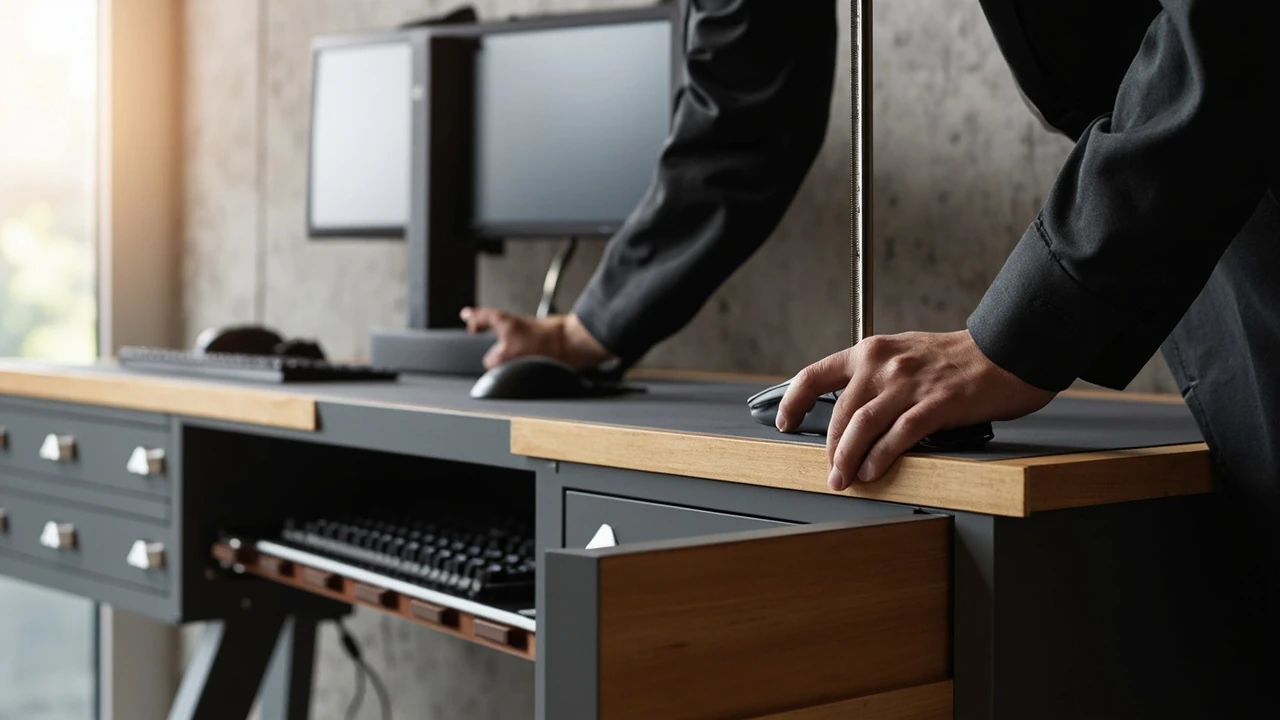
Gaming desk dimensions and layout: a practical setup guide
A common planning mistake is buying the largest desk that fits a wall, then realizing the monitor sits too far away and the chair cannot slide underneath. A gaming desk works best when its width, depth, and height are matched to the player’s body, the screen setup, and the room’s traffic flow, not to a marketing photo. This guide walks through the dimensions, layout patterns, and ergonomic checks that make a gaming desk comfortable for long sessions, with realistic numbers drawn from furniture standards and accessibility guidance rather than product slogans.
What a gaming desk actually needs to do
A gaming desk is a workstation that happens to host a PC, a console, or both. The same surface has to hold a monitor or television, input devices, headphones, a drink, and the cables that connect everything, while leaving room for the player’s arms, elbows, and posture. Three functional requirements shape almost every decision:
- Enough surface area for the screens and peripherals without pushing the keyboard against the body.
- A height and clearance that let the chair slide in fully and the feet rest flat on the floor.
- Cable and ventilation paths that do not collect heat, dust, or tripping hazards around the legs.
Once those three requirements are met, style choices such as RGB lighting, carbon-fiber tops, or curved fronts are decoration layered on a working layout.
Standard gaming desk dimensions to plan around
Desks marketed as gaming desks usually fall into a few common size bands. Choosing between them is easier when the bands are tied to the screens and chair that will sit at the desk.
| Size class | Typical width | Typical depth | Typical height | Best fit |
|---|---|---|---|---|
| Compact | 100-120 cm (about 40-47 in) | 55-65 cm (about 22-26 in) | 72-76 cm (about 28-30 in) | Single 24-27 in monitor or a 32 in TV, single player, small room |
| Standard | 140-160 cm (about 55-63 in) | 65-75 cm (about 26-30 in) | 72-76 cm (about 28-30 in) | Dual 24-27 in monitors or one ultrawide, plus accessories on the side |
| Wide / two-player | 160-200 cm (about 63-79 in) | 70-80 cm (about 28-31 in) | 72-76 cm (about 28-30 in) | Twin setups, streaming rigs, or a dedicated work-and-game split |
| Sitting-standing | 120-180 cm (about 47-71 in) | 60-80 cm (about 24-31 in) | Adjustable 65-130 cm (about 26-51 in) | Players who also work at the same desk for long stretches |
The exact centimeter matters less than the relationship between width, depth, and screen size. A 140 cm wide desk with only 55 cm of depth can feel cramped once a 27 in monitor is centered, because the keyboard will sit close to the front edge and the elbows will hang off the side.
Height, chair clearance, and ergonomics
Desk height is the single most adjustable specification on a gaming desk, and the easiest one to get wrong. A fixed-height gaming desk is usually set around 73-75 cm (about 29-30 in), which is close to the seated elbow height of an average adult. That is a reasonable default, but it does not fit everyone.
- Sit in the chair you actually use, with your feet flat on the floor and thighs roughly parallel to the ground.
- Let the upper arms hang loose and bend the elbows at roughly 90 degrees.
- Measure from the floor to the underside of the forearm, just behind the wrist.
- Set the desk so the top sits at or slightly below that measurement.
If the chair does not slide in fully because the desk has a low crossbar, a pedestal, or drawers in the wrong place, raise the desk or change the chair. A sit-stand gaming desk solves the height problem, but only if the frame is wide enough for the chosen top and the motor is rated for the weight of the surface plus monitors. Following general computer desk ergonomic principles for screen distance and elbow position is a more reliable starting point than chasing brand-specific “ergonomic” claims.
Planning the screen layout
The screen layout drives the desk layout, not the other way around. The depth of the desk sets how far the eyes sit from the panel, and the width sets how many panels can sit side by side without crowding the edges.
- For a single 24-27 in monitor, a 60 cm deep desk is enough, with the screen 50-70 cm from the eyes.
- For a 32 in 4K monitor, push to 70-80 cm of depth so the eyes are not locked at a fixed short distance.
- For an ultrawide 34 in curved panel, a 75-80 cm deep desk keeps the curve usable without forcing a stiff neck.
- For dual 24 in monitors, 140 cm of width keeps both panels in the natural field of view; below that, the outer monitor tends to sit in peripheral vision only.
The monitor stand or arm needs to clear the back edge of the desk by 5-10 cm so cables can route behind the panel without bending sharply. A monitor arm mounted on a desk with a thin back edge can flex the surface over time, especially on particleboard tops wider than 160 cm, so a stiffening bar or a wall-mounted arm is often the safer choice for wider layouts.
Cable management, airflow, and the under-desk zone
Most gaming desk pain points appear below the surface. A tidy under-desk plan is easier to design before the desk is assembled than after the first week of play.
| Zone | What lives there | Common problem | Simple fix |
|---|---|---|---|
| Back-center of the top | Monitor power, display cables, USB hub | Tangled cables and hot spots on the wall behind | Run cables through a single grommet or raceway, leave 3-4 cm of slack at each end |
| Left or right edge of the top | Lamp, microphone, controller charger | Items slide off when the desk vibrates from typing | Use a small tray or mat with a lip, or mount accessories on a clamp |
| Under-desk tray | Power strip, surge protector, router | Heat build-up and dust on the floor | Mount the tray at least 10 cm off the floor and keep it away from the chair footrest |
| Behind the PC | Tower or console | Exhaust blowing into a wall, restricting airflow | Leave 15-20 cm between the back of the case and the wall, and angle the side panel inward |
| Along the back edge of the top | Headphone stand, stream deck | Cables draped over the edge and snagged by the chair | Run cables down the back of one leg and zip-tie to the frame |
Heat is the silent killer of gaming setups. A tower pushed flush against a wall, or a console in a closed cabinet, will throttle long before a well-ventilated one will. Leaving 15-20 cm behind any heat-generating device is a more reliable rule than any “gaming-optimized” airflow claim on a desk product page.
Layout patterns for common rooms
Before ordering a desk, sketch the room in plan view with the door, the window, and the nearest power outlet marked. A desk that works beautifully in a 4 m by 4 m spare room will block a hallway in a studio apartment. Three layouts cover most situations:
- Wall-facing: the long edge of the desk runs along a solid wall. Best for single-monitor setups, simple cable runs, and acoustic treatment. Drawback: light from a window behind the screen can cause glare.
- Corner L: the desk wraps two walls, with the player seated in the corner. Good for dual-monitor work and game, but the inner corner must be at least 15 cm deep so monitors can be angled without overlapping.
- Island or floating: the desk sits in the middle of the room, with the player facing the center. This layout needs at least 80-100 cm of clearance behind the chair for movement and is usually the only way to fit a 180 cm or wider desk in a small room.
For a corner L layout, measure the two wall lengths separately. A 160 cm by 120 cm corner is much easier to furnish than a 140 cm by 140 cm one, even though the total length looks similar, because the longer wall gives the primary monitor room to breathe.
Materials, weight, and durability
Most gaming desks use one of three surface materials, and the differences show up over years of use, not in the first week.
- Solid wood or plywood: heavier, stiffer, and easier to repair. A 160 cm solid-wood top in oak or beech can weigh 30-40 kg, so the frame has to be rated for that load.
- MDF or particleboard with laminate: light, cheap, and the most common in this category. Vulnerable to swelling if a drink spills and sits, and to sag in the middle if the span between legs is more than about 140 cm without a center support.
- Carbon-fiber-look or tempered glass tops: visually striking, but glass is unforgiving on dropped headphones and shows fingerprints, while thin carbon-look panels are usually a printed laminate over MDF.
Frame material matters as much as the top. Steel frames with welded crossbars are stiffer than aluminum ones at the same price, and a height-adjustable frame needs a motor and lifting column rated for at least 100-120 kg if a heavy monitor arm will clamp to the back edge.
Accessibility and inclusive design at the desk
Gaming setups are often planned for one body, but many players share a desk with family members, switch between sitting and standing, or use mobility aids. Designing for that flexibility up front is cheaper than retrofitting later. A useful reference is the W3C guidance on contrast and inclusive design, which is aimed at web interfaces but translates directly to the physical workspace: clear sight lines, reachable controls, and predictable cable runs help every user.
Concretely, a gaming desk that serves a wide range of users will usually have:
- A height range from about 65 cm to 125 cm so children, seated adults, and standing users can all use the same surface.
- At least 90 cm of clear knee well depth, with no drawers or crossbars inside that zone.
- A monitor mount that adjusts in height and tilt without tools, so the screen can be lowered for shorter players or tilted for users who use a wheelchair.
- Light controls within arm’s reach, including a lamp dimmer and a smart plug, so lighting can be tuned without crawling behind the desk.
For players who use a wheelchair, a clear floor space of at least 75 cm by 120 cm in front of the desk is a common planning target, and any cable trays need to sit above knee height rather than under the desk where they can catch on footrests.
Single-player versus shared and streaming setups
Single-player gaming desks and shared or streaming desks are different products in disguise. A shared desk has to hold two chairs, two keyboards, and two sets of headphones without forcing the players to lean past each other. A 180 cm or wider desk with a center monitor mount and a divider panel is the usual starting point, but the divider should be at most 60 cm tall so the players can still see each other and the room.
Streaming adds audio and capture hardware that changes the cable map. A capture card, an audio interface, a microphone arm, and a stream deck all need stable surfaces and short cable runs. A common mistake is putting the streaming PC on the same side of the desk as the microphone, which forces the mic cable across the player’s body. Keeping the streaming PC on the player’s dominant-hand side and routing mic and headset cables along the back edge of the desk removes most of that tangle.
Lighting, glare, and screen visibility
A gaming desk that fights its own lighting is a constant source of eye strain. The two big enemies are direct glare on the screen and harsh contrast between the bright panel and a dim room.
- Place the desk so the main light source is to the side of the screen, not behind or in front of it.
- Aim a bias light behind the monitor at roughly 10 percent of the screen’s peak brightness to reduce eye fatigue in dark scenes.
- Use a desk lamp with an adjustable color temperature for paperwork, but angle it so it does not hit the screen directly.
- For rooms with strong daylight, a simple blind or curtain over the window behind the screen often solves more glare problems than a more expensive monitor.
These steps are small individually, but together they are usually the difference between a setup that is comfortable for a two-hour session and one that gives a headache at forty-five minutes.
Maintenance and the long view
A gaming desk is one of the few pieces of furniture that gets used almost every day, often for many years. A short maintenance routine extends its life more than any upgrade.
- Wipe the surface weekly with a dry or barely damp microfiber cloth; avoid solvent-based cleaners on laminate tops.
- Re-tension cable ties and check that none of them are biting into cable jackets, which is the usual cause of mysterious disconnects.
- Vacuum the under-desk tray monthly so dust does not migrate into the PC intake fans.
- Check the frame bolts every six months; particleboard tops can loosen their inserts over time, especially near monitor clamps.
- Recalibrate chair and monitor height whenever the chair or the user’s seating posture changes, not just when something feels wrong.
The same idea applies to the room. A gaming desk that has worked for two years may stop working the day a new TV, a new light, or a new rug changes the glare and acoustics in the room. A five-minute check after any change beats an afternoon of debugging later.
Common planning mistakes and how to avoid them
Most regret around a gaming desk comes from skipping one of three measurements: the actual available floor space, the seated elbow height, and the cable path from the wall outlet to the PC. Avoiding these mistakes is mostly a matter of measuring twice.
- Buying a desk that fits the wall but blocks a door. Measure the swing of every door and drawer in the room, not just the wall length.
- Choosing a fixed height because it is cheaper, then discovering the chair will not slide underneath. Sit in the chair with the desk before buying, or buy adjustable height.
- Forgetting the monitor arm clearance. A clamp-on arm adds 8-12 cm behind the desk, which can push the back edge into a wall outlet or a window frame.
- Underestimating depth. A 55 cm deep desk is fine for a laptop, but a 27 in monitor on a stand needs closer to 65-70 cm of depth to feel natural.
- Routing power cables across the floor to the nearest wall outlet. A floor cable cover costs very little and removes a real tripping hazard.
None of these problems are expensive to fix, but each one is annoying to live with. A short plan that covers measurements, layout, and cable paths up front is the cheapest way to a gaming desk that stays comfortable.
Frequently asked questions
What is a good size for a gaming desk in a small room?
For a room under about 10 m², a 120-140 cm wide by 60-65 cm deep gaming desk is usually the practical ceiling. Going wider forces the chair too close to a wall or a bed, and going deeper pushes the screen past a comfortable viewing distance for a 24-27 in monitor. A small room is also where a sit-stand frame earns its keep, because it lets the desk slide out of the way when the room is used for something else.
How deep should a gaming desk be for a 32 inch monitor?
For a single 32 in monitor, plan for 70-80 cm of desk depth, with the screen about 60-80 cm from the eyes. Less than that and the player tends to lean forward, which loads the lower back over a long session. More than that and the keyboard sits too far away, forcing the elbows to lock.
Is a curved gaming desk better than a straight one?
Curved fronts bring the center of the desk closer to the player and push the side edges slightly farther away. That can help if the player sits in the center of the desk and uses one main monitor, but it usually reduces usable surface area for accessories. For multi-monitor or shared setups, a straight front is more flexible.
What is the standard height of a gaming desk?
Most fixed-height gaming desks sit between 72 cm and 76 cm, which suits an average adult seated elbow height. The right height for a specific player depends on the chair and the user’s seated posture, which is why adjustable-height frames are a common upgrade.
Do I need a sit-stand gaming desk?
A sit-stand frame is worth it if the same desk is used for both gaming and desk work for more than a few hours a day, or if more than one person uses the desk. For a single-purpose gaming desk used mostly in the evening, a sturdy fixed-height desk and a good chair usually deliver more value for the same money.
How wide should a desk be for two monitors?
For two 24 in monitors, 140-160 cm of width is the practical minimum. For two 27 in monitors, plan for 160-180 cm. Anything narrower forces the outer monitor into peripheral vision only, which is fine for chat or system metrics but tiring for primary gameplay.
What is the best surface material for a gaming desk?
For long-term durability, solid wood or a high-quality plywood top on a steel frame is hard to beat. Laminate over MDF is the most common in this category and is fine for typical use, but it does not handle spills or clamp pressure as well. Glass and carbon-look tops are mostly a style choice and rarely improve the actual gaming experience.
Where should a gaming desk be placed in a room?
The desk should sit where the main light source is to the side of the screen, where the chair can pull back at least 80-100 cm, and where cables can reach the nearest outlet without crossing a doorway. Avoid placing the screen directly in front of a window unless a blind or curtain is part of the plan.
How much weight can a gaming desk hold?
Most steel-framed gaming desks are rated for 80-150 kg of evenly distributed load, including the top itself. A heavy dual-monitor arm with two 27 in panels and a clamp adds 15-25 kg at the back edge, so the rating needs to be checked with the arm included. A particleboard top wider than 160 cm without a center support is the usual failure point.
How do I keep cables tidy under a gaming desk?
Route every cable down a single back leg, mount a cable tray under the top, and keep the power strip at least 10 cm off the floor. Velcro straps are easier to adjust than zip ties, and a small label at each end of a cable saves a lot of time the next time something has to be unplugged.