October 23, 2026 / Studio Practice
Gaming microphone buying guide: what to check before you choose
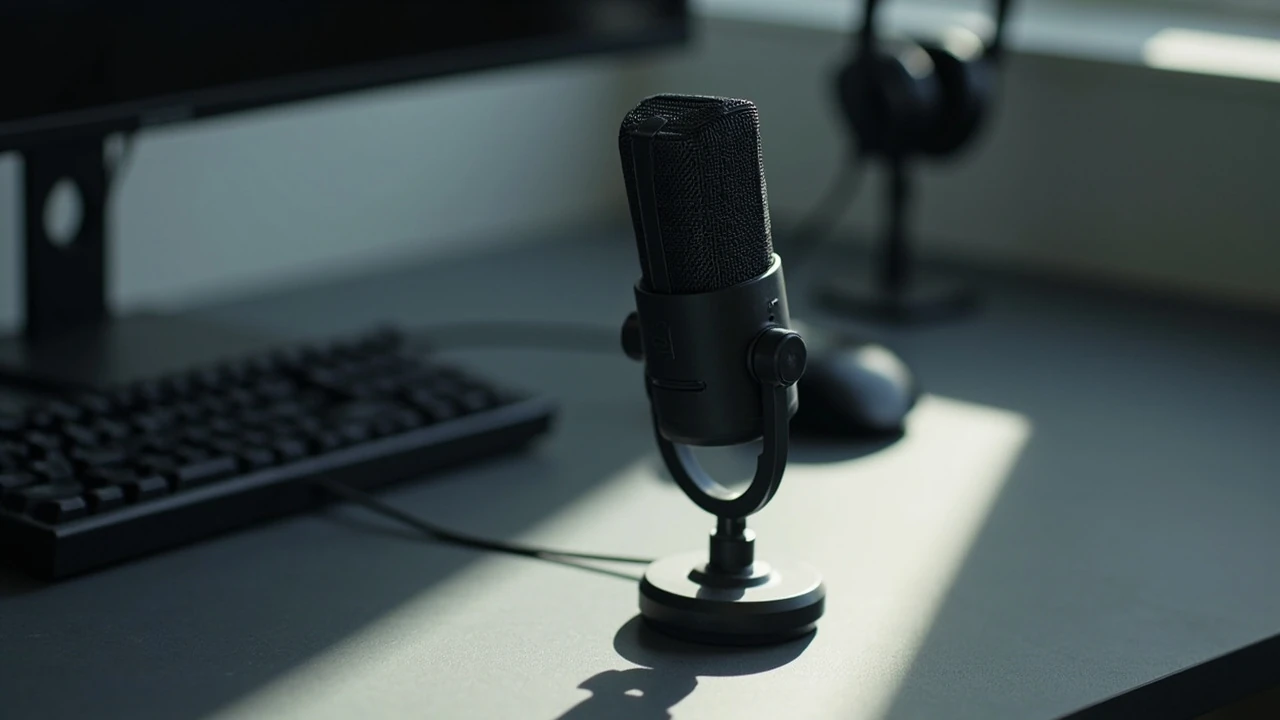
Gaming microphone
A teammate asks, mid-match, why you sound like you are speaking through a pillow. The issue is almost never the headset; it is the input chain. A good gaming microphone is chosen for the way it picks up a voice in the room you actually play in, the way it connects to the rig you already own, and the way it survives hours of daily use. This guide walks through the technical and practical decisions that separate a mic you can rely on from one that frustrates you after a week.
It also covers the small setup details that quietly determine sound quality: distance from the mouth, angle, room noise, gain staging, and how the microphone is mounted. By the end, you should be able to read a spec sheet, compare two realistic options, and set up your chosen mic so it sounds clean on Discord, in-game chat, and a recorded highlight reel.
What a gaming microphone has to do, exactly
A gaming microphone has a narrower job than a studio vocal mic, even though the hardware overlaps. The primary goal is clear, intelligible speech in real time, with minimum noise, minimum echo, and minimum setup friction. Music, ASMR, and streaming are secondary; team communication is primary. That framing changes what to prioritise: voice clarity over frequency range, rejection of background noise over absolute sensitivity, and plug-and-play reliability over expandability.
Two constraints drive most of the buying decisions. First, the mic must work on a desk in a bedroom, not a treated booth. Second, it must work with a consumer PC or console setup that may not have a dedicated audio interface. Those constraints explain why condenser USB mics and dynamic headset microphones dominate the category, and why large-diaphragm studio condensers rarely do.
Pickup pattern: what the mic actually hears
The pickup pattern is the single most useful spec on a product page. It describes the three-dimensional shape around the capsule where the microphone is sensitive to sound, and it determines how much of your room the mic will capture along with your voice.
| Pattern | What it hears | Best for | Trade-off |
|---|---|---|---|
| Cardioid | Sound in front, some from the sides, very little from the back | Solo play at a desk | Still picks up loud sounds directly in front of the mic |
| Supercardioid | Tighter front lobe, small rear lobe | Noisy rooms, keyboard-heavy setups | Less forgiving of off-axis mouth movement |
| Hypercardioid | Very tight front, noticeable rear lobe | Streaming with a controlled backdrop | Aim is critical; poor placement sounds distant |
| Bidirectional (figure-8) | Front and back equally, rejects sides | Two-player co-op at one desk | Useless for solo play; picks up everything behind the mic |
| Omnidirectional | Equal sensitivity all around | Group play, conference-style chat | Captures the entire room, including fans and traffic |
For most solo gamers, a cardioid pattern is the right default. Supercardioid becomes useful when a mechanical keyboard or a chatty household competes with your voice. Omnidirectional only makes sense in a treated room or when the mic is shared between several players at fixed positions.
Condenser vs dynamic: the real difference for gaming
The capsule type controls how the microphone converts sound into an electrical signal, and that choice has a direct effect on the way a gaming microphone behaves in a normal bedroom.
- Condenser capsules are sensitive and detailed. They pick up quieter sounds, have a flatter high-frequency response, and tend to sound “open.” The downside is that they also pick up the PC fans, the window, the roommate talking in the next room, and the echo from bare walls.
- Dynamic capsules are less sensitive and have a built-in mechanical roll-off of high frequencies. They sound “warmer” in casual listening and reject a lot of room noise. The downside is that they need more gain to reach the same volume, which can introduce hiss on lower-end interfaces.
A useful mental model: a condenser gaming microphone records your voice and your room. A dynamic gaming microphone records your voice and ignores most of your room. If your room is treated, or you live alone and keep quiet hours, condenser is fine. If you cannot control background noise, dynamic saves you from a constant chain of complaints.
Connection: USB, 3.5 mm, or XLR
Connection type is the first practical filter. Each one implies a different kind of setup, and each one has limits that are easy to underestimate.
| Connection | Typical device | What you need | Strengths |
|---|---|---|---|
| USB-A or USB-C | Standalone streaming mic, headset dongle | A free USB port; no extra hardware | Plug and play, internal DAC, often includes monitoring jack |
| 3.5 mm analogue | Headset boom mic, dual-jack console controller | A compatible controller or splitter cable | Cheap, low latency, no driver setup |
| XLR | Broadcast-style dynamic mic | An audio interface or mixer with preamp gain | Best sound quality, swappable mics, balanced signal over long cables |
USB is the easiest path and the one most gaming microphones use. XLR gives you cleaner sound and upgrade flexibility, but only if you already own or are willing to buy an interface. 3.5 mm is fine for a headset boom, but it usually locks you into a single device and limits audio quality on the receiving end.
Specs that actually matter on the box
Marketing pages are full of numbers that look important and tell you very little. The list below is short on purpose, and each item has a real consequence.
- Frequency response: Look for a shape, not a range. “50 Hz to 18 kHz” is meaningless if the response is scooped at 1 kHz where vocal intelligibility lives. A relatively flat curve with a gentle rise around 3 to 6 kHz is a good sign for spoken voice.
- Sample rate and bit depth: For gaming, 48 kHz at 16-bit is enough; 48 kHz at 24-bit gives more headroom for post-processing. Anything marketed above 96 kHz is wasted on a voice channel.
- Max SPL: How loud a sound the capsule can take before distorting. Matters more for shouting, screaming after a win, or heavy laugh reactions. A rating above 120 dB SPL handles most players.
- Sensitivity: How quiet a sound the mic can pick up. Higher sensitivity means more output but also more room noise. Pair this with the pickup pattern: high sensitivity plus omnidirectional is rarely a good idea in a gaming room.
- Self-noise: The hiss the mic adds to a quiet signal. Important for condenser USB mics, less so for dynamic broadcast mics, which have higher output to begin with.
On-mic controls that change daily use
The features below do not change sound quality much, but they decide whether you keep the microphone on the desk after week one or move it to a drawer.
- Mute button: A hardware button on the mic saves you from alt-tabbing. A capacitive touch surface is a poor substitute; a physical click gives confident feedback that the mic is actually muted.
- Gain knob: Lets you match the mic to your voice and room without opening software. Useful for shared rigs and quick swaps between shouting and quiet play.
- Headphone jack with zero-latency monitoring: Lets you hear your own voice through the mic’s preamp instead of through the game. The latency difference between direct monitoring and software monitoring is audible and distracting.
- Shock mount or integrated isolation: Reduces the thump when you hit the desk during a tense moment. Even a basic internal mount is much better than a bare stand.
- Pop filter or foam windscreen: Controls plosives on P, B, and T sounds. A foam screen is fine for gaming; a double-layer mesh is a step up if you also record voice-overs.
Setup: how to place a gaming microphone correctly
Even a modest microphone sounds bad if it is placed badly, and a great microphone sounds average if the room is wrong. The order of operations matters.
- Pick the side of the desk where background noise is lowest. Walls reflect sound, so a mic near a flat, hard wall will pick up a noticeable echo. A bookshelf, curtain, or open doorway behind the mic absorbs reflection.
- Keep the mic roughly a hand’s width from your mouth, slightly off-axis. Straight-on placement is fine for cardioid; a small angle reduces plosives and breath noise without losing volume.
- Set the gain so your loudest moments sit around three-quarters of the way up the level meter. Quiet speech should still move the meter. If it does not, gain is too low; if the meter is constantly red, gain is too high.
- Enable noise suppression in chat software only after the hardware is set. Software suppression hides poor gain staging. It works best as a thin layer on top of a clean input signal, not as a substitute for one.
- Test in the room you actually use. A short clip recorded with the door closed, with the same lighting and noise as a real session, is more useful than any lab measurement.
Common mistakes that ruin an otherwise good gaming microphone
- Mounting the mic on the same boom arm as a heavy keyboard tray. Every keystroke travels straight up the arm and into the capsule. Decouple the mic from the keyboard.
- Pointing the mic at the monitor. Monitors vibrate subtly, and the high-frequency buzz is exactly the band a condenser picks up. Angle the mic away from the screen.
- Leaving Windows or macOS gain at 100 percent and the mic gain at 100 percent. Two gain stages stacked together always produce hiss. Pick one and leave the other near 50 percent.
- Using the mic in a completely empty room. Bare walls create a comb-filter effect that makes voices sound hollow. A rug, curtains, or a single bookshelf behind the monitor is enough to fix most of it.
Matching the mic to your play style
The same microphone will feel different to a competitive FPS player, a casual RPG fan, and a streamer who chats for hours. The table below maps common profiles to the microphone features that actually help them.
| Player profile | Pattern | Capsule | Connection | Why this fits |
|---|---|---|---|---|
| Competitive solo player | Supercardioid | Dynamic | USB or XLR | Rejects keyboard and teammate yelling from another room |
| Casual couch co-op | Cardioid or omni | Condenser | USB | Easy setup, picks up multiple players without repositioning |
| Solo streamer in a treated room | Cardioid | Large-diaphragm condenser | USB or XLR | Detailed voice tone, room is already quiet |
| Console party chat | Cardioid | Dynamic or small condenser | USB or 3.5 mm | Low friction, works with controller audio |
| Multiplayer with shared desk | Bidirectional | Condenser | USB | Two voices at one desk, side noise rejected |
The same hardware can be tuned to different profiles with software, but the physical pattern and capsule do most of the work. If you switch genres often, a flexible supercardioid USB dynamic is a sensible middle ground.
Console specifics: PlayStation, Xbox, and Switch
Console gaming adds one variable that PC players do not face: the chat signal often runs through a controller or a proprietary wireless protocol. A few practical points help avoid surprises.
- PlayStation 5: Most USB microphones are recognised automatically as input devices, and the system routes chat and party audio through the headset jack on the mic itself. Check that the mic supports “headset audio” if you want game audio on the same device.
- Xbox Series consoles: Microsoft uses a stricter USB audio stack. A microphone that works on PC and PS5 may need a firmware update or an adapter to work on Xbox. Official licensing helps here; unlicensed third-party mics often refuse to enumerate.
- Nintendo Switch: The dock supports USB audio on most modern Switch models, but handheld mode does not. Plan around docked play or use a separate wireless headset for portable sessions.
If a microphone is marketed for “console use,” look for the specific platform names in the compatibility list, not just “USB.”
Software, drivers, and why they matter less than they used to
Ten years ago, a USB microphone needed vendor software to set gain and pattern. Most modern gaming microphones work as standard USB audio class devices, which means Windows, macOS, Linux, and most consoles can drive them without extra drivers. The practical effect is that simple things like gain and monitoring are handled by the mic’s own knob, and complex things like EQ and noise removal are handled by the chat or streaming app.
For most players, two software settings are worth knowing:
- Noise suppression strength: Light suppression removes fan and coil whine. Heavy suppression starts eating the consonants in speech. Start light and increase only if teammates still hear noise.
- Input level in the chat app: Discord, Steam Voice, and in-game voice chats each have their own input slider. Set the mic to a clean signal first, then trim in the app instead of the other way around.
Care, storage, and lifespan
A gaming microphone is not fragile, but it is not immortal either. Capsule diaphragms stretch over years of exposure to humidity and dust, and solder joints on the USB connector are the most common physical failure point.
- Keep it out of direct sunlight. Black metal bodies absorb heat, and sustained warmth shortens capsule life.
- Do not eat over the mic. Steam and small particles end up on the diaphragm and slowly change its response.
- Coil the cable loosely. Sharp bends near the connector break the internal wires over time, especially on heavier USB-C cables.
- Wipe the grille, not the body. Body polish can leave residue that the next person touches and transfers to the capsule. A dry brush on the grille is enough.
Treated this way, a USB gaming microphone should deliver consistent sound for five to seven years, and an XLR model can last much longer because the capsule and cable are both replaceable.
When a gaming microphone is the wrong product
It helps to be honest about limits. A gaming microphone is the right tool for chat and casual streaming, but it is not the right tool for several common adjacent jobs.
- Music recording: A condenser designed for vocals has a flatter response and lower self-noise. A gaming mic will record a song, but it will colour the voice and add room noise that is hard to remove later.
- Field recording or outdoor capture: Lavalier or shotgun mics with wind protection handle outdoor air, plosives, and distance. A desktop gaming mic does not.
- Conference calls in a noisy office: A headset mic with close-proximity placement is more consistent than a desktop mic that picks up the room.
If your main use is one of these, the right category is not a gaming microphone at all, and pretending otherwise usually means buying twice.
Building a shortlist from real priorities
Before looking at reviews, write down three answers: the room you play in (quiet or noisy), the device you connect to (PC, console, both), and the single feature you care about most (clarity, rejection, convenience). With those answers fixed, the shortlist is much smaller and the choice is much easier.
For example, a player with a quiet room on a PC who values convenience usually lands on a USB cardioid condenser. A player with a noisy room on the same PC who values rejection usually lands on a USB supercardioid dynamic. Both are gaming microphones, but the priorities are different and the price bands do not overlap.
If you want a place to read more about how the rest of your setup shapes user experience, the studio’s piece on website strategy and how to plan a site that actually performs covers how a similar thinking process applies to product decisions, and the practical guide to inclusive design is a useful reminder that small details, like where a mute button sits, change who can use a product comfortably.
Frequently asked questions
Do I need a condenser or a dynamic gaming microphone?
Choose dynamic if your room has any background noise you cannot control: a mechanical keyboard, a PC under the desk, traffic, a shared home. Choose condenser if you play in a quiet, treated room and want a more detailed voice. Both work; the room decides which one is easier to live with.
Is a USB gaming microphone good enough for streaming?
Yes, for the majority of solo streamers. A modern USB cardioid condenser or dynamic with onboard monitoring and gain control covers Twitch, YouTube, and Discord chat without extra hardware. XLR only becomes worth the extra cost if you want a broadcast-style setup with a physical mixer or plan to swap capsules.
What does a supercardioid pattern actually do?
Supercardioid focuses on a tighter region in front of the microphone than a regular cardioid. It rejects more sound from the sides and slightly more from the rear, but it also has a small sensitive spot directly behind the capsule. Aim matters, and the mic should be pointed at your mouth, not at the monitor.
How close should I sit to a gaming microphone?
For a cardioid pattern, roughly 10 to 20 centimetres, slightly off-axis, is a useful starting point. Closer placement adds bass proximity effect and can muddy speech. Farther placement picks up more room. Adjust until your loudest moments do not clip and your quietest moments still register on the meter.
Can I use a gaming microphone on a console?
On PS5, most USB microphones work as standard input devices. On Xbox, only microphones that are licensed for Xbox will enumerate without an adapter. On Switch, USB audio works in docked mode on most current models and does not work in handheld mode. Check the platform list in the product page before buying for console use.
Do I need a pop filter?
For most gamers, the foam windscreen that ships with the microphone is enough. A separate pop filter helps if you speak directly into the mic from a very short distance or if your mic is mounted above your mouth and catches more breath. It is a small upgrade, not a required accessory.
Why does my voice sound tinny or hollow on Discord?
Three common causes: the mic is too far from your mouth, the room has hard reflective surfaces, and Discord is applying echo cancellation to a signal that is already clean. Bring the mic closer, add a soft surface behind the monitor, and lower Discord’s echo cancellation until your voice sounds natural again.
What is the difference between a gaming microphone and a podcast microphone?
Marketing mainly. A podcast microphone is usually a broadcast-style dynamic XLR model designed for a treated studio, often with a built-in or bundled shock mount. A gaming microphone is usually a USB condenser or dynamic with a desk stand and chat-friendly controls. The capsules overlap; the accessories and the connection type differ.
Does a shock mount matter for a gaming microphone?
Yes, more than most people expect. A shock mount decouples the capsule from the desk and the boom arm, so keyboard taps, mouse clicks, and desk bumps do not show up in the signal. Even a budget mount is a clear improvement over a bare threaded connection.
How long should a gaming microphone last?
With normal daily use and basic care, a USB gaming microphone should deliver consistent sound for five to seven years. An XLR setup can last much longer because the cable, interface, and capsule are all separately replaceable. The most common failure points are the USB connector and the grille foam, both of which are easy to swap or clean.