October 22, 2026 / UX and Accessibility
Herman Miller Aeron gaming chair: what the design actually does
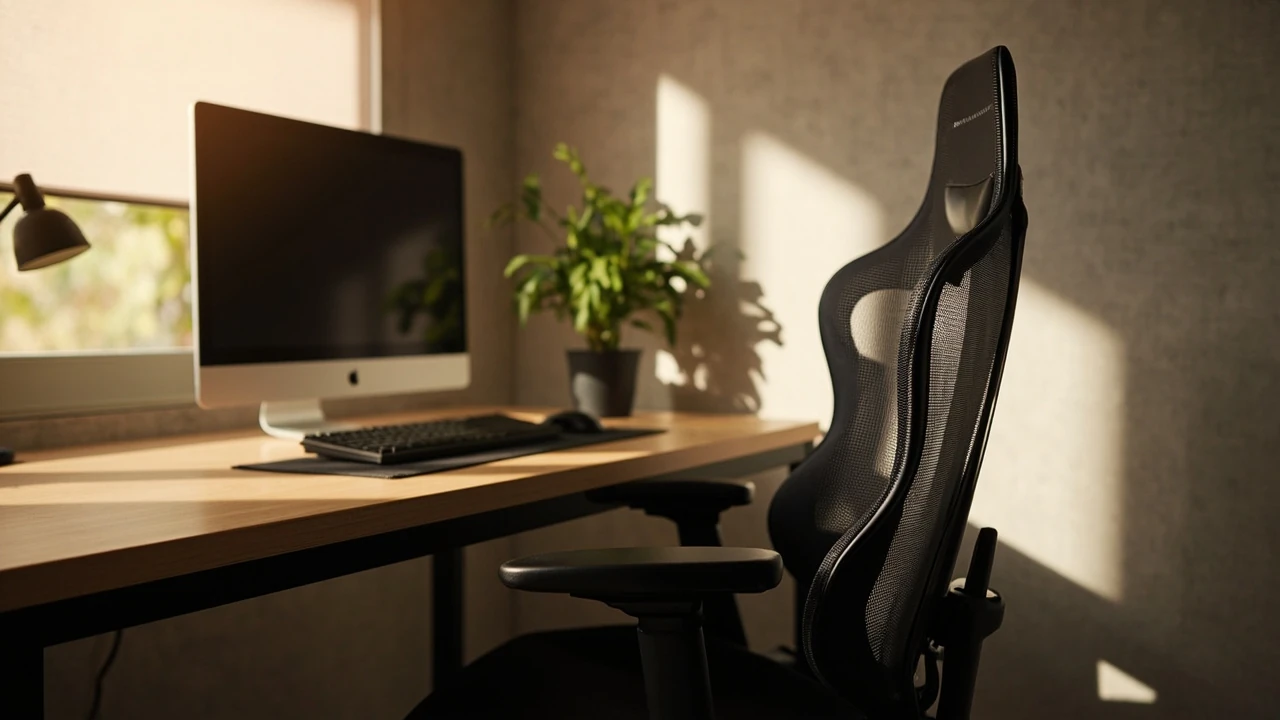
Herman Miller Aeron gaming chair: what the design actually does
Long hours at a desk punish a chair long before they punish the person sitting in it. The Herman Miller Aeron gaming chair is sold on a specific promise: that the chair itself will not get in the way of your spine, your temperature, or your focus during multi-hour sessions. The interesting question is not whether the Aeron is famous. It is whether the design choices that made it a fixture in offices and studios for two decades also translate well to a gaming and creator workflow in 2026.
This article focuses on the practical side of that question. We look at how the Aeron supports posture, why its mesh matters for thermal comfort, how the size and tilt controls actually work, and where the chair fits into a thoughtful desk setup. The goal is to give you the kind of information that helps you decide whether the chair matches your body, your room, and the way you actually sit.
Why the Aeron is a different kind of gaming chair
Most gaming chairs on the market borrow their silhouette from a racing seat. Tall bolsters, deep bucket, dense foam, and stitched upholstery are the visual shorthand. The Aeron moves in the opposite direction. It is a task chair, originally designed for office work, that some buyers and retailers now market as a Herman Miller Aeron gaming chair because its strengths map onto long computer sessions.
Three design choices define the difference:
- Open mesh instead of upholstered foam, so the chair breathes against your back rather than trapping heat.
- No fixed backrest recline angle, so the chair follows your movement instead of locking you into a single posture.
- Adjustable lumbar support through a separate PostureFit pad, so the curve of the lower back is treated as a tunable parameter rather than a fixed shape.
These choices come from the same engineering culture that informs broader website strategy and digital product thinking: identify the actual constraint the user is dealing with, and design around that constraint instead of around a visual cue.
PostureFit and the lower back curve
The lower back has a natural inward curve called lumbar lordosis. Sitting for long periods without supporting that curve tends to flatten it, which loads the spinal discs unevenly. Many padded chairs solve this by pushing the user against a fixed cushion, but a single fixed shape rarely matches every body.
The Aeron uses a PostureFit mechanism. Two pads sit at the base of the backrest and press gently into the lumbar region. Their height and firmness are adjustable, so you can place the support where your spine actually needs it. The intent is not to force a posture. The intent is to keep the pelvis in a neutral position so the rest of the spine can stack above it.
For gamers and creators, this matters during long loading screens, editing passes, and competitive matches where posture drifts. A chair that supports neutral pelvic alignment reduces the slow fatigue that usually shows up first in the lower back and shoulders.
How the mesh back supports and breathes
The Aeron’s most visible feature is its woven mesh, called Pellicle. The material is suspended in a frame and distributes weight across eight zones of varying tension. The upper back and shoulder area is more compliant, while the lumbar and seat areas carry firmer tension to support load.
The practical effect is two-fold:
- Pressure distribution. The mesh conforms to your body rather than fighting it, which reduces the pressure points that padded chairs create along the spine and shoulder blades.
- Thermal comfort. Air passes through the back and the seat, so heat and moisture dissipate instead of building up. For a chair that often runs warm because of monitors, body heat, and ambient room temperature, this is a real ergonomic benefit rather than a marketing bullet.
For warm rooms, summer sessions, and creators who wear layers, the mesh approach is closer to a passive cooling system than a cushion.
Tilt, recline, and the idea of a moving seat
A common mistake when buying any task chair is to set the tilt once and never touch it. The Aeron is built around the opposite idea. Its tilt mechanism is meant to be used.
The chair offers three relevant adjustments:
| Control | What it changes | Why it matters for long sessions |
|---|---|---|
| Tension knob | How much force the tilt mechanism resists | Lets you match recline effort to body weight so a light push moves you back, not too easily and not with effort. |
| Tilt limiter | Range of recline the chair allows | Sets a working recline for typing or aiming, and a wider range for breaks without leaving the chair. |
| Forward tilt | Seat angle for tasks that lean forward | Useful for detailed editing, sketching, and reading from a second screen where the upper body is pitched forward. |
The combined effect is that the chair supports movement. Your spine is healthier when you shift positions across a session, and the tilt system is the tool that makes those shifts feel natural instead of jarring.
Sizing the Aeron: A, B, and C explained
One of the most overlooked steps in choosing a Herman Miller Aeron gaming chair is picking the correct size. The chair comes in three sizes that are not merely about height. They affect seat depth, backrest height, and the width of the frame.
| Size | Typical user height | Seat width | Best fit for |
|---|---|---|---|
| A (Small) | Around 150 to 165 cm (roughly 4’11” to 5’5″) | Narrower | Smaller frames, compact desks, shorter legs |
| B (Medium) | Around 165 to 183 cm (roughly 5’5″ to 6’0″) | Standard | The most common size for general adult users |
| C (Large) | Around 183 to 198 cm (roughly 6’0″ to 6’6″) | Wider | Taller frames, broader shoulders, deeper seat |
A chair that is even one size off can leave the user with feet that do not rest on the floor, armrests that pinch, or a backrest that ends below the shoulders. A short sizing check with a measuring tape is more useful here than any review.
Armrests, seat depth, and the details people skip
The Aeron’s armrests are fully adjustable in height, width, pivot, and depth. For keyboard and mouse work, the goal is a relaxed shoulder. The elbows should sit close to the body and roughly level with the desk surface, with forearms parallel to the floor.
Seat depth is controlled by a slider. With your back against the backrest, you want roughly two to three fingers of space between the front edge of the seat and the back of your knee. Too shallow, and your thighs take pressure. Too deep, and the seat edge presses into the back of the knee and reduces circulation.
These are not glamorous adjustments, but they are the difference between a chair that disappears into the background and one that you keep noticing.
Where the Aeron fits a gaming and creator setup
A chair is only one element of a workstation. The Aeron is at its best when the rest of the setup also respects the body.
- Monitor at roughly an arm’s length, with the top of the screen near eye level. This keeps the neck neutral.
- Keyboard and mouse on a surface that lets the elbows sit at roughly ninety degrees. Desk height matters more than most buyers realize.
- Feet flat on the floor or on a footrest. A chair cannot fix a foot that dangles.
- Lighting that reduces glare on the screen. Eye strain compounds with poor posture over a long session.
The Aeron is often paired with sit-stand desks. The mesh and tilt system make the transition between sitting and standing easier because the chair does not trap heat and does not force a single seated posture. If you raise and lower the desk several times a day, the chair’s adjustability pays for itself.
Posture habits that still matter more than the chair
Even the most thoughtful chair cannot replace basic movement. Three habits tend to matter more than the brand on the headrest.
- Micro-breaks every 30 to 45 minutes. Stand, walk for a minute, reset the eyes on a distant object. The chair supports the body between breaks; the breaks do the heavy lifting.
- Varied postures. Recline for reading and cutscenes, sit upright for aiming or detailed editing, and lean forward for sketching or handwriting.
- Hydration and room temperature. Cooler rooms reduce the temptation to slouch forward and pull the chair into a warmer shape against the body.
These habits interact with the chair, not the other way around. A good chair removes friction from doing the right thing, but it does not enforce it.
Comparing the Aeron with other well-known task chairs
The Aeron is not the only respected task chair on the market. Buyers weighing a Herman Miller Aeron gaming chair against alternatives tend to compare it with a few recurring models.
| Chair | Material approach | Posture support | Thermal comfort | Typical price tier |
|---|---|---|---|---|
| Herman Miller Aeron | Pellicle mesh, suspended frame | Adjustable PostureFit lumbar, full tilt with limiter | High, mesh is fully breathable | Premium |
| Steelcase Leap | Contoured foam with fabric upholstery | Adaptive bolstering in back, separate lumbar | Moderate, fabric traps some heat | Premium |
| Steelcase Gesture | Contoured foam with fabric upholstery | 360-degree arms, designed for varied device use | Moderate | Premium |
| Haworth Soji | Mesh back, fabric seat | Self-adjusting recline, tunable lumbar | High on the back, moderate on the seat | Mid to premium |
For buyers who run hot, sit in warm rooms, or value a low visual profile, the Aeron’s mesh story tends to win. For users who prefer a softer seat and a more traditional cushion feel, the Leap and Gesture are reasonable alternatives. None of these choices are wrong; they trade off against each other.
The aesthetic argument: how the chair looks in a room
The Aeron does not try to look like a gaming chair. It is often available in graphite, carbon, mineral, and onyx finishes, and its silhouette is closer to a design object than a race seat. For creators who livestream, the chair appears on camera as part of a workspace rather than a costume.
This visual restraint has practical consequences. A chair that blends into a clean desk setup reads as part of the room. A chair with high bolsters and stitched logos reads as the focal point. Some creators prefer that signal, others prefer the opposite. Knowing which one you are buying for avoids a mismatch with the rest of the room.
Sustainability, longevity, and the second-hand market
The Aeron has been in continuous production in various revisions for decades. Its longevity is part of the value proposition. Replacement parts, including armrest pads, casters, and gas cylinders, are widely available. A well-kept Aeron from a previous generation can still be a strong chair, and the second-hand market is active.
If sustainability matters to you, the relevant question is not whether a chair is brand new, but how long it will serve and whether it can be repaired. A chair that lasts ten to fifteen years and can be partially refurbished often wins on environmental grounds over a cheaper chair that is replaced every three to four years.
Who the Herman Miller Aeron gaming chair suits
The chair suits a specific user profile. If several of the following points describe you, the Aeron is worth a serious look.
- You sit for four or more hours at a stretch, often in the same room, several days a week.
- You run warm, or your room runs warm, and you dislike the feeling of a chair that traps heat.
- You prefer a chair that responds to movement rather than locks you in place.
- You want a piece of furniture that you can keep for a decade, with replacement parts available when wear shows up.
- You do not need the visual language of a racing seat on camera.
Outside that profile, the fit is weaker. If you only sit for an hour a day, or you strongly prefer a soft upholstered seat, a less expensive chair may serve you as well. The Aeron is a tool, and tools work best when matched to the job.
Common mistakes when buying the Aeron
Even informed buyers make the same handful of errors. Watching for them up front saves a return.
- Choosing size based on height only. Two users of the same height can need different sizes depending on leg length and shoulder width.
- Ignoring the tilt limiter. The default recline range is wide, and a too-loose setting will pull you back when you want to lean forward for aiming.
- Skipping the lumbar adjustment. PostureFit is not a set-and-forget element. A ten-second tweak per quarter keeps the support matched to your body as it changes.
- Pairing the chair with the wrong desk height. A premium chair at the wrong desk height produces the same strain as a cheap one.
These are not reasons to avoid the chair. They are reasons to spend a few minutes with it after delivery and re-check the settings after a few weeks of real use.
Setting the Aeron up for the first time
A short, ordered setup helps the chair feel right from day one.
- Set the seat height so your thighs are roughly parallel to the floor and your feet rest flat.
- Set the seat depth so two to three fingers fit between the seat edge and the back of your knee.
- Adjust the armrests so your shoulders are relaxed and your forearms are level with the desk.
- Tune PostureFit so the pads fill the curve of your lower back without pushing you forward.
- Set the tilt tension so a light push from your feet moves you back without effort.
- Set the tilt limiter to a working recline for your most common task, then re-open it for breaks.
After a week, revisit steps four, five, and six. Most users adjust at least one of them once their body has settled into the chair.
How the Aeron fits into a thoughtful workspace
The Aeron is one of those purchases that quietly improves the texture of daily work. It is not exciting, and it is not meant to be. It is meant to stop being a problem so that you can focus on the work in front of you. In a workspace designed with the same care, where visual identity and brand clarity shape the room, the chair fits naturally. It is consistent with a design-led approach to the desk: quiet, considered, and built to last.
If you are building a workspace from the screen out, the chair is a strong place to invest. The screen changes every few years. The chair can stay.
Frequently asked questions
Is the Herman Miller Aeron a good gaming chair?
For users who sit for long sessions and prefer a breathable, posture-aware chair over a racing-style seat, the Aeron is one of the strongest options on the market. It is not a gaming chair in the traditional visual sense, but it is well suited to the actual demands of gaming, editing, and creative work.
What is the difference between the Aeron and a typical gaming chair?
The Aeron uses a mesh back and seat instead of foam and upholstery, has a tilt system designed for movement rather than a fixed recline, and relies on a tunable lumbar pad instead of a fixed cushion shape. Most gaming chairs are built around bolsters and a reclining bucket; the Aeron is built around neutral posture and thermal comfort.
How do I choose the right Aeron size?
Match your height and leg length to the size chart, but also consider shoulder width. Size B is the most common choice for adults in the 165 to 183 cm range, while A suits smaller frames and C suits taller or broader users.
Does the Aeron get hot during long sessions?
The mesh back and seat are designed to breathe, so the Aeron runs cooler than most upholstered chairs. Users who sit for many hours in warm rooms often report it as one of the more comfortable chairs they have used for thermal reasons.
Can the Aeron be adjusted for forward-leaning tasks?
Yes. The chair includes a forward tilt option that opens the seat angle for tasks where the upper body pitches forward, such as editing, sketching, or reading at a second screen.
Is the Aeron worth the price compared with mid-range chairs?
For users who sit for long periods and intend to keep the chair for many years, the price often works out favourably when measured per year of use, especially with available replacement parts. For users who sit occasionally, a mid-range chair may deliver similar comfort at a lower cost.
What maintenance does the Aeron need?
Routine care includes wiping the frame, vacuuming the mesh with a soft brush, and checking the casters for debris. Armrest pads and gas cylinders are replaceable, and Herman Miller offers refurbishment programs in many regions.
Can the Aeron fit under a standard desk?
Yes, the chair fits under most desks because the armrests are height adjustable and the backrest is medium height rather than a tall racing-style shell. Confirm the seat height range against your specific desk surface before ordering.
Does the Aeron help with lower back pain?
Many users with lower back discomfort report meaningful improvement after switching to the Aeron, primarily because the PostureFit pad and the tilt system support the lumbar curve and reduce static load on the spine. A chair is not a medical treatment, so persistent pain should still be discussed with a qualified clinician.
Is there a break-in period for the Aeron?
The mesh may feel firmer at first and gradually conforms to your body over the first few weeks. Most users also revisit the lumbar and tilt settings after that period to fine-tune the fit.