September 9, 2026 / Web Design
Gaming controller: how input design shapes the player experience
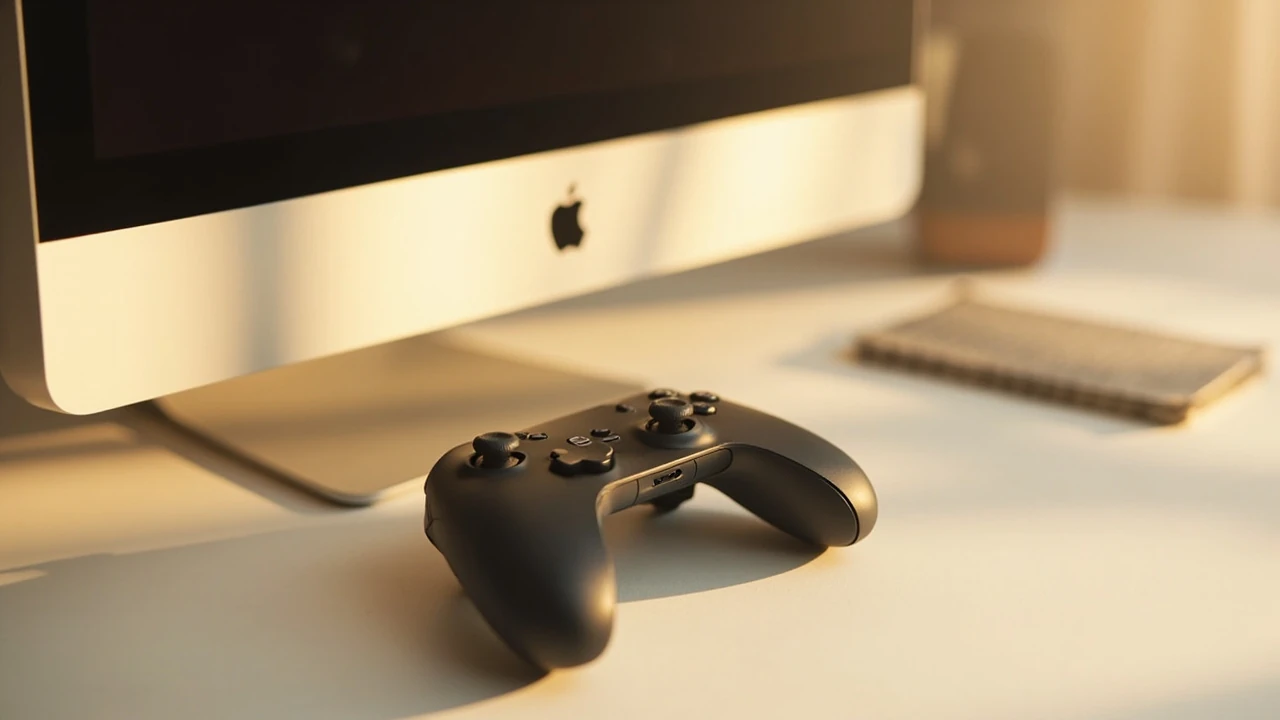
Gaming controller: how input design shapes the player experience
A gaming controller is the most personal piece of hardware between a player and a game, yet most buying decisions still come down to brand familiarity or a quick test on a store shelf. The shape of the grips, the throw of the thumbsticks, the placement of the triggers, the weight of the device in the hands, and the latency between a button press and an on-screen action all shape how a game actually feels. Some of those properties are objective and measurable. Others depend on the size of the player’s hands, the genres they play, and how long a session tends to last.
This guide looks at the gaming controller as a designed object rather than a marketing category. It covers how controllers work, what the main layout families are, which design choices drive comfort and accuracy, and what to compare when choosing one. The focus is on the decisions a thoughtful buyer can make, not on recommending a specific brand.
What a gaming controller actually does
At its core, a gaming controller is an input device that translates physical actions into digital signals a console or computer can read. Modern controllers combine several different input types in a single shell:
- Digital buttons for discrete actions such as jump, reload, or confirm.
- Analog sticks for continuous two-axis movement, including camera control and character steering.
- Analog triggers for variable input such as throttle pressure, bow draw, or brake force.
- Motion sensors, including accelerometers and gyroscopes, for tilt-based aiming or gesture controls.
- Haptic feedback systems, from simple rumble motors to voice-coil actuators that can produce a wide range of textures.
- Touch surfaces or click pads in some designs, used as secondary inputs or as a mouse-like pointer.
Each of those input systems reports its state to the host device at a regular interval, often around 125 Hz to 1000 Hz depending on the platform. The host then maps that input onto a game action. The result is a chain that includes the player’s hand, the controller’s sensors, the wireless or wired link, the operating system, the game engine, and finally the on-screen response. A delay or inconsistency anywhere in that chain shows up as a less responsive feel.
The main layout families
Three layout families cover the vast majority of consumer controllers. Each is the result of decades of iteration, and each comes with trade-offs that are useful to understand before comparing specific models.
Dual-stick symmetric layout
The symmetric layout places both analog sticks at the bottom of the controller, with the action buttons on the upper face. It is the standard format for Sony, Microsoft, and Nintendo’s primary controllers, and it is what most people picture when they hear the word controller. The symmetric design suits a wide range of hand sizes, leaves the triggers within reach of the index fingers, and supports two-thumb gameplay in shooters, action games, and platformers.
Asymmetric stick layout
The asymmetric layout places one analog stick on top and one on the bottom, with the action buttons shifted to one side. This format is common in older designs and in some specialty controllers. Some players prefer it for platformers and fighting games because the action buttons sit closer to the thumb that uses them most. The trade-off is that the lower thumbstick position can feel cramped for players with larger hands.
Flight stick and stick-and-throttle
For flight simulation, space combat, and some racing games, a single-axis stick with a separate throttle works better than a pad. A dedicated joystick provides finer control over pitch and roll, while a throttle lets the player manage speed without tying up a thumb. These setups are usually paired with a keyboard for additional inputs, and they are rarely used for general gaming.
The table below summarizes how these layouts compare for common use cases.
| Layout family | Typical use cases | Strengths | Trade-offs |
|---|---|---|---|
| Dual-stick symmetric | Shooters, action-adventure, sports, casual games | Balanced thumb access, widely supported, suits most hand sizes | Triggers are small relative to a stick-and-throttle setup |
| Asymmetric stick | Platformers, fighting games, some retro titles | Action buttons sit near the primary thumb | Lower stick can feel cramped; less common on new consoles |
| Stick and throttle | Flight sims, space sims, some racing | Fine-grained axis control, comfortable for long sessions | Requires desk space and often a paired keyboard |
What makes a gaming controller feel right
Two controllers with identical button counts can feel very different in the hand. The differences come down to a small set of design choices that affect how a controller behaves under load.
Ergonomics and grip
Grip shape is the most visible difference between modern controllers. A contoured shell with a tapered back fits the natural curve of the hand and reduces the effort needed to hold the device steady. Flatter designs feel slimmer and travel well in a bag, but they can ask the player to grip harder during long sessions. Weight distribution matters as much as total weight. A controller that is heavy in the back feels different from one that is heavy in the front, even if the total mass is the same.
Thumbstick geometry
Thumbsticks vary in height, shape, and resistance. A taller, domed stick gives the thumb more leverage for small adjustments, which is helpful for precise aiming. A shorter, flatter stick is easier to move quickly across its full range, which can help in games that require fast turns. The resistance inside the stick, often tuned by spring tension, changes how the stick returns to center and how much force is needed to push it to the edge.
Triggers and bumpers
Triggers read analog input, so a small amount of travel and a defined stop help the player control pressure accurately. Hair triggers with a shorter travel reduce finger fatigue in fast-paced games but make it harder to hold a partial value. Bumpers are usually digital and benefit from a wide surface and a clear click.
Button feedback and haptics
Button travel, the distance a button moves before it registers, affects how confident a press feels. Short travel registers quickly but can feel mushy. Long travel gives clear feedback but slows rapid inputs. Modern haptic systems, such as voice-coil actuators, can replace the simple on-off rumble with textures that match in-game events, which adds information rather than just vibration.
Latency and wireless performance
Latency is the delay between a physical action and the corresponding on-screen change. Wired controllers typically have the lowest and most consistent latency. Wireless controllers depend on the protocol, the radio environment, and the host’s processing. A well-tuned wireless link can feel indistinguishable from a wired one, but a poor link introduces small stutters that add up during long play sessions.
Wired versus wireless: what really changes
The wired-versus-wireless choice is no longer a simple quality trade-off. Modern wireless controllers use proprietary protocols with latency that is within a few milliseconds of wired connections in most real-world setups. The differences that matter in practice are practical.
| Factor | Wired | Wireless |
|---|---|---|
| Latency | Lowest and most consistent; no radio link in the chain | Low with modern protocols, with small variation based on the environment |
| Convenience | Limited by cable length and routing; no batteries to charge | Free movement; requires charging or battery swaps |
| Failure modes | Cable strain at the connector is the most common wear point | Radio interference, dropped connections at the edge of range, and battery aging |
| Travel and storage | Cable adds bulk to a bag | Easier to pack, easier to use on a couch or in a living room |
| Cost | Usually lower at the same feature level | Wireless models and accessories often carry a small premium |
For competitive play, where every millisecond is visible, a wired controller or a low-latency wireless model on a stable connection is the safer choice. For living-room play, the convenience of wireless usually outweighs the small latency difference for most players.
Compatibility across platforms
Compatibility is one of the most common sources of confusion for buyers. A controller designed for one platform may or may not work on another, and the answer depends on the connection standard, the driver support, and the games themselves.
- Native controllers, made for a specific console, are guaranteed to work with that console and usually with its PC companion app.
- USB and Bluetooth standards such as HID gamepad profiles allow many controllers to be recognized by Windows, macOS, Android, and Steam without extra software.
- Some platforms require a dongle or an adapter for controllers that do not speak the same wireless protocol.
- Game-level support varies. A controller may connect and report axes correctly, but a specific game may still assume a different button mapping or layout.
Before buying a controller for cross-platform use, it is worth checking the platform’s official support list, the developer’s notes, and the game’s input options. Several manufacturers publish detailed compatibility charts that list the platforms, the connection type, and the supported features for each model.
Choosing a gaming controller for a specific genre
No single controller is best for every genre. The design choices that help in a first-person shooter are not the same as the ones that help in a flight simulator or a fighting game. The list below pairs common genres with the controller properties that matter most.
- First-person shooters: tall, domed thumbsticks with moderate resistance; short trigger travel; light overall weight.
- Action-adventure and platformers: balanced symmetric layout; responsive bumpers; comfortable grip for long sessions.
- Fighting games: a six-button face layout, or a stick-and-button layout; short button travel with a clear click; low latency.
- Racing games: analog triggers with a defined stop; comfortable grips for a forward-leaning posture; paddle shifters or rear buttons where supported.
- Flight and space sims: a dedicated stick and throttle; many programmable inputs; a stable desk surface.
- Casual and party games: simple, durable shell; large face buttons; reliable wireless range for couch play.
Players who focus on a single genre benefit from choosing a controller that is tuned for that genre. Players who switch between several genres usually do better with a balanced symmetric layout and a controller that allows the thumbstick and trigger response to be customized.
Build quality and durability
Build quality is harder to evaluate from a spec sheet. The most common failure points in consumer controllers are the thumbsticks, the triggers, and the battery contacts on wireless models. A well-built controller uses a reinforced stick mechanism, a metal or reinforced polymer trigger pivot, and a battery compartment or sealed cell that can survive daily charging cycles.
A few practical checks help compare build quality without a long-term test:
- Look for documented testing such as drop tests, button-press cycle counts, and stick drift resistance. Reputable manufacturers publish these numbers.
- Check whether replacement parts, including thumbstick caps, triggers, and batteries, are sold separately.
- Read long-term reviews that cover at least six months of daily use rather than first-impression reviews.
- Consider the warranty terms. A longer warranty usually signals that the manufacturer expects the hardware to last.
Software, firmware, and customization
Most modern controllers ship with a companion app or a system-level settings panel. Useful features to look for include:
- Button remapping, which lets players assign any input to any button or back paddle.
- Stick and trigger deadzone adjustment, which can compensate for stick drift or for a player’s preferred sensitivity.
- Profile switching, which stores multiple layouts for different games and switches between them automatically.
- Firmware updates, which can fix bugs and add new features after purchase.
These features matter more for experienced players than for casual ones. A first-time buyer can ignore most of them. A player who already knows which inputs feel wrong in their favorite games can use them to fix specific problems rather than compensating with muscle memory.
Accessibility features in modern controllers
Accessibility has become a meaningful part of controller design. Several mainstream controllers now offer features such as remappable buttons on the back, swappable stick caps and stick lengths, and adaptive trigger modes. Third-party accessibility-focused devices add features such as mouth-controlled inputs, single-hand layouts, and assistive buttons that sit next to the controller.
For players with limited grip strength, lighter controllers with wider grips and lower button force can reduce fatigue. For players who play one-handed, asymmetric layouts or stick-on-top designs can keep every input within reach of a single thumb. For players with low vision, high-contrast face plates and tactile button identifiers help locate the right input without looking down.
A well-designed gaming controller should let a player change the most important inputs without changing the device itself, and it should accept the most common assistive accessories without extra adapters.
A practical decision checklist
The list below turns the previous sections into a short checklist. It is a starting point for comparing two or three controllers rather than a scoring system.
- Decide the primary genre and the most common session length.
- Choose a layout family that suits the genre and the player’s hand size.
- Compare thumbstick height, shape, and resistance where possible.
- Check trigger travel and whether the controller supports hair-trigger mode if needed.
- Decide on wired or wireless based on where the controller will be used.
- Verify compatibility with the target platform and the specific games that will be played.
- Look for build-quality evidence such as cycle counts, drop tests, and warranty length.
- Check whether the companion software supports the customization options the player actually needs.
- Confirm that the controller’s accessibility features match the player’s needs.
Maintenance that extends a controller’s life
A few habits extend the useful life of a controller without much effort.
- Store the controller in a cool, dry place and avoid leaving it in direct sunlight or in a hot car.
- Charge wireless controllers before long sessions rather than running them flat mid-game.
- Clean the thumbsticks and triggers with a dry or slightly damp microfiber cloth. Avoid solvents that can damage the rubber or plastic.
- Update the firmware when the manufacturer releases a new version, especially after a known issue is reported.
- Replace thumbstick caps and batteries as they wear, rather than replacing the whole controller.
Frequently asked questions
What is the most important feature to look for in a gaming controller?
Fit comes first. A controller that matches the player’s hand size and the games they play will feel better than a controller with more features but the wrong shape. After fit, latency, thumbstick feel, and trigger response are the next things to check.
Are wireless controllers as responsive as wired ones?
Modern wireless controllers on a stable connection are within a few milliseconds of wired controllers in most setups. Wired still wins for absolute consistency, and competitive players often prefer it, but the difference is small for general play.
How do I know if a controller will work with my platform?
Check the manufacturer’s compatibility chart for the exact model and platform. Look for the connection type, the supported protocols, and any required adapters. For PC, most controllers that support the standard HID gamepad profile will work with Steam and many other games without extra software.
What is stick drift and can it be avoided?
Stick drift is the tendency of a thumbstick to report movement when no input is given. It usually appears as the potentiometers inside the stick wear. It can be delayed by using lower stick force and by keeping the sticks clean, but it is a wear item on most controllers and is not always avoidable.
Do heavier controllers feel better?
Weight is a personal preference. Heavier controllers can feel more solid and stable in the hand, especially during long sessions. Lighter controllers reduce fatigue in fast, twitchy games. The most useful test is to hold the controller for several minutes rather than picking it up for a few seconds.
Is it worth paying more for a pro or elite version of a controller?
Pro or elite versions usually add back paddles, swappable sticks, trigger stops, and app-based customization. These features matter for players who already know which inputs they want to remap. Casual players usually do not need them and can save money with a standard model.
Can one controller be used for several platforms?
Often, yes, but with caveats. Many controllers support multiple platforms over USB or Bluetooth, but some features, such as motion controls or system-level shortcuts, may only work on the platform the controller was designed for. Always check the compatibility list before assuming.
What is the best way to clean a gaming controller?
A dry or slightly damp microfiber cloth works for the shell and the buttons. For the gaps around the sticks and triggers, a soft brush or a cotton swab helps. Avoid spraying cleaners directly onto the controller, and never use solvents that can damage the rubber grips or the printed labels.
How long should a gaming controller last?
With reasonable care, a well-built controller should last several years of regular play. The most common failure points are the thumbsticks and the battery. Controllers that see heavy competitive use may need stick replacement sooner, but a typical player can expect years of service.
Are third-party controllers worth considering?
Third-party controllers can offer features the first-party model lacks, such as extra paddles, modular sticks, or a different shape. The trade-off is that build quality and software support vary widely. Reading long-term reviews and checking the warranty terms is the best way to sort the strong options from the weak ones.